Tasks can be scheduled for automatic execution by selecting the "Schedule Enable" option then clicking on the  icon;
icon;

| Panel |
|---|
| borderColor | grey |
|---|
| bgColor | #F8F8F8 |
|---|
| borderStyle | dashed |
|---|
|
When the is pressed a window will open titled "Schedule" that can be used to specify the when the report is scheduled to run; 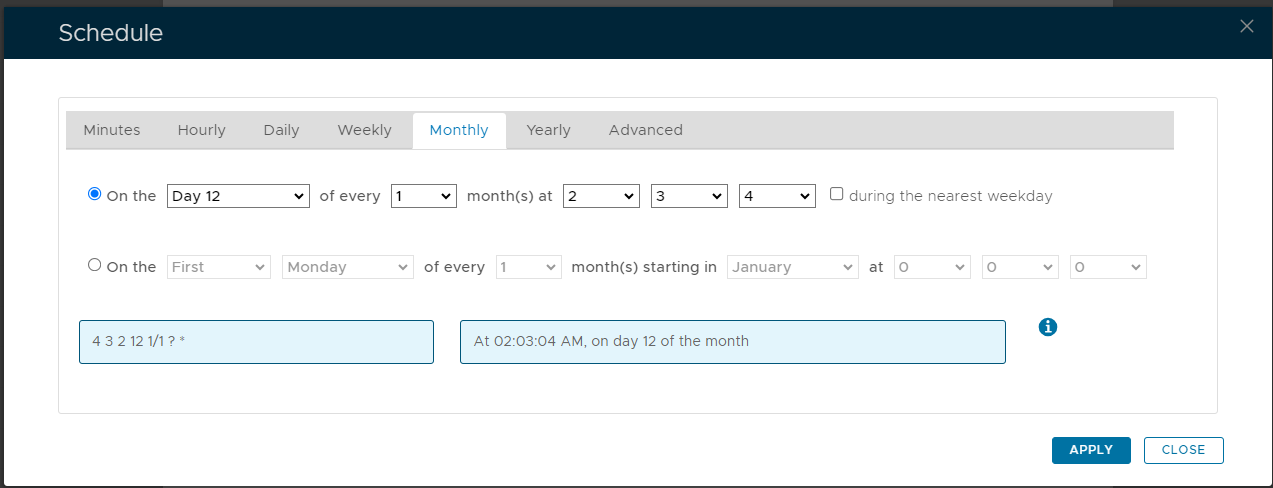
As an example, we can schedule the report to run at 1am every weekday using the following settings; 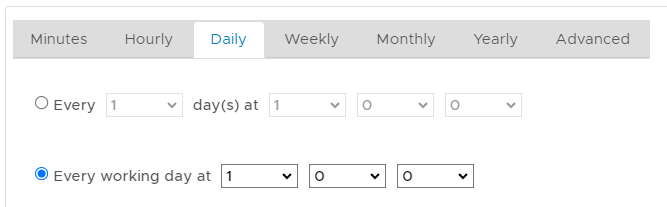
After clicking on  the schedule details will be converted into text form and added against the report parameter "Schedule"; the schedule details will be converted into text form and added against the report parameter "Schedule"; 
|