Users in DualShield have attributes such as the name of the domain they belong to, or the names of the groups they are member members of, etc. Below is a list of commonly used user attributes:
...
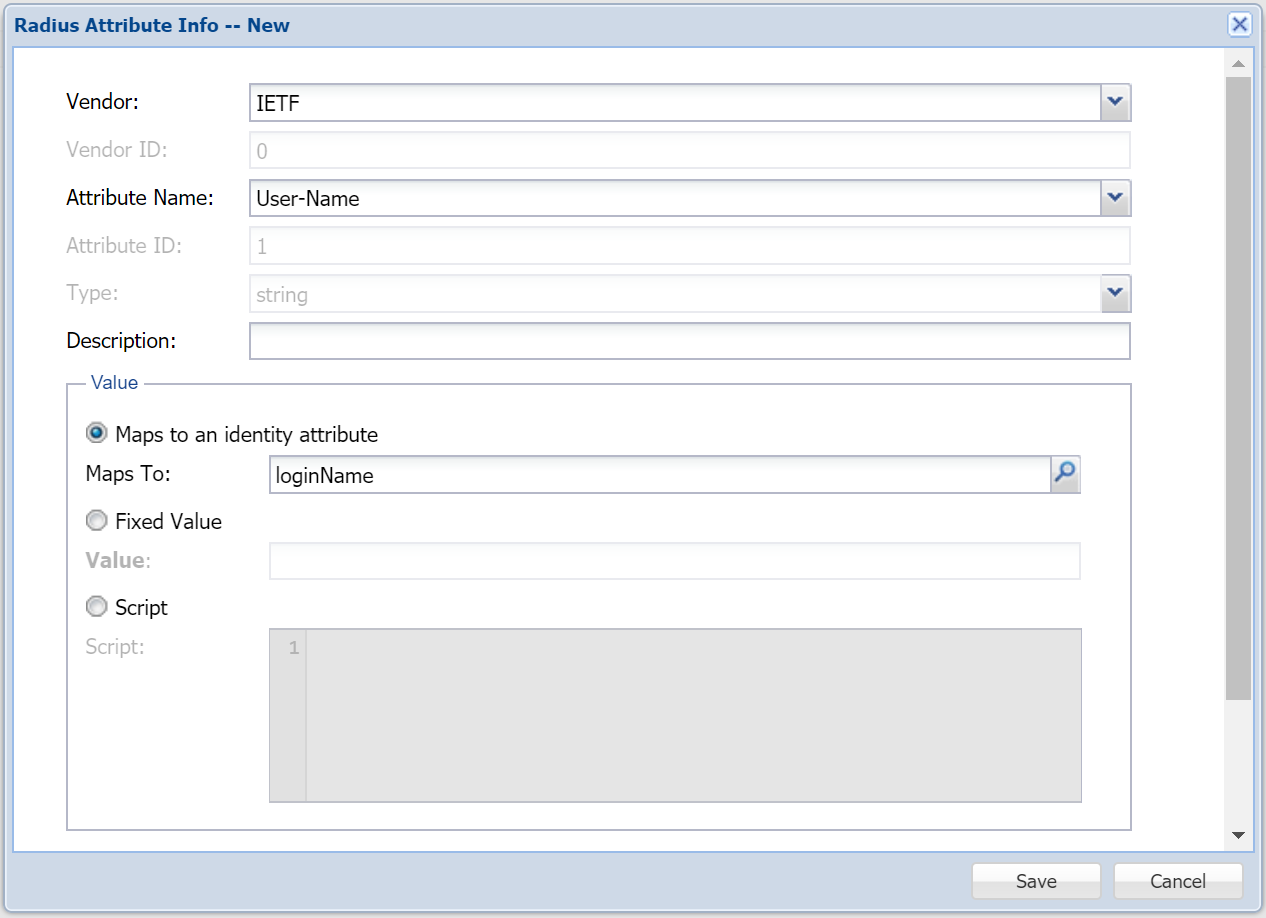
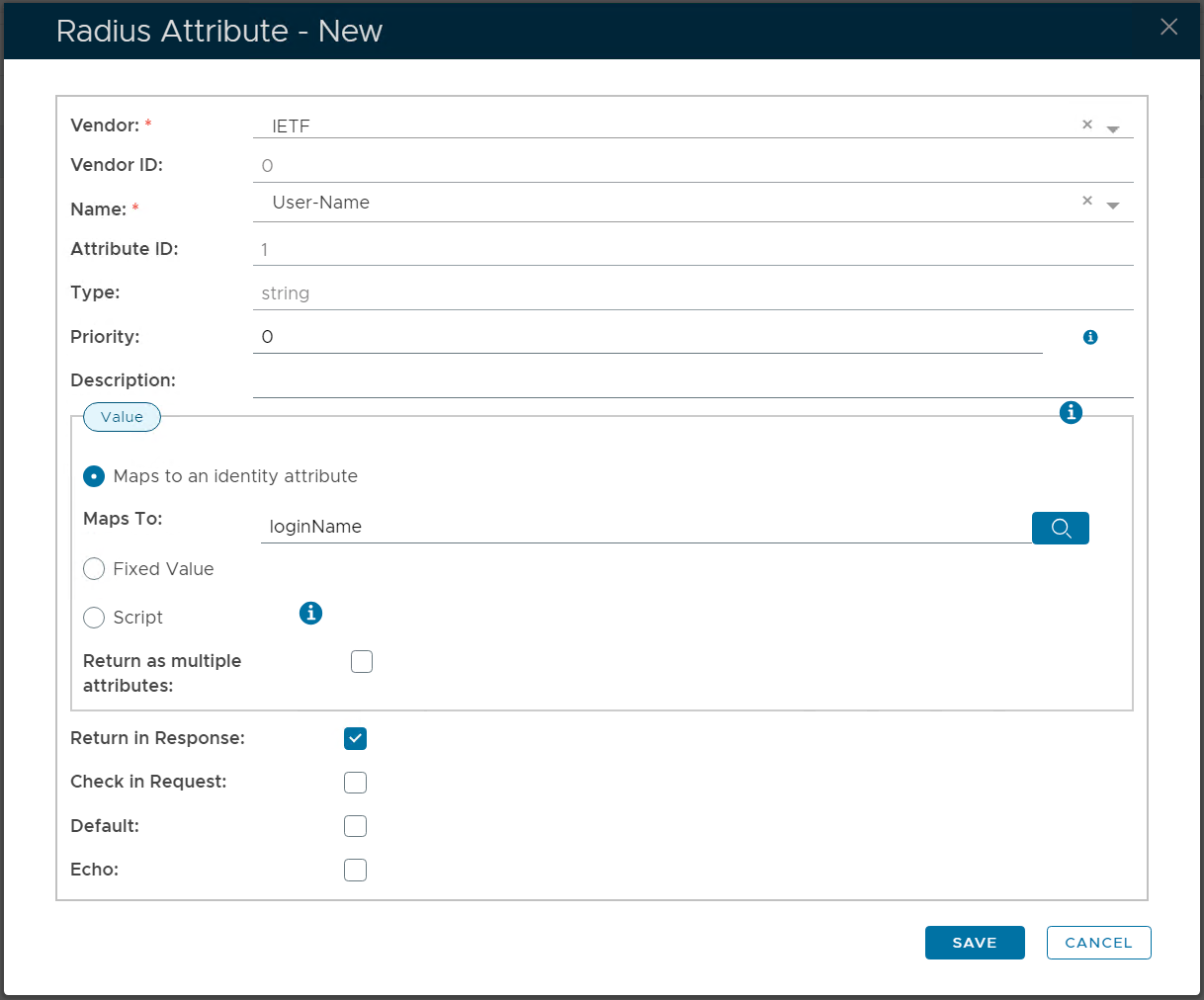
For example, to map the RADIUS attribute IETF/User-Name to a user's login name:
Group Names
Group name is slightly more complicated. However. A user may be a member of more than one group, therefore the attribute "groups.name" will return an array of group names. If you needs it to print the list of name as a comma separated values then you need to use the "join" function:
groups.name.join(',')
If you just want the name of the first group, then it is:
...
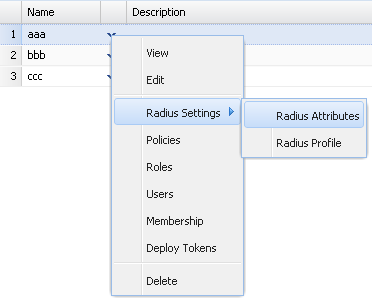
Then you must also assign the RADIUS attribute to the group, e.g. 'aaa'
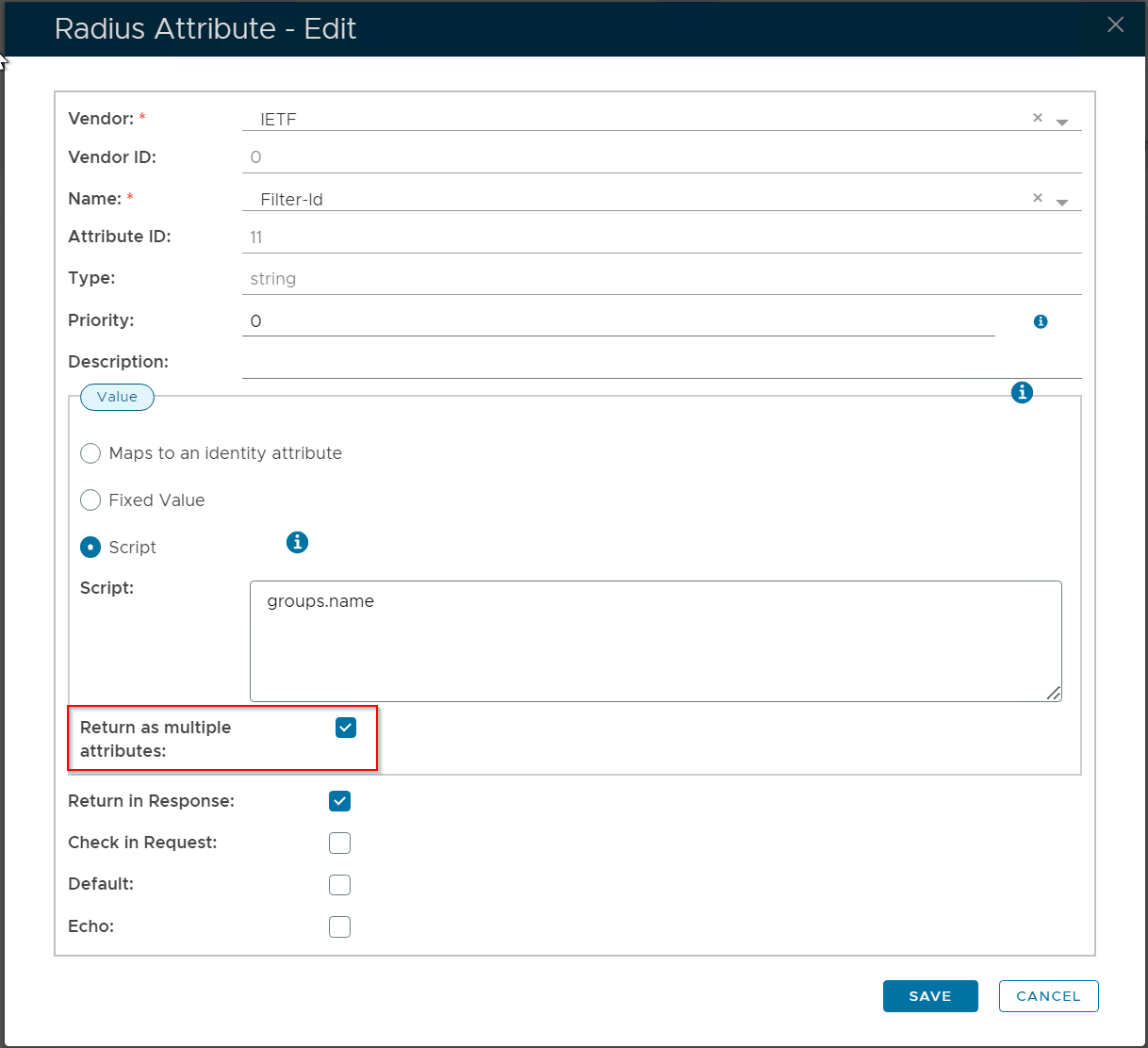
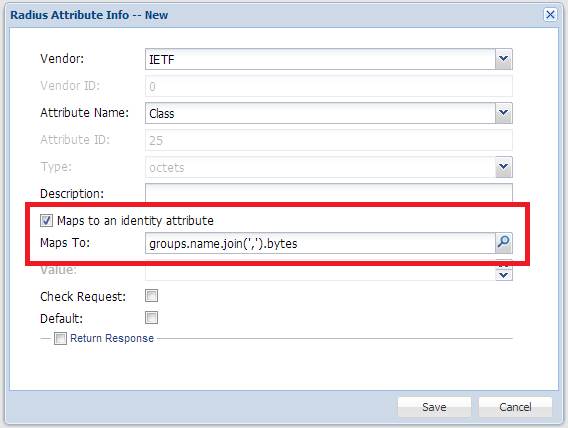
If you need DualShield to return a list of names as a comma separated values then you need to use the "join" function:
groups.name.join(',')
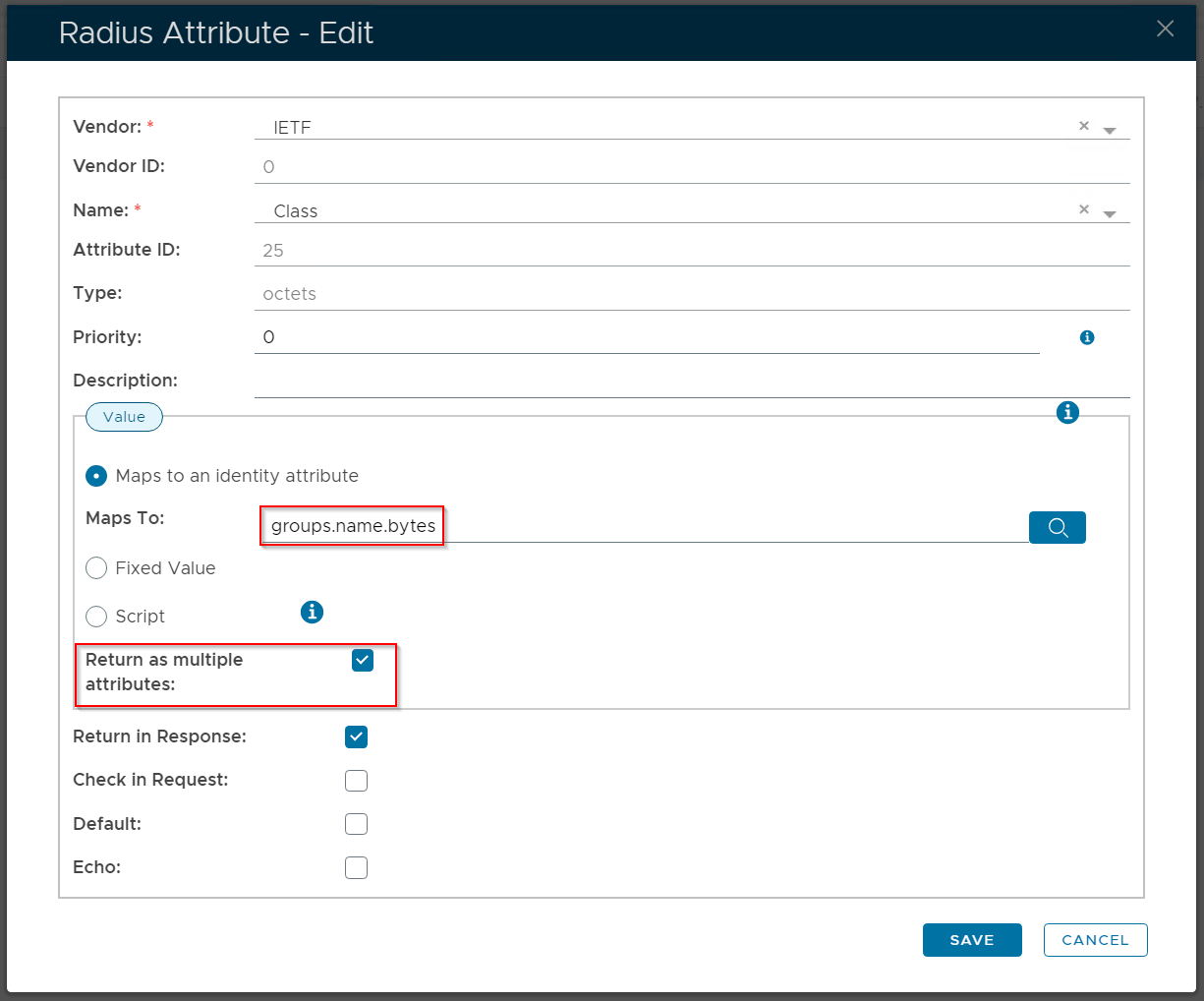
If you need DualShield to return a list of names as an array of individual names, then you must select the option "Return as multiple attributes"
IETF/Class
The RADIUS attribute "class" has the data type called "octets" which means a byte array. In DualShield, there is no such data type. You you must use the hexadecimal value of the data or use the "bytes" function:
- If the value is a fixed value, then use the hexadecimal form of the value. For example, if the value is "123", then use "313233".
- If the value is a dynamic value, then use the function "bytes" to get the value. For example, "domain.name.bytes", "groups.name.byte", etc
There are several other RADIUS attributes that are defined as "octets" Please refer to:
...