In the IIS console, select the web application to be configured, e.g. "OWA"
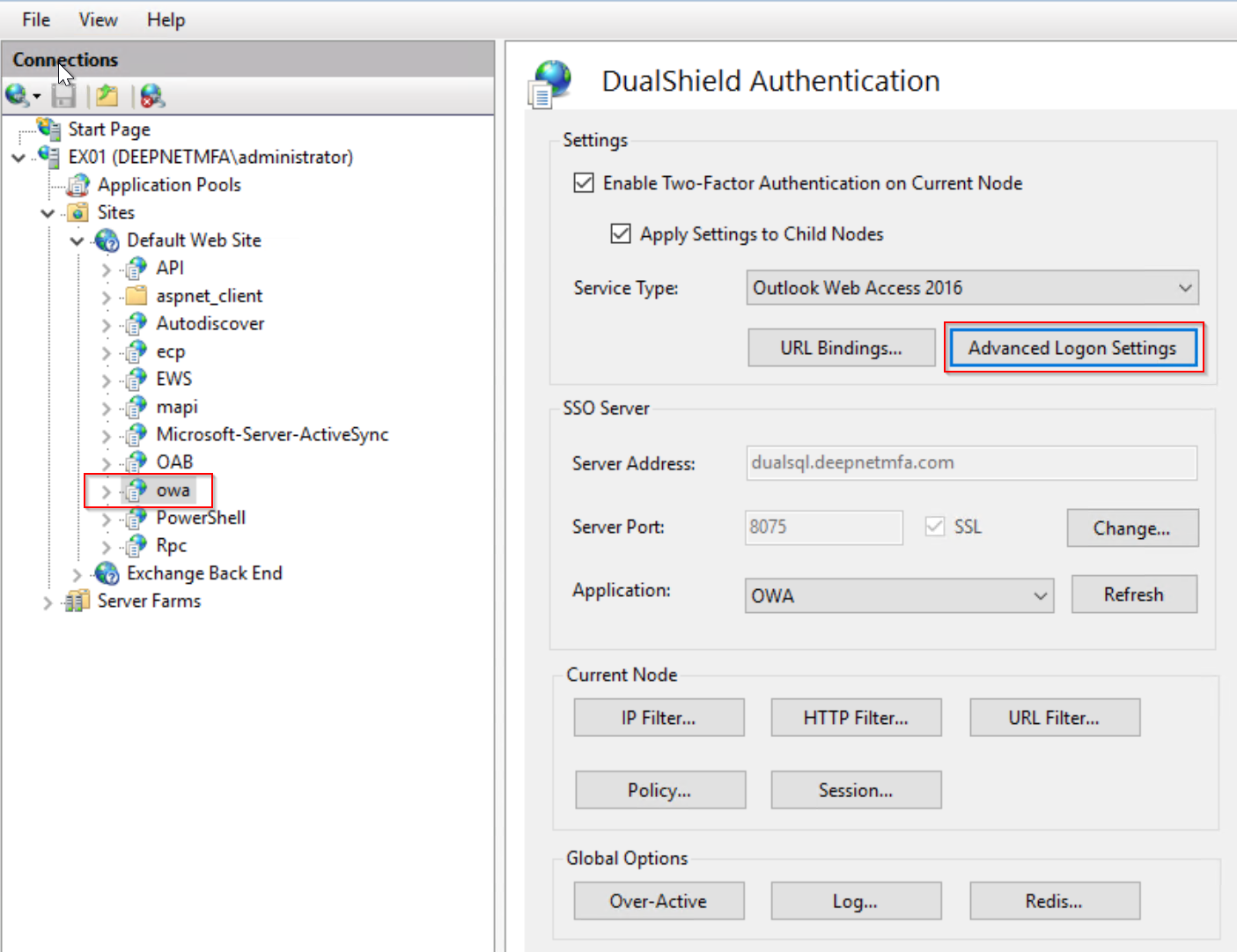
Click the "Advanced Logon Settings" button.
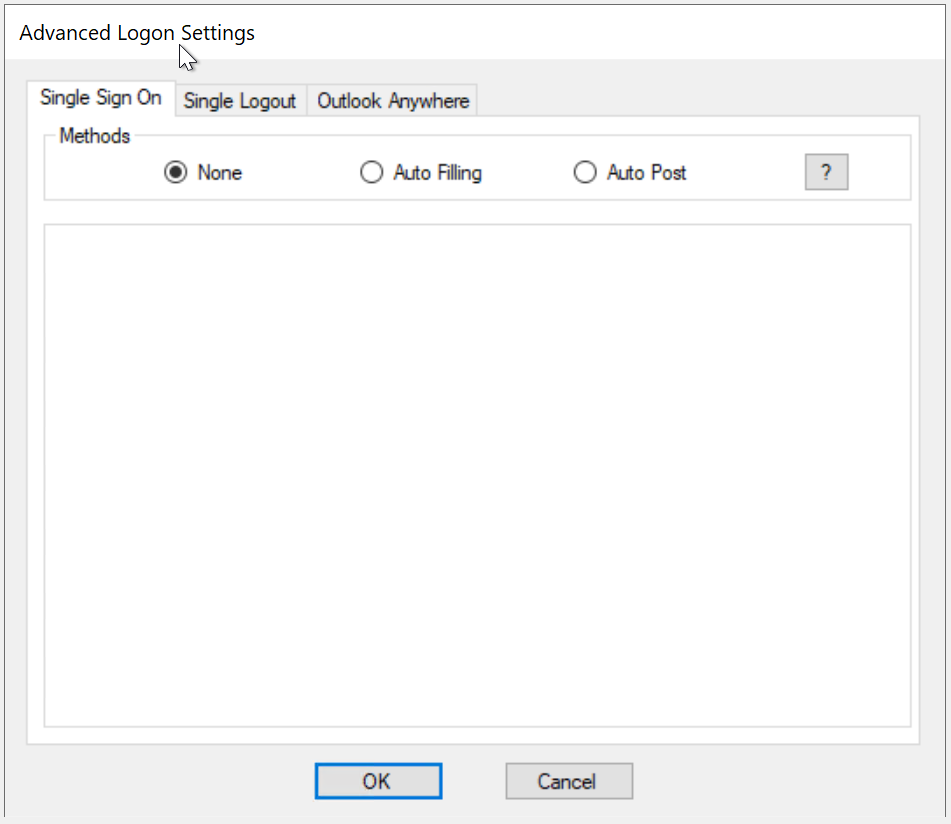
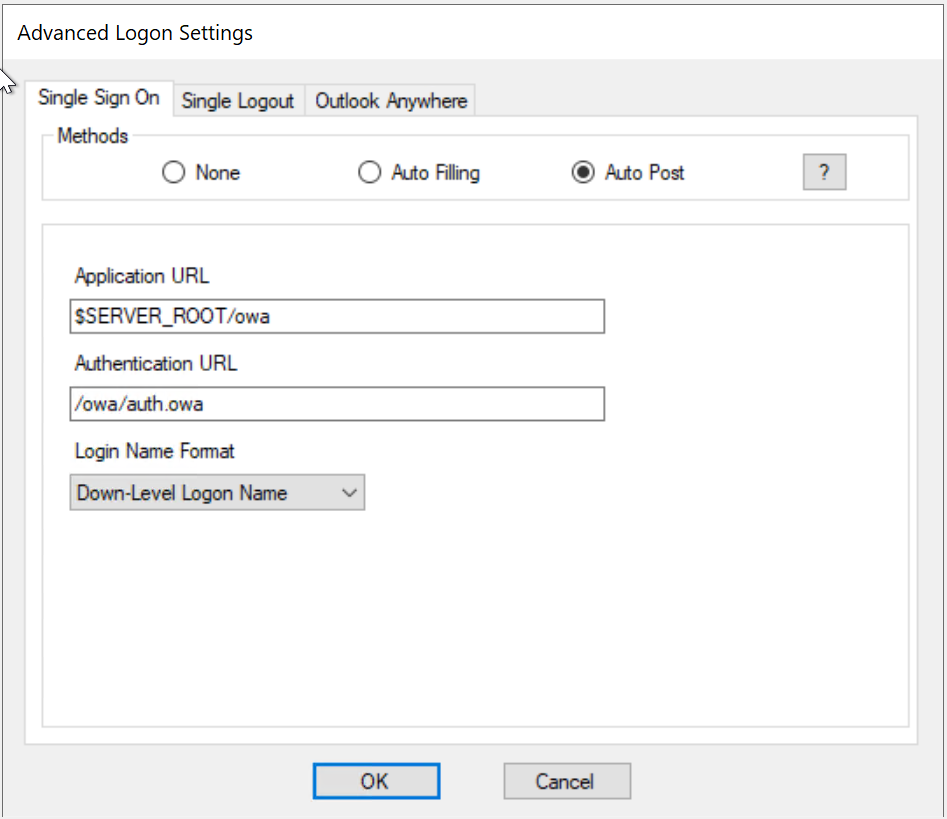
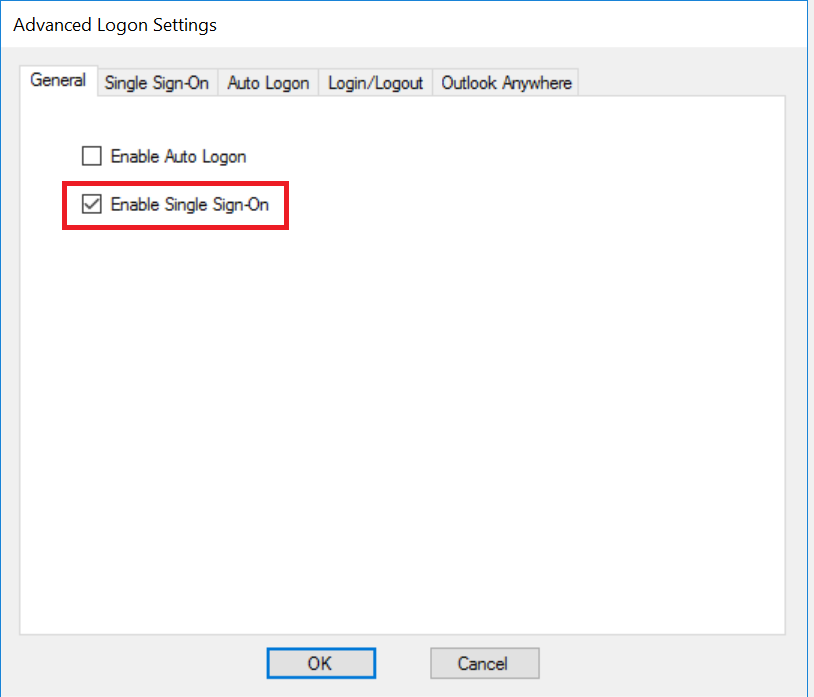
To enable Single Sign-On by Auto-Post, tick the option "Enable Single Sign-On" in the General tabAuto Post"
| Include Page | ||||
|---|---|---|---|---|
|
...
In the IIS console, select the web application to be configured, e.g. "OWA"
Click the "Advanced Logon Settings" button.
To enable Single Sign-On by Auto-Post, tick the option "Enable Single Sign-On" in the General tabAuto Post"
| Include Page | ||||
|---|---|---|---|---|
|
...