...
Configure the Token Download Endpoint
In the Deepnet Configuration Editor, navigate to "MFA Platform / MFA Provider / Entra ID Joined PC"
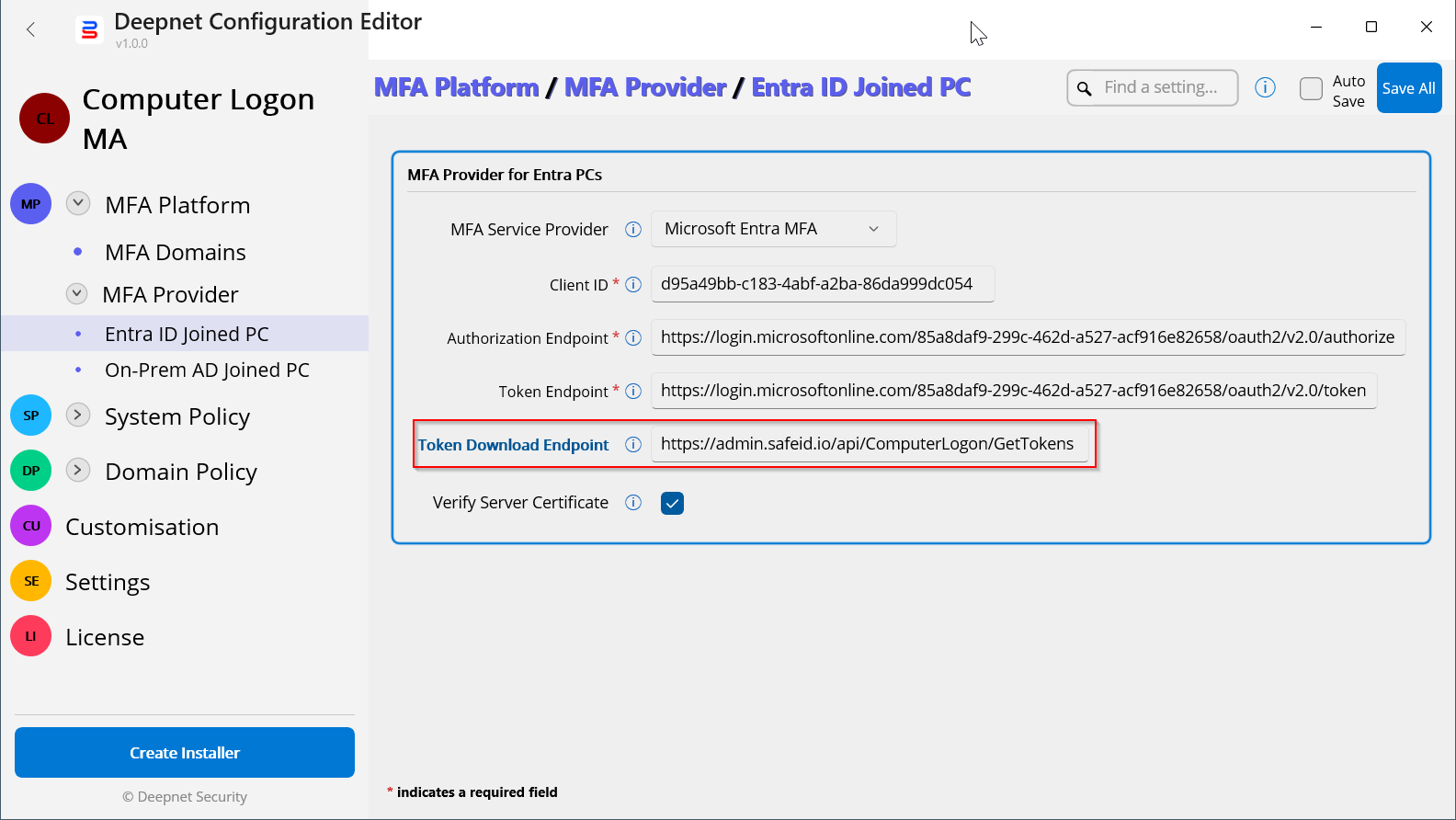
In the "Token Download Endpoint" box, enter "https://admin.safeid.io/api/ComputerLogon/GetTokens"
Save the change.
Configure the SafeID Token Service
In your SafeID Token Service account, you need to create a Computer Logon policy.
Sign in to the SafeID Token Service admin console
Navigate to "Policies", click the "Add+" button
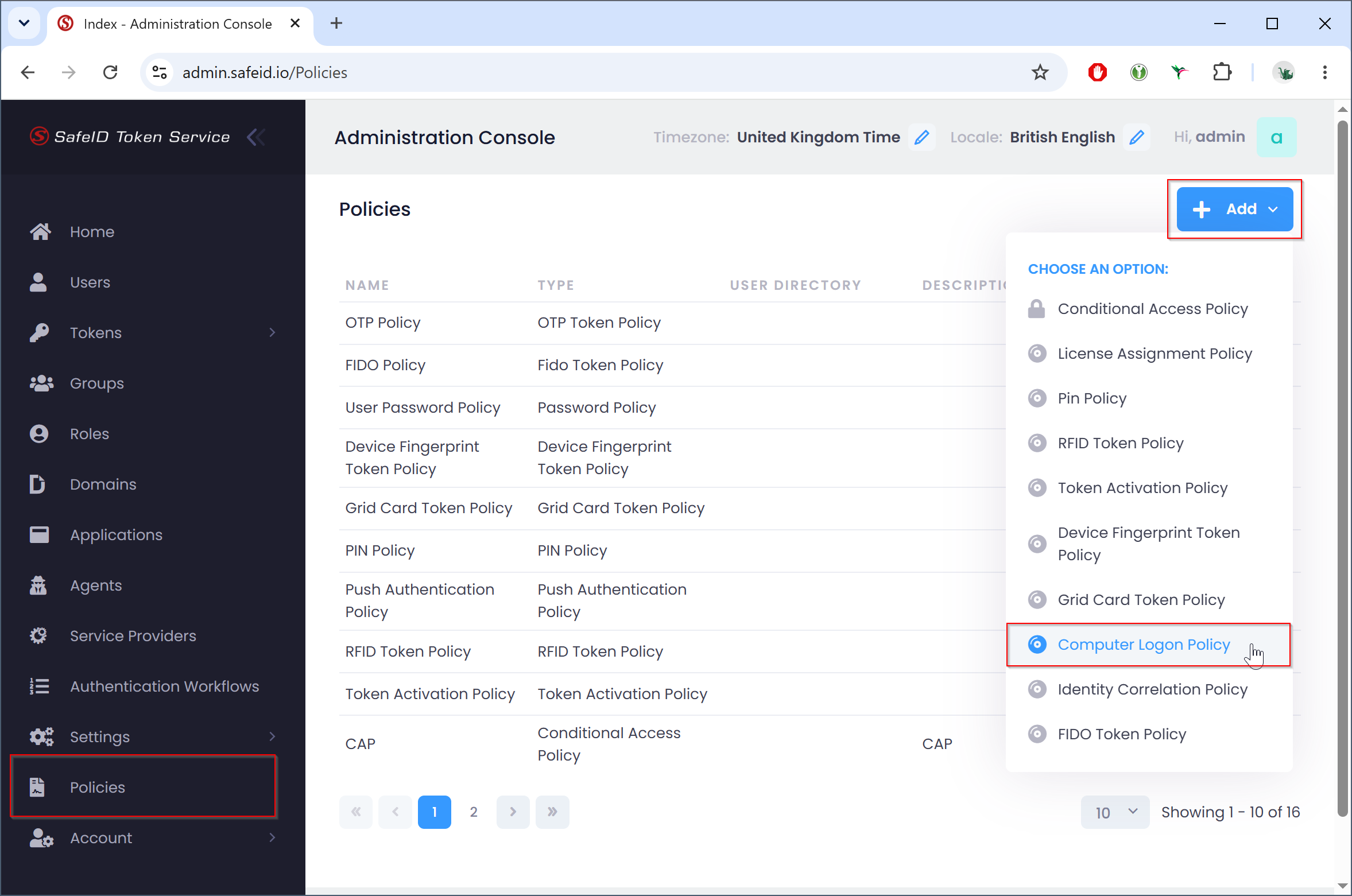
Select "Computer Logon policy:
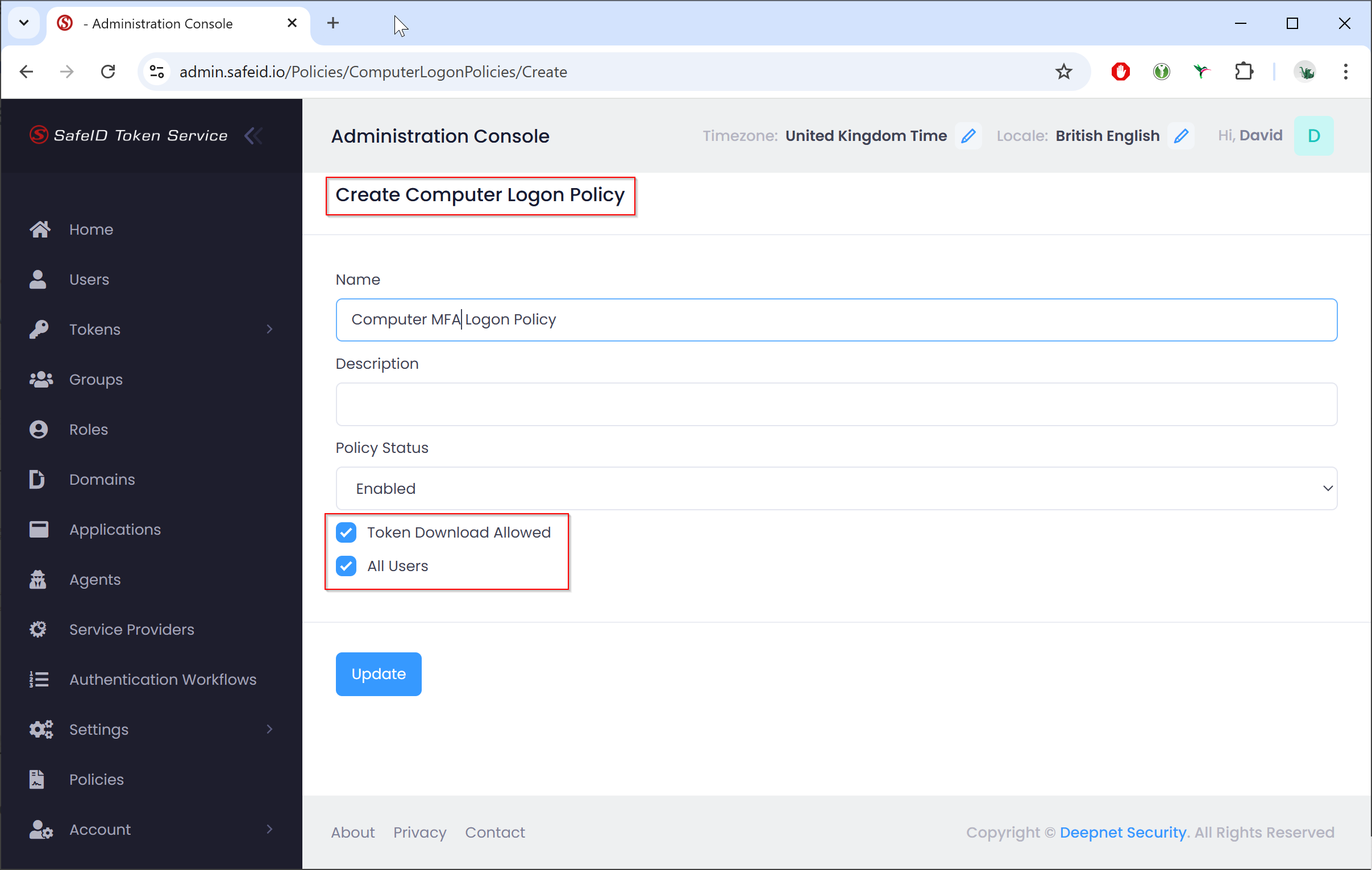
Policy"
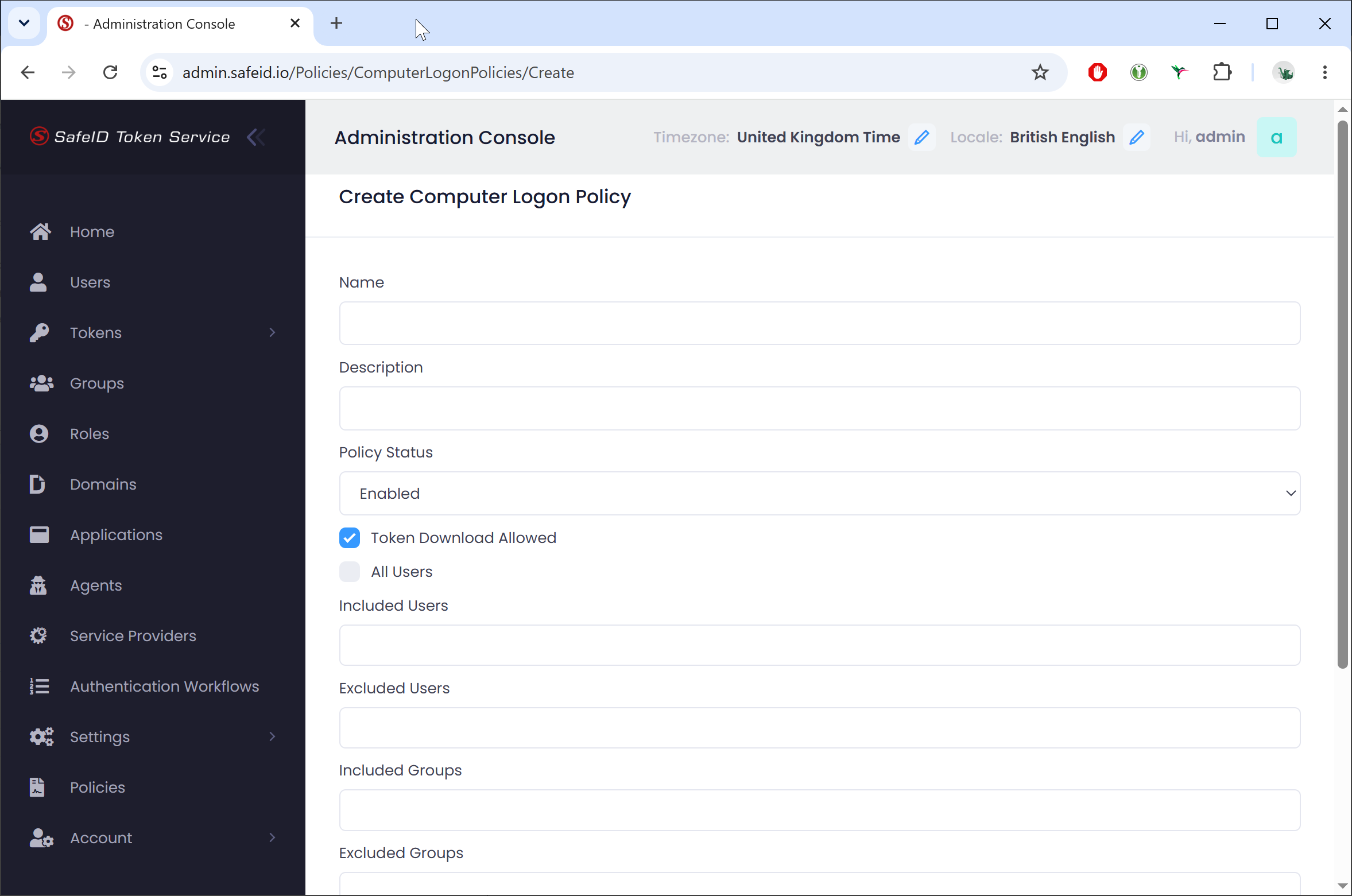
Name the policy, e.g. "Computer MFA Logon Policy"
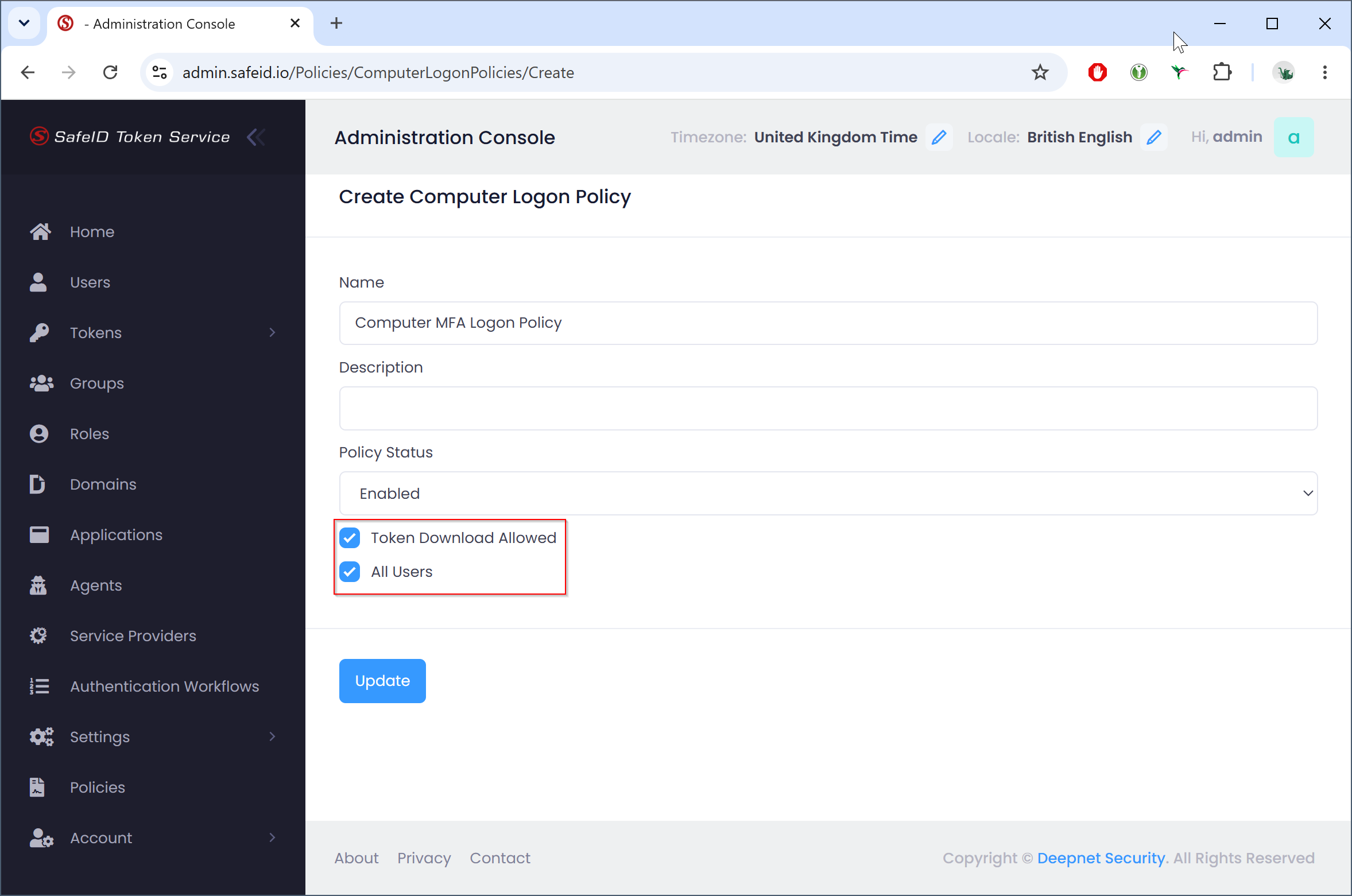
Enable the Enable the "Token Download Allowed" option, and bind the policy to all users or to specific users only.
...