...
For example, if you go to Authentication>Agents on your Administration console Console, you will see references to the frontend services with the attatched applications...
...
In this example, the Frontend Server is called DAS8-2. Please look at the entries on your own Admin Console, and it is important to note down the names of these agents.
Now you need to follow this guide: Upgrade by Fresh Installation. Although this is an upgrade guide for your frontend servers, it is the same process in terms of uninstalling the software first before reinstalling it.
Please note the following points:
During reinstall, when you are prompted for the FQDN:
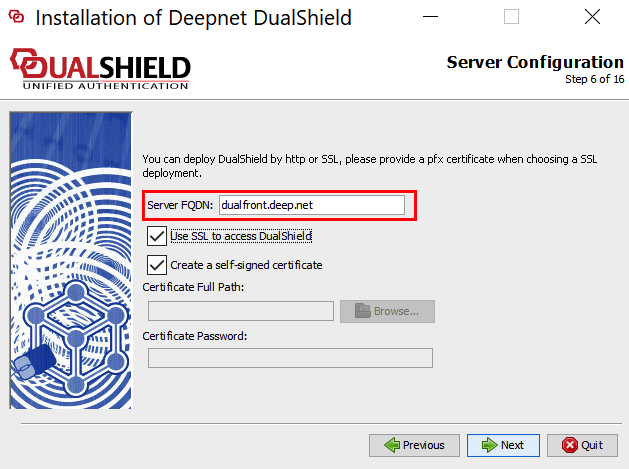
Make sure you use the same Frontend FQDN as you used before.
When the install prompts to register the components...
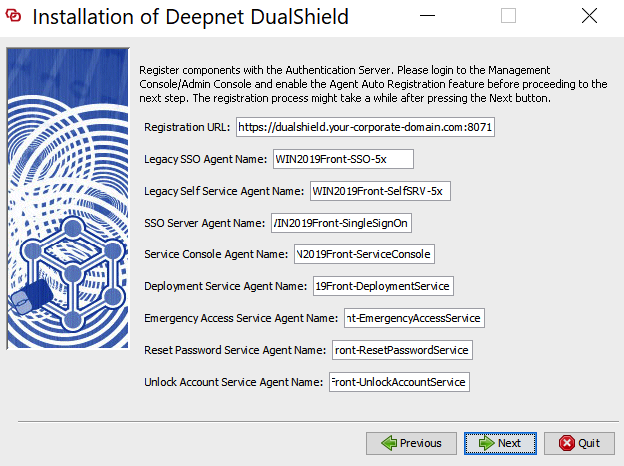
You also need to make sure the agent names match exactly what you already have listed under Authentication>Agents on your Administration Console. (refer back to the start of this wiki.)
New Frontend Agent Certificates will be installed during the process.