...
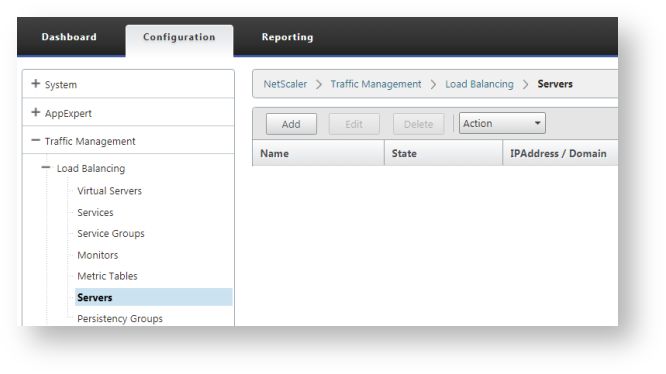
Click "Add" button on the toolbar to add a DualShield server:
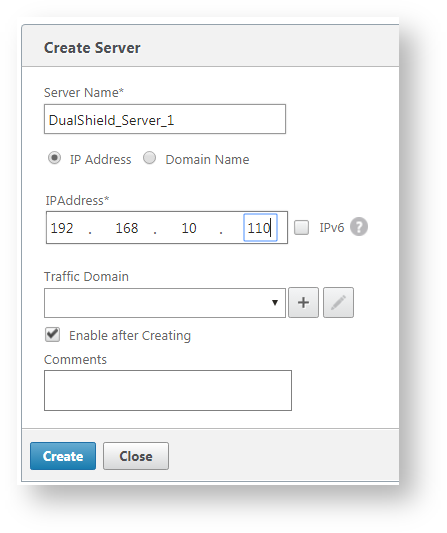
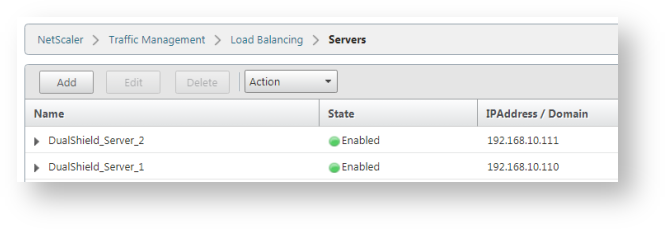
Repeat the step above to add all DualShueld servers:
Create Service Groups
...
Navigate to "Load Balancing > Service Groups", click "Add".
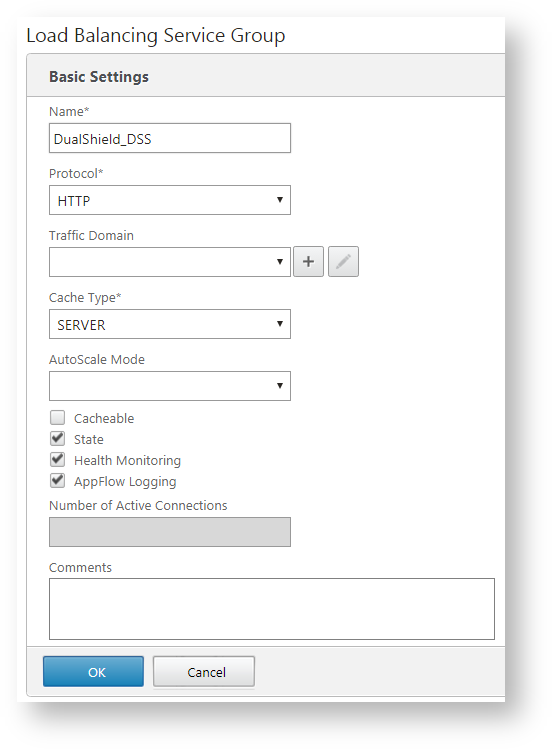
As an example, will will create a service for DSS. Enter the name and select "HTTP" as the protocol.
Click "OK", then select "Advanced > Members"
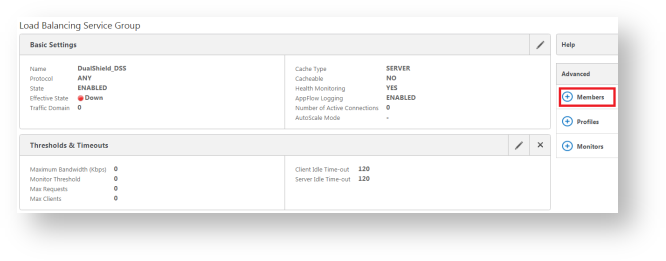
We are going to add real servers.
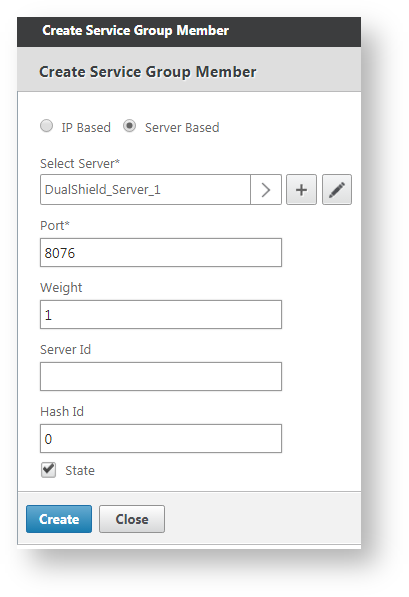
Select a real server, i.e. DualShield-Server_1, enter the port number that the service works on, i.e. 8076 for DSS (DualShield Self-Service Console)
...
Repeat the same step above to add all real servers, i.e. DualShield_Server_2.
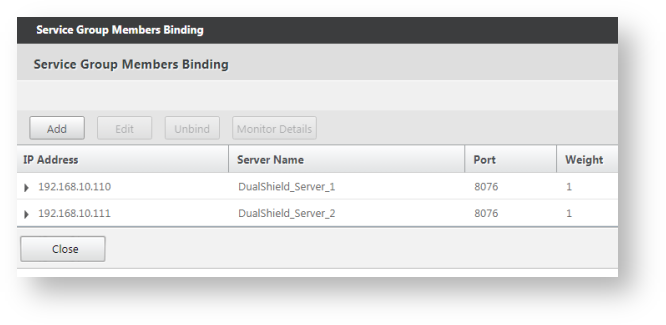
Now, we have create a service group called "DualShield_DSS" for the DualShield Self-Service Console. This group includes 2 real servers: "DualShield-Server_1" and "DualShield-Server_2"
Repeat the same steps above to create service groups for other DualShield services, such as: SSO, DMC, DPS, etc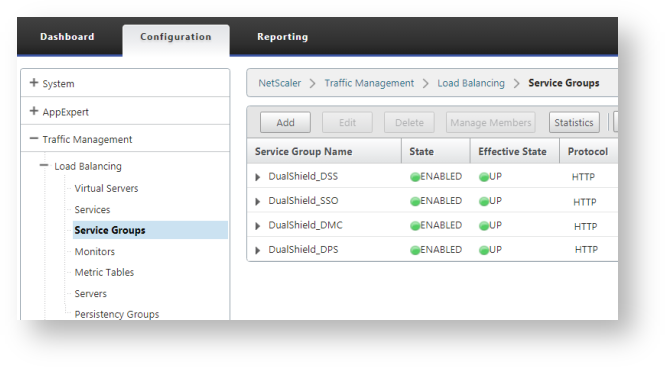
Create Virtual Servers
...
Navigate to "Load Balancing > Virtual Serves", click "Add".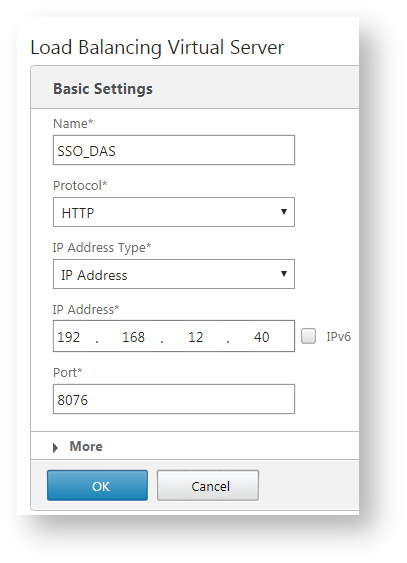
Again, we're using DSS as an example.
...
Now, we need to bind the newly created virtual server to a service group. In this example, we'll bind this virtual server to the DSS service group: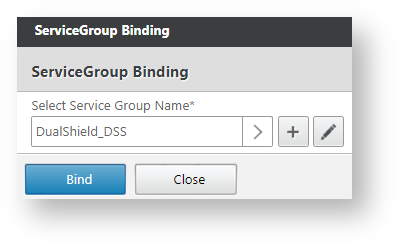
Click "Bind", and "Done".
...
Repeat the same steps to create virtual servers for other DualShield services, e.g. DMC, DPS, SSO etc.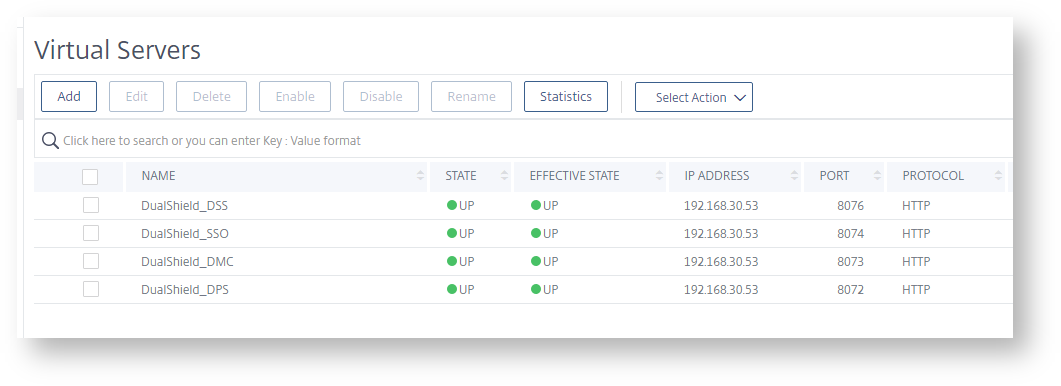
Anchor _GoBack _GoBack
...
Navigate to "Load Balancing > Persistency Group", click "Add".
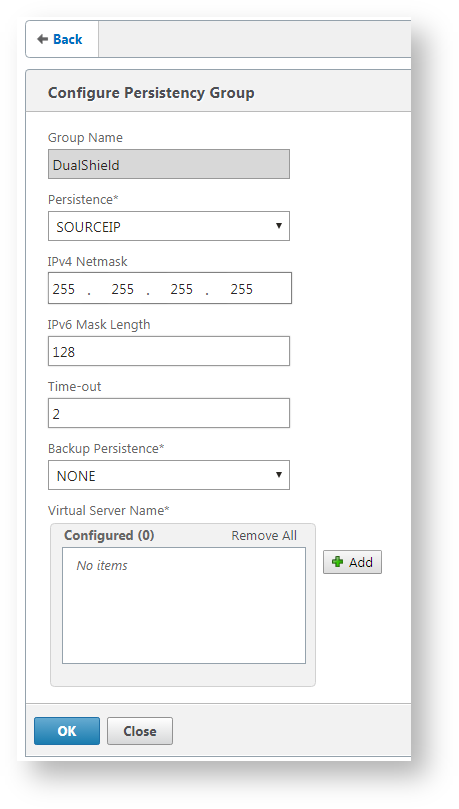
Enter "Name", and add all the virtual servers we have created.
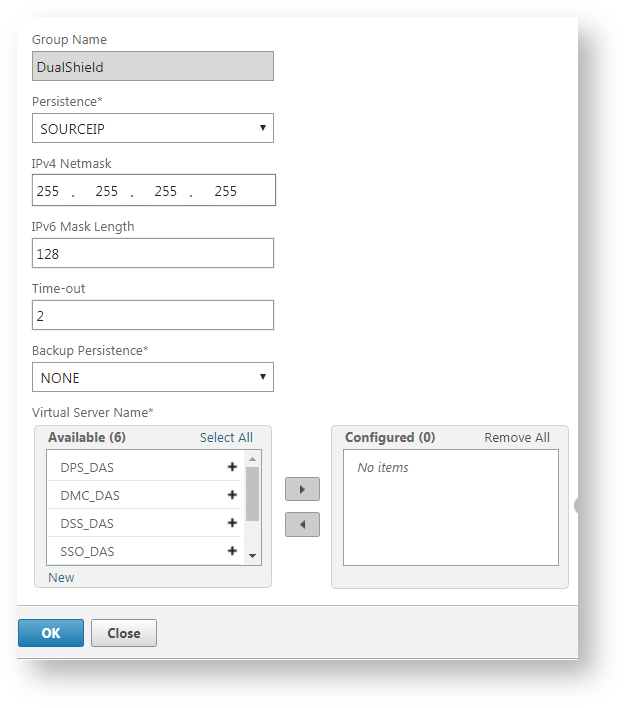
That's done.