Versions Compared

Key

  • This line was added.
  • This line was removed.
  • Formatting was changed.

...

Section
bordertrue


Column

A list of Access Control policies will appear underneath, If you have not yet created one then only the default system policy will display.

The default policy allows system-wide access to all applications at any time, by all users.


Do Not Delete or Edit the default system policy.  Making any changes to this policy could result in you not being able to access the Administration Console even using the System Admin account. 


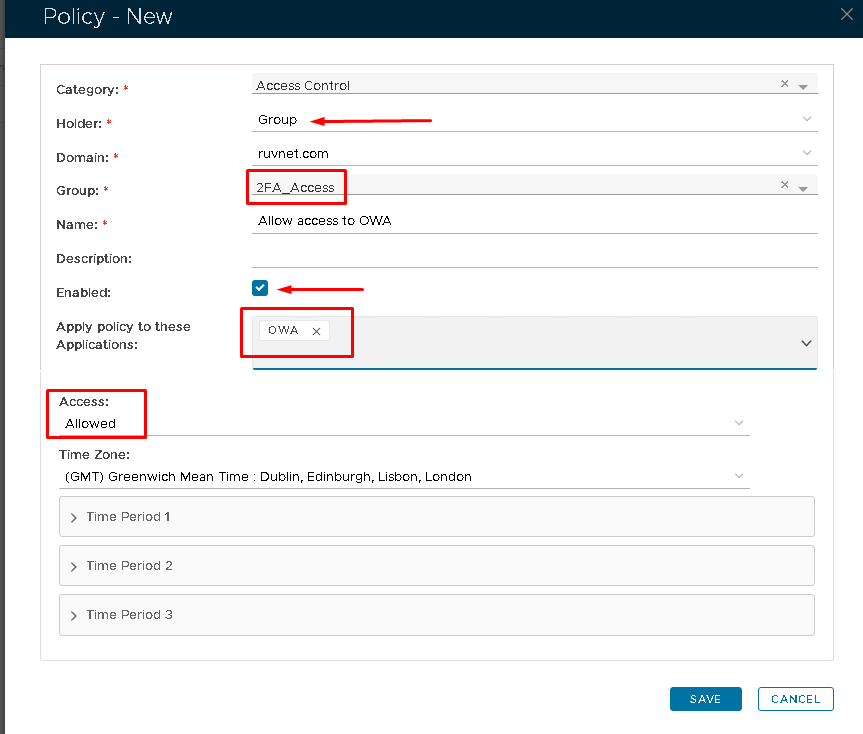
It is best practice to create two new policies.  One to allow access, One to deny access.a seperate policy.


Click the Create button on the top right.


Column
width60%


Panel
bgColor#FFFFFF


...

Section
bordertrue


Column


OptionValue
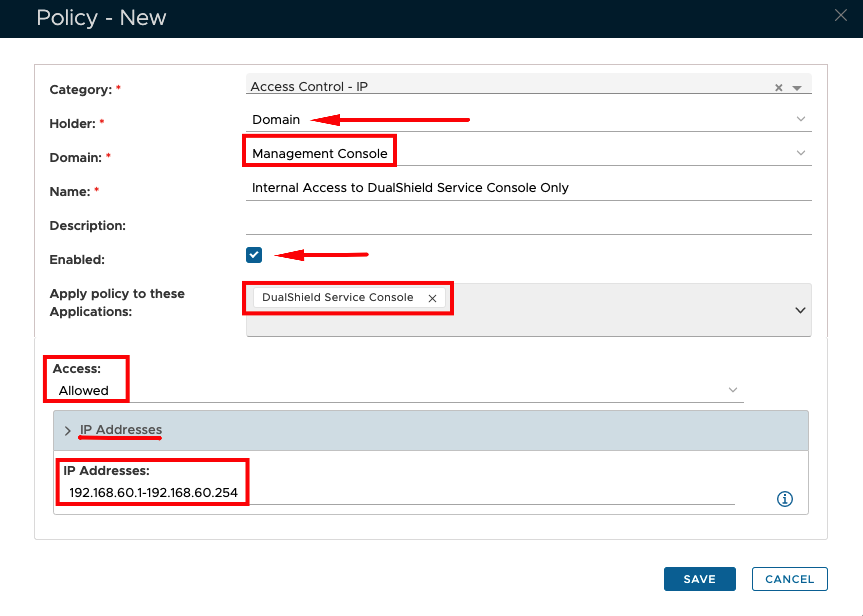
CategoryAccess Control - IP
HolderGroupDomain
DomainSelect your domainGroupSpecify the AD group name (You may need to type in the initial characters before it appears in the dropdown list)
NameSpecify a name that describes the policy
Description(Optional)
EnabledCheck to enable the policy
ApplicationSpecify Application(s) or leave blank if the policy applies to all applications
AccessAllowed
IP AddressesClick once on this to view options in the drop-down
IP AddressesType in single or a range of IP addresses


Column
width60%


Panel
bgColor#FFFFFF

Image RemovedImage Added


Section
bordertrue


Column

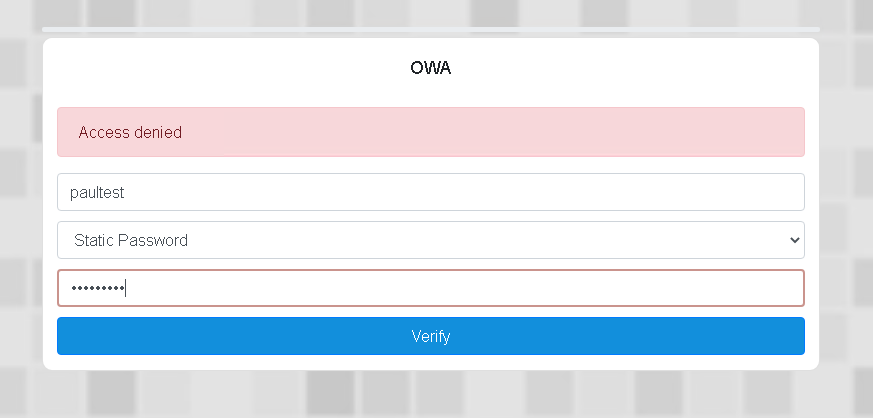
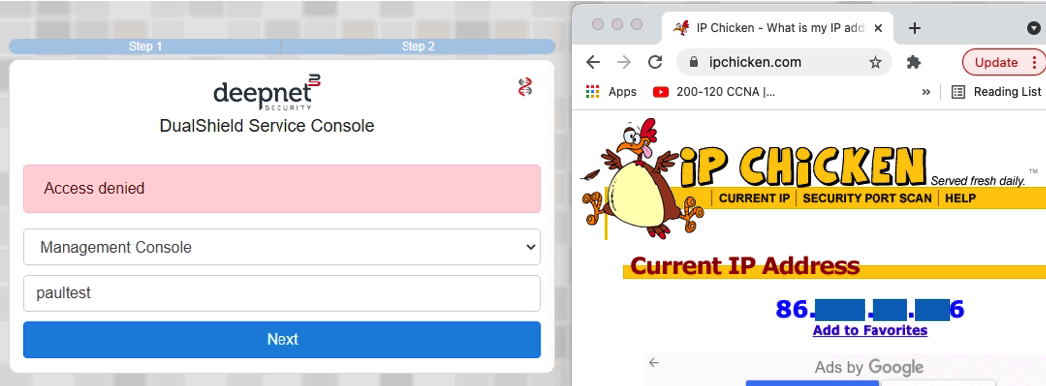
After setting up the policies as above, if an attempt is made to log on to OWA by a domain user who is not a member of the 2a_Access group, Dualshield Service Console from a PC that is outside of the scope of the IP range set, then access will be denied. 


Column
width60%


Panel
bgColor#FFFFFF

Image RemovedImage Added