...
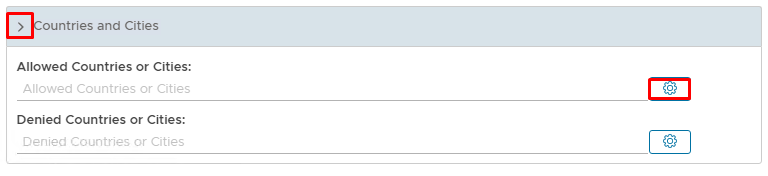
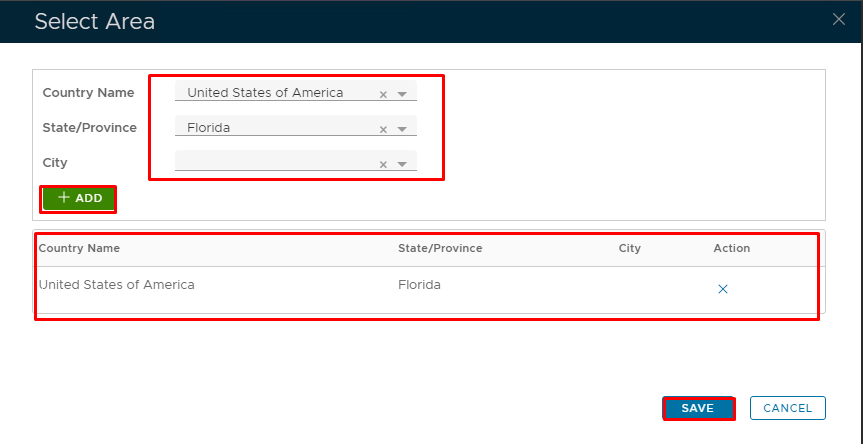
The second part is for setting the geographical location where access to the Applications will be accessed or denied. In this, email can only be accessed by end-users based in London; EnglandFlorida.
| Section |
|---|
|
| Column |
|---|
Click on the Drop Down Arrow next to Countries and Cities Click on the Cogwheel corresponding with the access or denied countries or Cities In the Select Area window select Country Name; State/Province; City using the corresponding drop-down arrows. Click Add. You can add as many as you need.
|
| Column |
|---|
|
| Panel |
|---|
|  
|
|
|
...