...
| Section |
|---|
|
| Column |
|---|
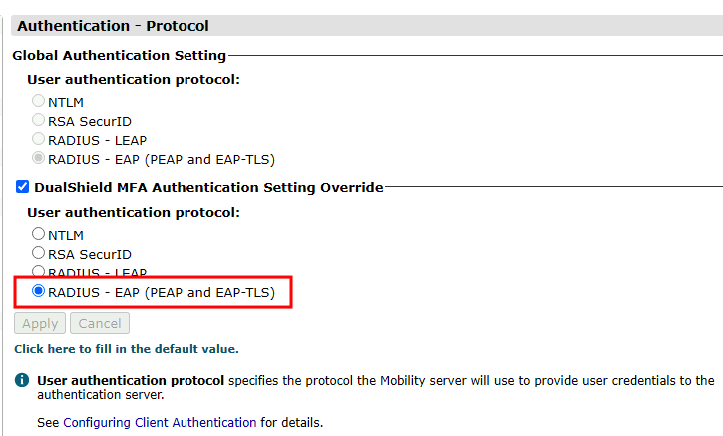
Select RADIUS - EAP (PEAP and EAP-TLS)
Click Apply |
| Column |
|---|
|
| Panel |
|---|
| borderColor | #9EBEE5 |
|---|
| bgColor | #FFFFFF |
|---|
| borderWidth | 1px |
|---|
| 
|
|
|
Click Save.
Repeat to add extra steps.Select Retransmit Interval (under 'User Authentication')
| Section |
|---|
|
| Column |
|---|
| I have added two steps; Static Password and One-Time PasswordEnter an interval long enough for a user’s mobile device to receive and respond to authentication requests. Recommended: at least 40000 milliseconds. |
| Column |
|---|
|
| Panel |
|---|
| borderColor | #9EBEE5 |
|---|
| bgColor | #FFFFFF |
|---|
| borderWidth | 1px |
|---|
| 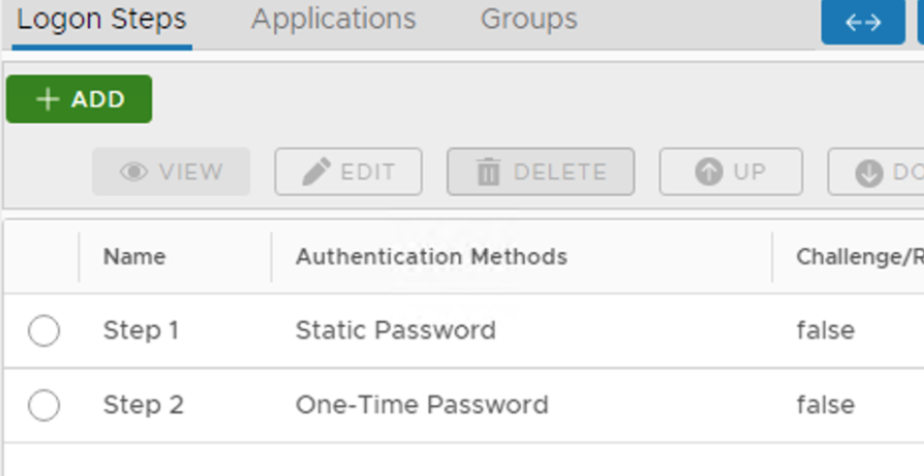 Image Removed Image Removed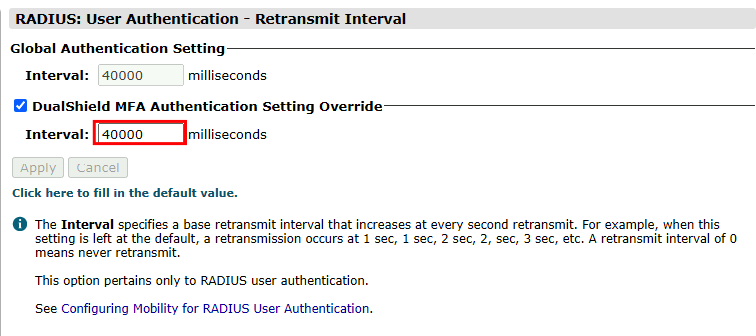 Image Added Image Added |
|
|
Click on Servers (under 'User Authentication')Create an Application:
| Section |
|---|
|
| Column |
|---|
| Authentication> Applications Click the Add button |
| Column |
|---|
|
| Panel |
|---|
| borderColor | #9EBEE5 |
|---|
| bgColor | #FFFFFF |
|---|
| borderWidth | 1px |
|---|
| 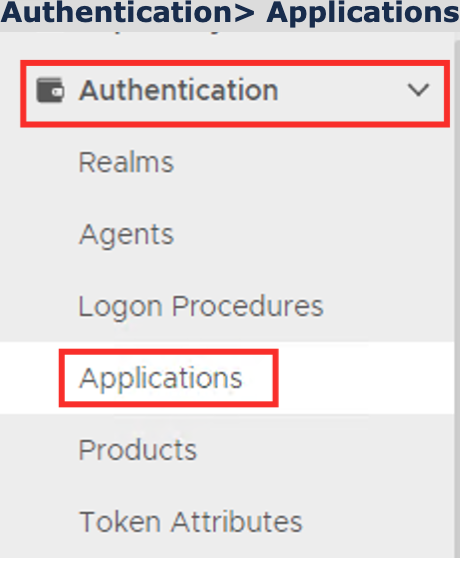 Image Removed Image Removed
|
|
|
Click on  Image Removed on the top right.
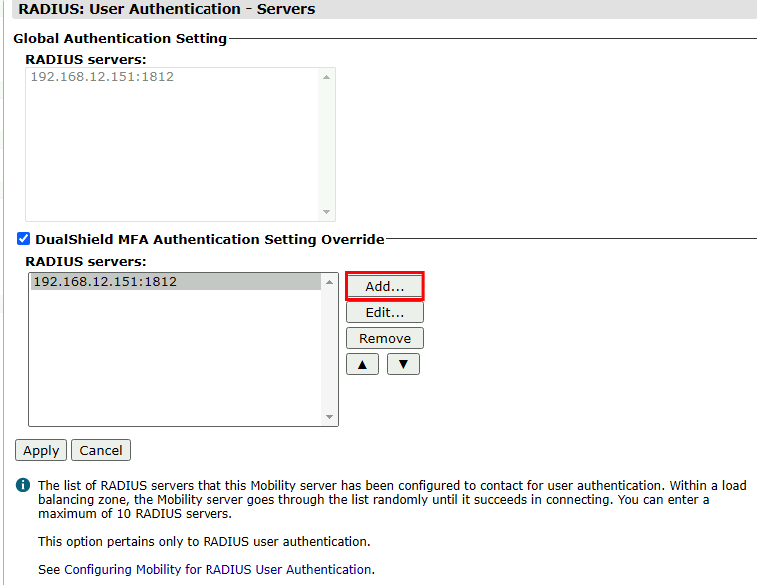 Image Added Image Added
|
|
|
| Section |
|---|
|
| Column |
|---|
In the new Application window RADIUS Server Entry, please enter the following information: | Option | Value |
|---|
| NameHost address: | Enter a friendly name | | Realm: | Select your Realm | | the IP address of machine that your DualShield Radius Server was installed | | Port: | 1812 | Shared Secret: & Confirm Shared Secret: | The shared secret will match the one you created when Registering NetMotion as a RADIUS client | Logon Procedure: | Select the Logon Procedure you had created in the previous step |
Click: SaveOK |
| Column |
|---|
|
| Panel |
|---|
| borderColor | #9EBEE5 |
|---|
| bgColor | #FFFFFF |
|---|
| borderWidth | 1px |
|---|
| 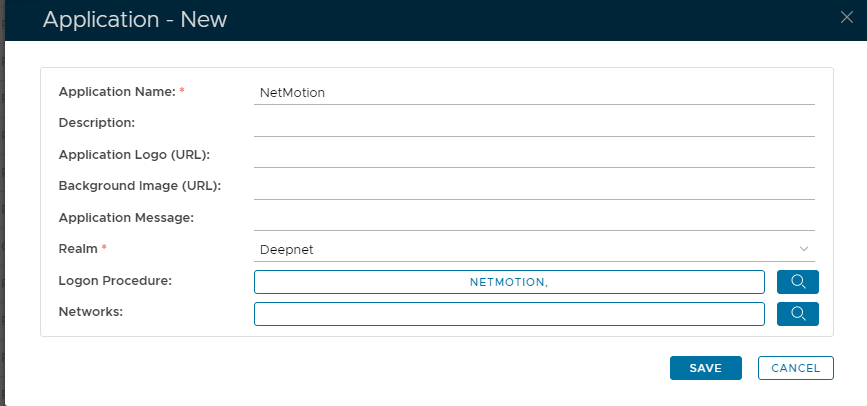 Image Removed Image Removed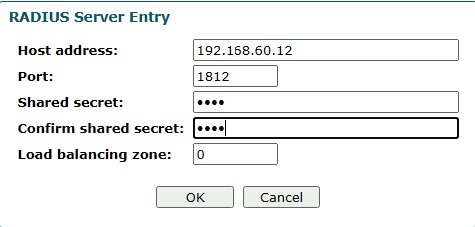 Image Added Image Added
|
|
|
Bind the Application to a RADIUS Server Agent
...