...
| Section |
|---|
|
| Column |
|---|
The established connection will also appear on the Netmobilitty server under Connections>Connected Devices The device hostname and authenticated user account name will appear in the connected devices list
|
| Column |
|---|
|
| Panel |
|---|
| borderColor | #9EBEE5 |
|---|
| bgColor | #FFFFFF |
|---|
| borderWidth | 1px |
|---|
| 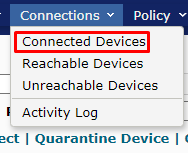 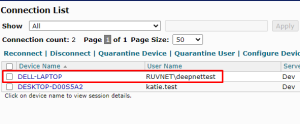 Image Removed Image Removed
|
|
|
Bind the Application to a RADIUS Server Agent
| Section |
|---|
|
| Column |
|---|
Select the drop-down menu corresponding to the Application you will be using and click on Agents.The device hostname and authenticated user account name will appear in the connected devices list |
| Column |
|---|
|
| Panel |
|---|
| borderColor | #9EBEE5 |
|---|
| bgColor | #FFFFFF |
|---|
| borderWidth | 1px |
|---|
| 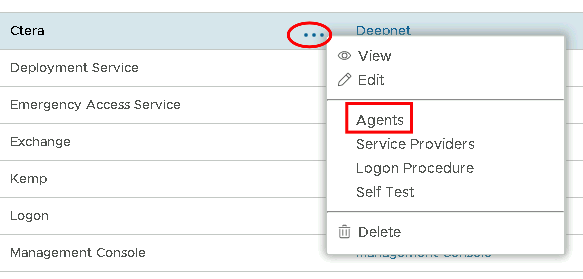 Image Removed Image Removed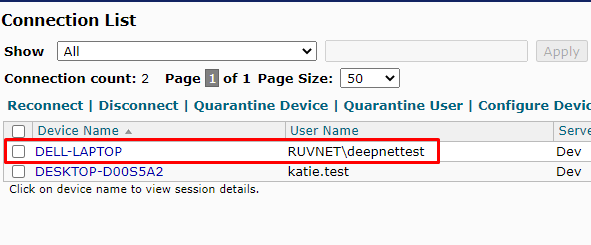 Image Added Image Added
|
|
|
| Section |
|---|
|
| Column |
|---|
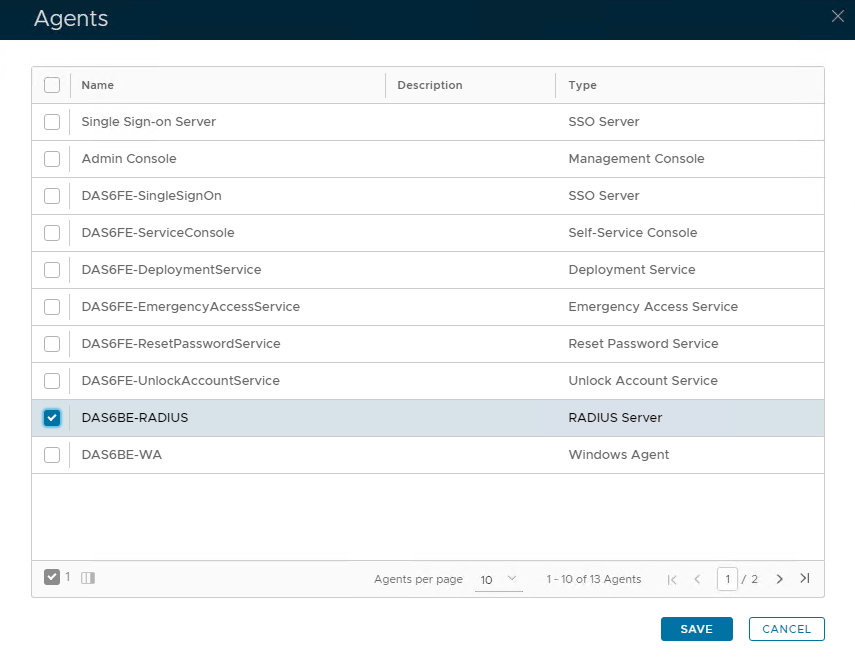
Tick the box of the Radius Server you will be using and click Save below. |
| Column |
|---|
|
| Panel |
|---|
| borderColor | #9EBEE5 |
|---|
| bgColor | #FFFFFF |
|---|
| borderWidth | 1px |
|---|
| 
|
|
|
...