...
Click the context menu of the SSO server, then select "Download IdP Metadata"
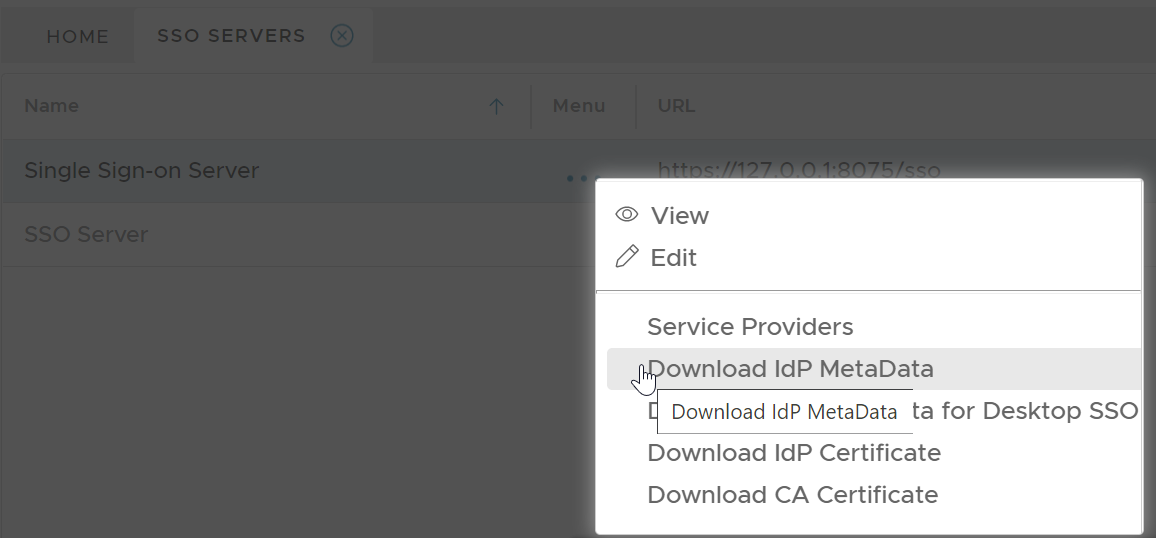
Save the IdP Metadata to a file, eg. "dualshield-idp-metadata.xml"
...
| Expand | ||||||
|---|---|---|---|---|---|---|
| ||||||
|
...
| Code Block | ||
|---|---|---|
| ||
.\setup-o365-sso.ps1 -protocol SAMLPWSFED -domain 'domain name' -appname 'application name' -spname 'service provider name' -metadata '.\metadata file' |
...
| Parameter | Remarks |
|---|---|
| -protocol | SAMLPWSFED |
| -domain | the domain name of your Office 365 |
| -appname | the application name in DualShield for Office 365 |
| -spname | the service provider name in DualShield for Office 365 |
| -metadata | the metadata file name of your DualShield SSO |
Example:
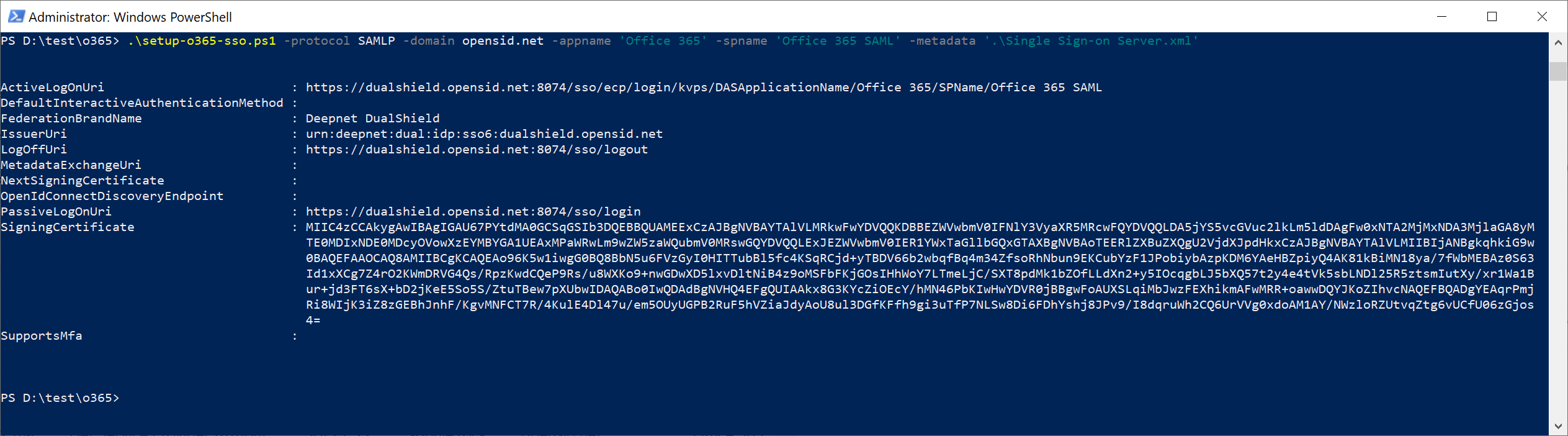
Notes:
To verify that the change was successful, run the following command:
...