...
Copy the entire CSR text, and submit it to your certificate authority (CA) to apply for a SSL certificate.
Once you have received your certificate from your certificate authority, upload it to your DualShield server.
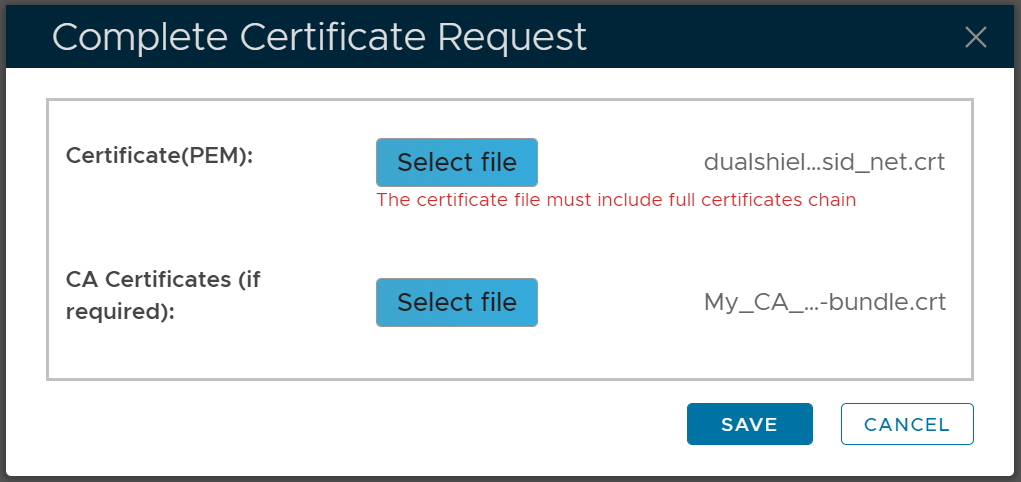
If you are able to get your SSL certificate from your CA shortly, then click the "Complete Certificate Request" button as soon as you have received your SSL certificate
Upload your SSL certificate file and the CA certificate if provided, then click "Save" to complete the process.
If it is going to take a long time to get your SSL certificate from your CA, then by the time you receive your SSL certificate, your DualShield console session would have expired. In this case, follow the step below to complete the renewal process.
Login to your DualShield admin console
Navigate to "Repository | Certificates | Certificate Signing Requests"
Select the pending Certificate Signing Request, e.g. "dualshield.opensid.net"
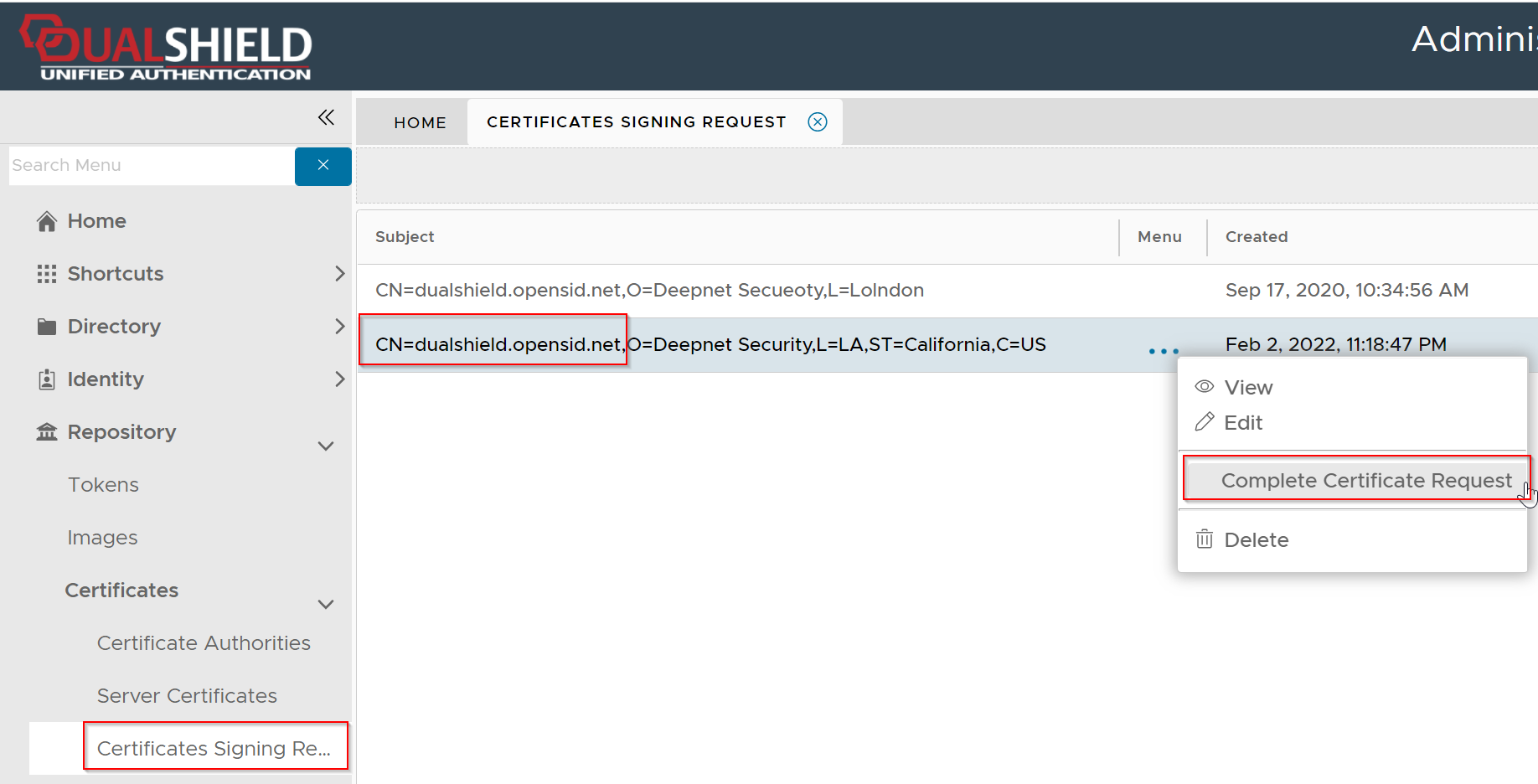
Click its context menu, then select "Complete Certificate Request"
Upload your SSL certificate file and the CA certificate if provided, then click "Save" to complete the request.
Now, you need to replace the existing SSL certificate with the new SSL certificateClick "Save"