...
- Expand "Policies"
- Right Click "Connection Request Policies" and select "New" from the menu
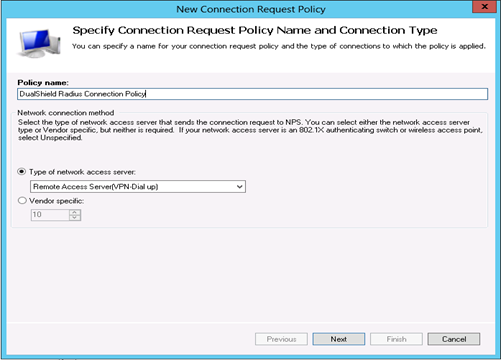
- Enter a Policy name, e.g. "DualShield Radius Connection Policy"
- Change type of network access server to "Remote Access Server (VPN-Dial up)" and click "Next"
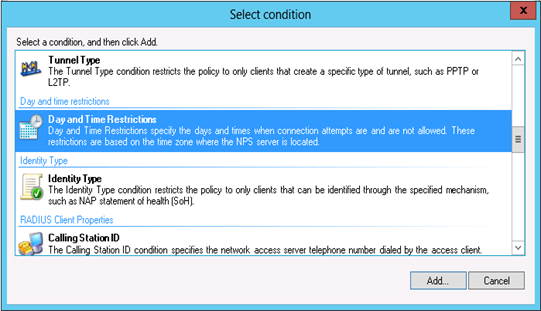
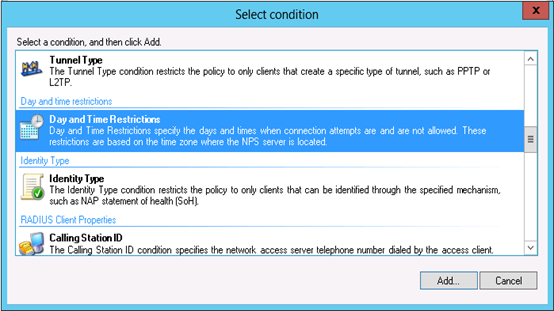
- Add a new condition "Day and Time Restrictions" and select "Permitted" to allow a certain time of connection.
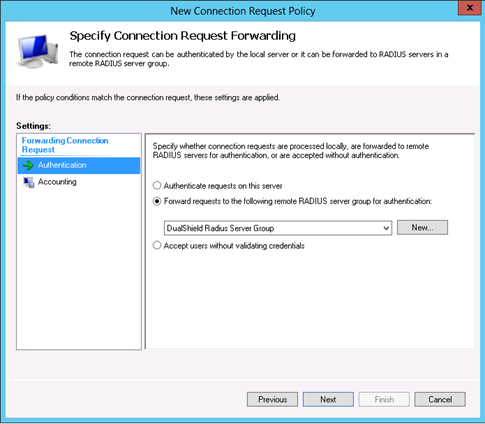
- Select "Forward requests to the following remote RADIUS server group for authentication" and select the newly server group "DualShield Radius Server Group"
- Click "Next", "Next" and "Finish".
Create a Network Policy
- Create Right Click "Network Policies" and select "New" from the menu
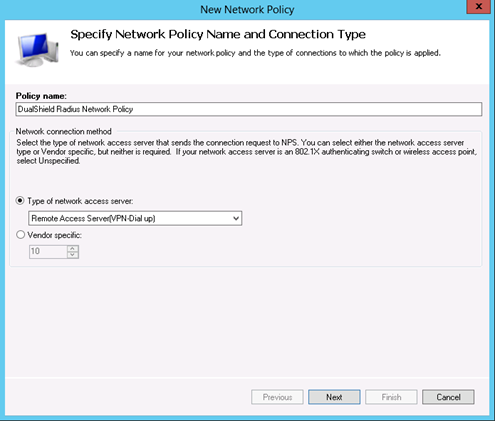
- Enter a policy name, e.g. "DualShield Radius Network Policy"
- Change type of network access server to "Remote Access Server (VPN-Dial up)" and click "Next"
- Add a new condition "Day and Time Restrictions" and select "Permitted" to allow certain time of connection and press "OK" and "Next"
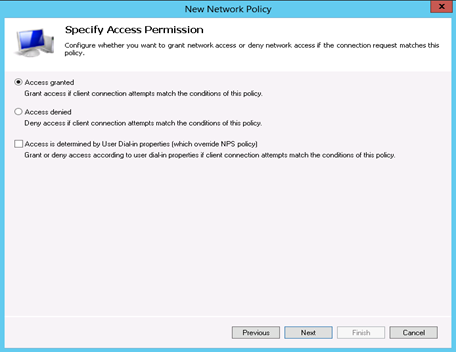
- Specify Access Permission and click "Next"
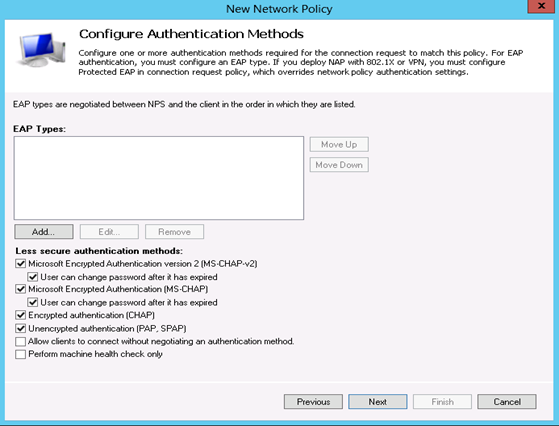
- Select the authentication methods
- Click "No" to the warning message.
- Click "Next", "Next" and "Finish"