...
- In Server Manager click "Tools"
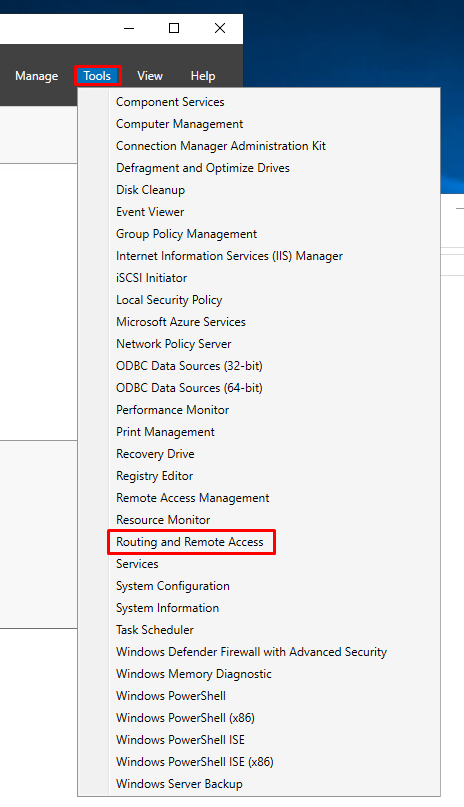
- Select Network Policy Server
- Select "Routing and Remote Access", right click and select "Properties"
- Select the "Security" tab and click "Authentication methods", select the authentication methods and click "OK"
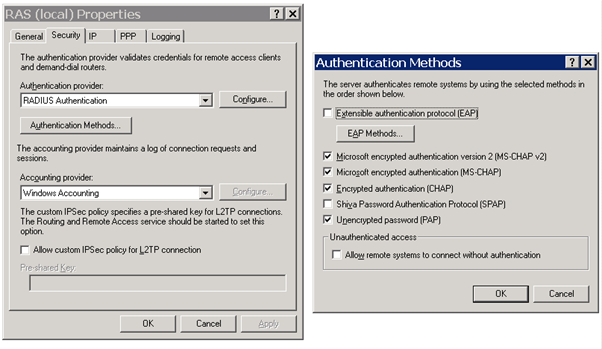
- Click the "Configure", and the Server IP address which is the host name or IP address of NPS Server, e.g. "192.168.1.108" and shared secret password
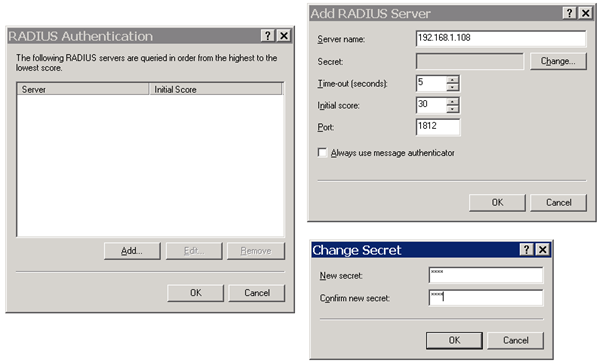
- Click "OK"