...
- Click the User & Device section in the left navigation panel and navigate to User → User Groups.
- If you have an existing user group, click on it to edit its settings. If you don't yet have a user group, click Create New to create one.
On the Edit User Group or New User Group page, enter the following information:
Name SSL VPN with 2FA Type Firewall Click the Create New button in the Remote groups section and select the DualShield RADIUS remote server. You do not have to specify a group.
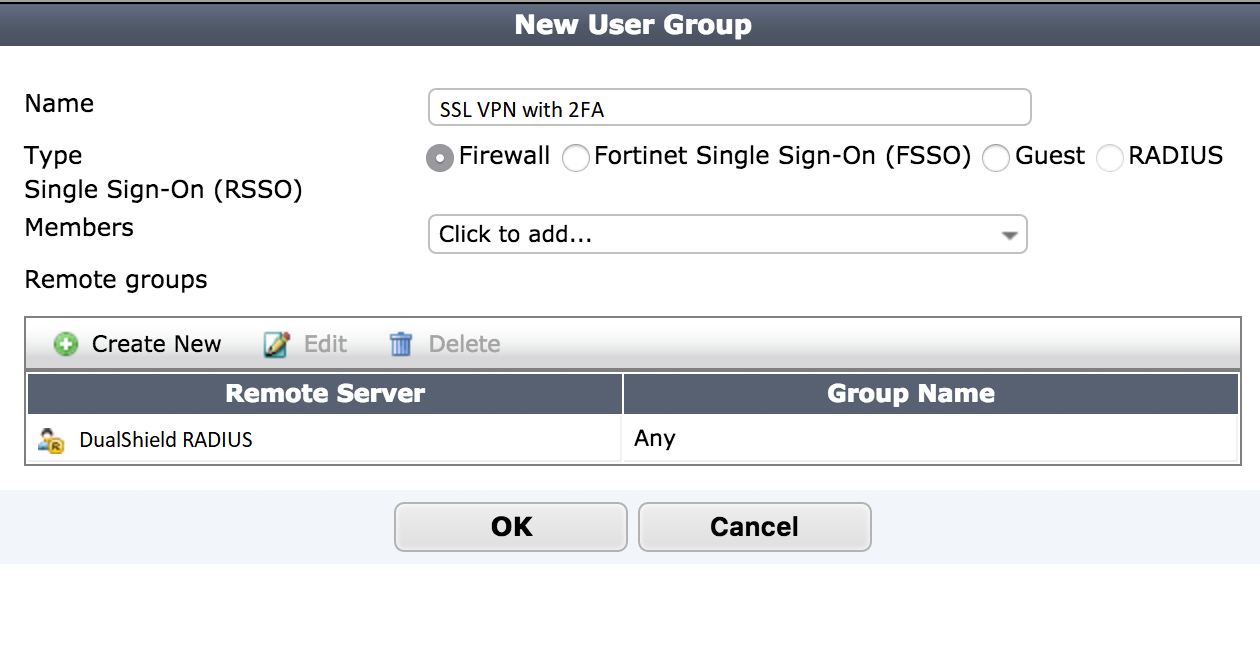
- Click the OK button to save the user group settings.
...
- Connect to the appliance CLI. Consult the documentation that accompanied your Fortinet device for more information.
- Execute the following commands:
#config
# config system global
...
set remoteauthtimeout 60end# config user radius edit <RADIUS Server> set timeout 60end