Versions Compared

Key

  • This line was added.
  • This line was removed.
  • Formatting was changed.

...

Section
bordertrue


Column

The “Administer Configuration SAML” role permission is required to use SAML to access Secret Server. To grant a user this permission from an administrator account:

Go to Admin > Roles. The Roles page appears.

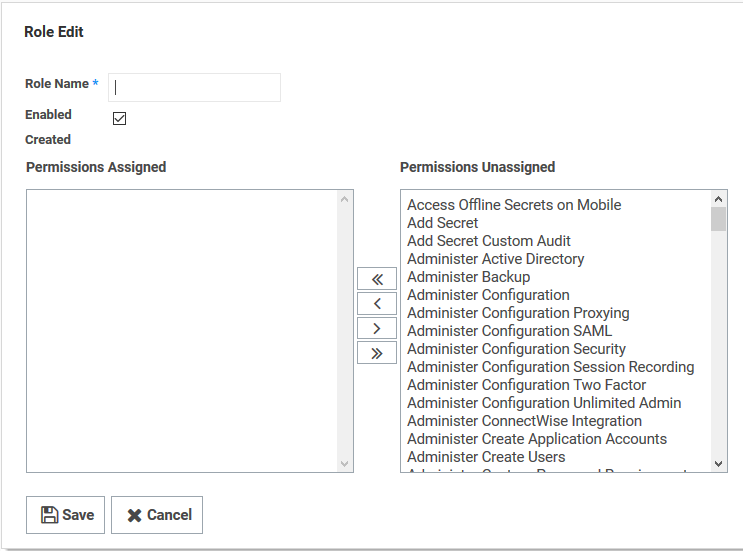
Click the Create New button. The Role Edit page appears:

Type the name, such as SAML, in the Role Name text box.

Click to select the Enabled check box.

Click Administer Configuration SAML in the right side Permissions Unassigned list box.

Click the < button to move the permission to the other side.

Click the Save button. 


Column
width50%


Panel
borderColor#9EBEE5
bgColor#f0f0f0
borderWidth1px


...

Section
bordertrue


Column

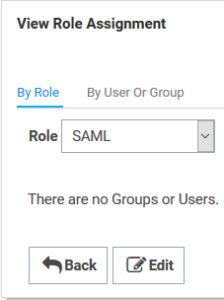
Click the Assign Roles link of the newly created role. The View Role Assignment page appears

Click the Role dropdown list to select the role you just created.

Click the Edit button.


Column
width50%


Panel
borderColor#9EBEE5
bgColor#f0f0f0
borderWidth1px


...

Section
bordertrue


Column

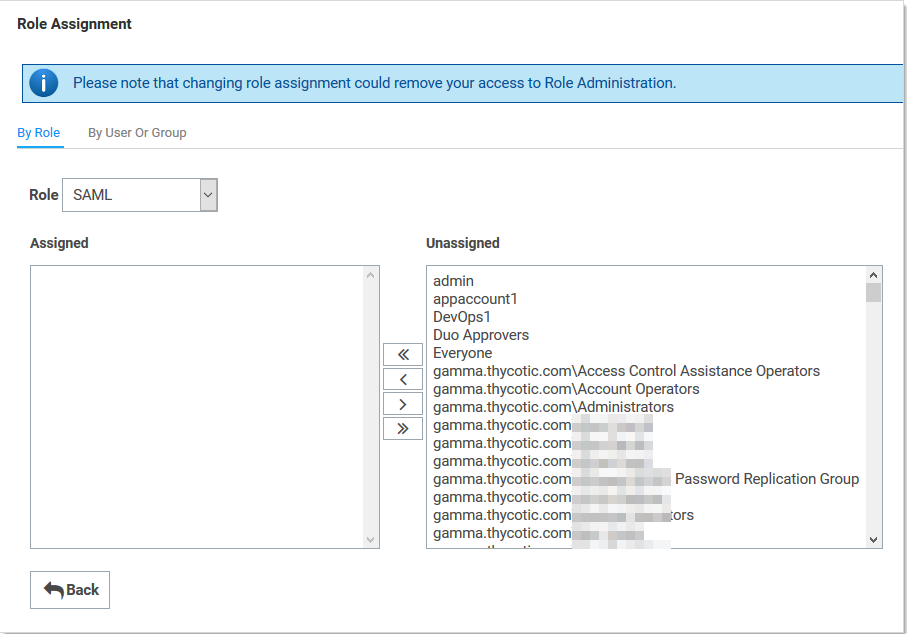
On the Role Assignment page move the desired users to the Assigned list using the same method as before

Click the Save Changes button.


Column
width50%


Panel
borderColor#9EBEE5
bgColor#f0f0f0
borderWidth1px


...