...
Configure SAML SSO:
| Section |
|---|
|
| Column |
|---|
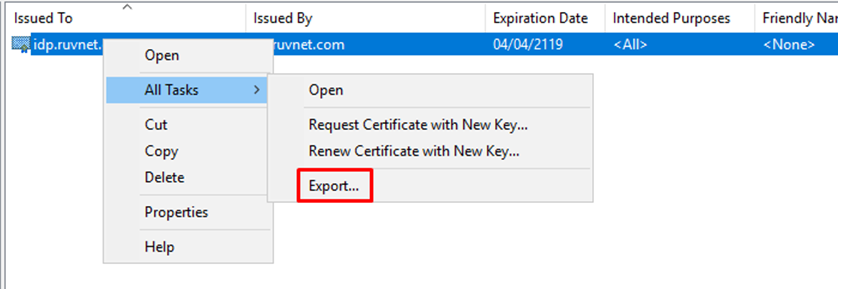
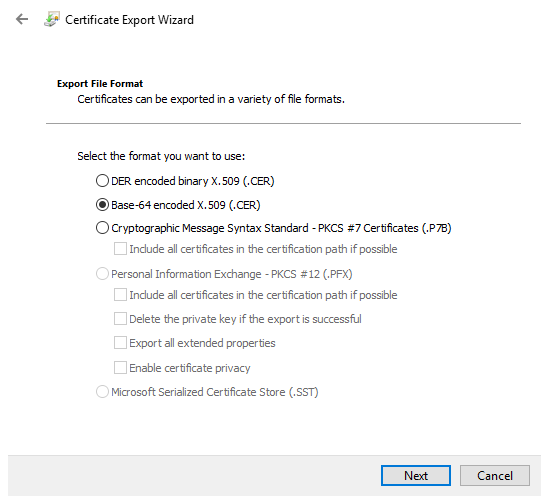
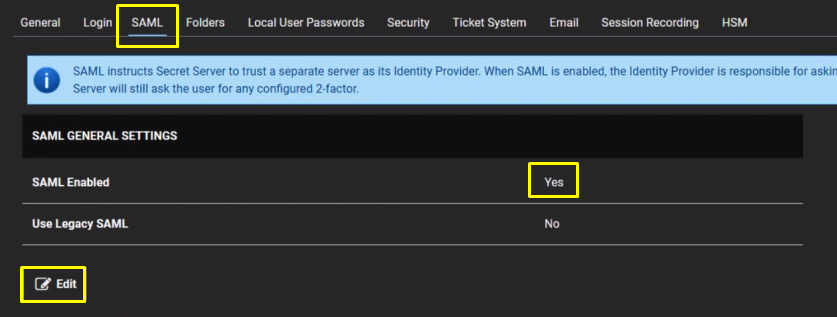
Navigate to Admin > Configuration. Click the SAML tab Click the Edit button in the SAML General Settings section. Click to select the SAML Enabled check box. Click the Save button. Once installed the Certificate needs to be exported Export it as a Base-64 encoded X.509 (.CER) |
|
You will also need to download the IdP Certificate
...