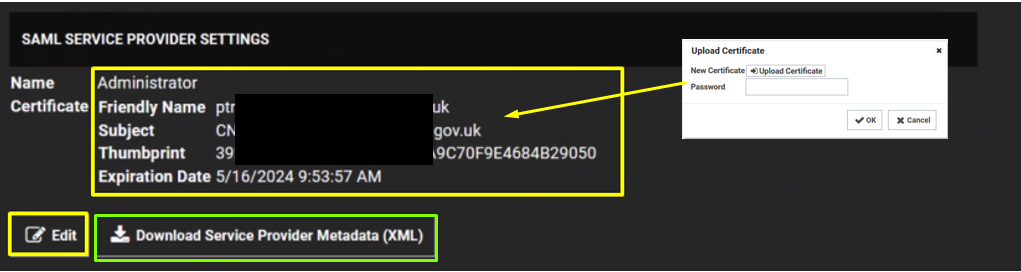
Click the Edit button in the SAML Service Providers section. Type a name for your service provider, in the Name text box. Click the Select Certificate link. The Upload Certificate popup appears: Click the Upload Certificate button to upload your commercial SSL certificate (In .pfx format) Type Password Click OK. Click on Download Service Provider Metadata. |