Create a Service Provider Profile for Secret Server on DualShield
...
| Section |
|---|
|
| Column |
|---|
Fill in the details as per screenshot on right and make sure NameID Format is set to User Principle Name and you select SAML 2.0(Without Metadata) as Type.
Click on Create Metadata |
| Column |
|---|
|
| Panel |
|---|
| borderColor | #9EBEE5 |
|---|
| bgColor | #f0f0f0 |
|---|
| borderWidth | 1px |
|---|
| 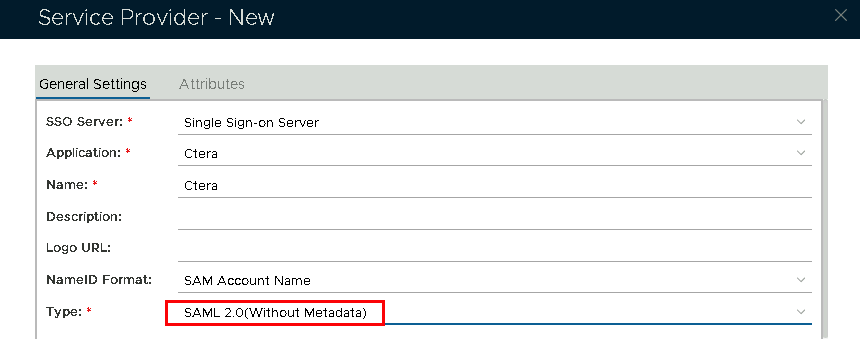 Image Removed Image Removed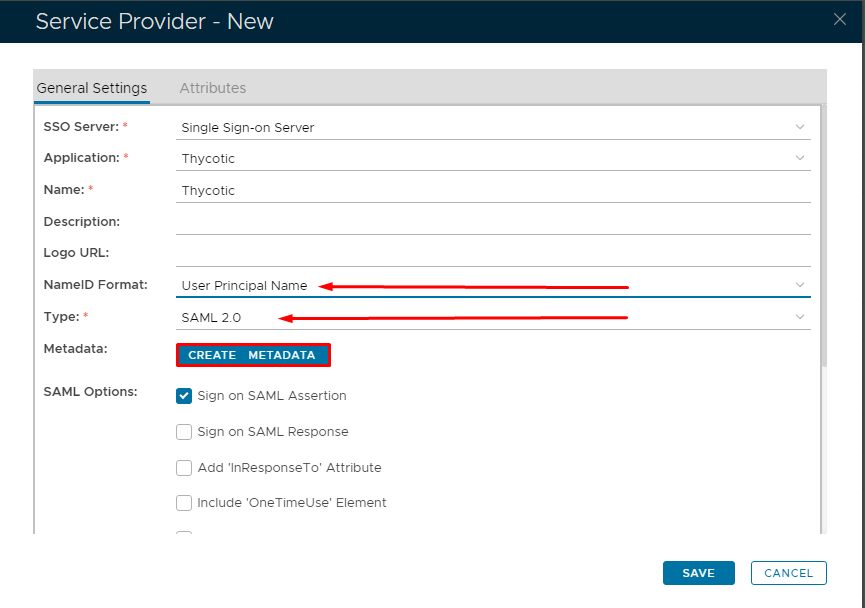 Image Added Image Added
|
|
|
| Section |
|---|
|
| Column |
|---|
Now fill out Entity ID and ACS URL. | Option | Value |
|---|
| Entity ID: | | | ACS URL: | |
|
| Column |
|---|
|
| Panel |
|---|
| borderColor | #9EBEE5 |
|---|
| bgColor | #f0f0f0 |
|---|
| borderWidth | 1px |
|---|
| 
|
|
|
...