The first step to set up SAML integration with FortiGate is to create an application for FortiGate in your DualShield server.
For general instruction on how to create a SMAL application, please refer to
| Expand |
|---|
| title | How to build an Application for SAML Integration |
|---|
|
| Include Page |
|---|
| Build an Application for SAML Integration |
|---|
| Build an Application for SAML Integration |
|---|
|
|
Follow the steps below to create a logon procedure, Application and SSO IDP and SP configuration on DualShield.Add a Logon Procedure:build up an application for FortiGate
Create a Logon Procedure
| Section |
|---|
|
| Column |
|---|
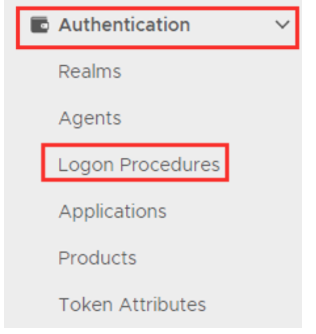
Log on to the DualShield Administration Console and go to Authentication>Logon Procedure |
| Column |
|---|
|
| Panel |
|---|
| borderColor | #9EBEE5 |
|---|
| bgColor | #f0f0f0 |
|---|
| borderWidth | 1px |
|---|
| 
|
|
|
...
| Section |
|---|
|
| Column |
|---|
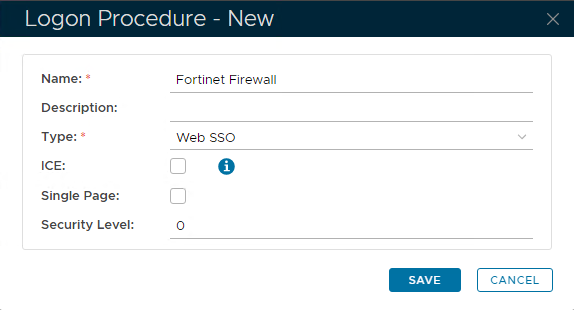
In the new Logon Procedure window, please enter the following information: | Option | Value |
|---|
| Name: | Enter a friendly name | | Type: | Web SSO |
Click: Save |
| Column |
|---|
|
| Panel |
|---|
| borderColor | #9EBEE5 |
|---|
| bgColor | #f0f0f0 |
|---|
| borderWidth | 1px |
|---|
| 
|
|
|
Add Logon Steps
| Section |
|---|
|
| Column |
|---|
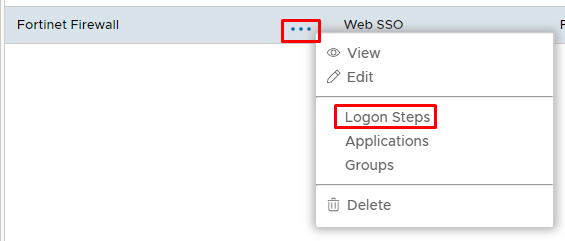
Select the drop down menu corresponding to the Logon Procedure you will be using and click on Logon Steps. |
| Column |
|---|
|
| Panel |
|---|
| borderColor | #9EBEE5 |
|---|
| bgColor | #f0f0f0 |
|---|
| borderWidth | 1px |
|---|
| 
|
|
|
...
| Section |
|---|
|
| Column |
|---|
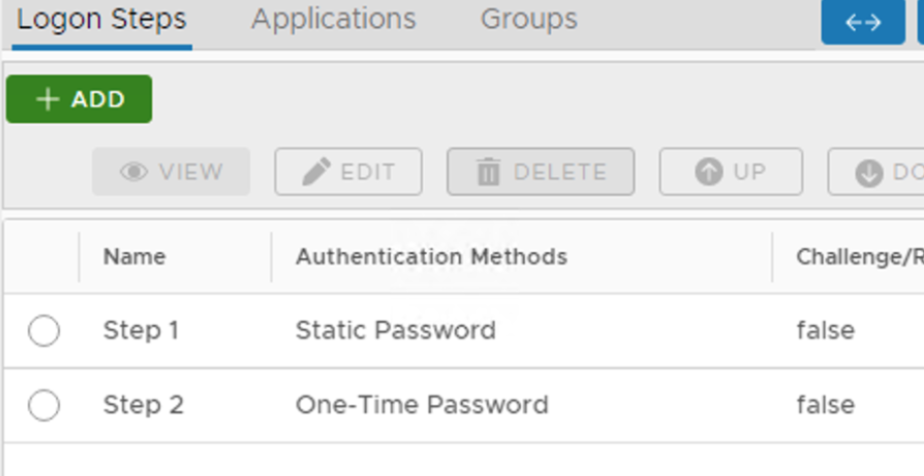
| I have added two steps; Static Password and One-Time Password |
| Column |
|---|
|
| Panel |
|---|
| borderColor | #9EBEE5 |
|---|
| bgColor | #f0f0f0 |
|---|
| borderWidth | 1px |
|---|
|  |
|
|
Create an Application
| Section |
|---|
|
| Column |
|---|
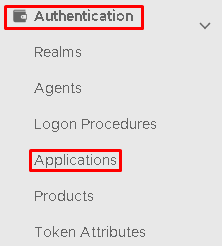
Authentication> Applications |
| Column |
|---|
|
| Panel |
|---|
| borderColor | #9EBEE5 |
|---|
| bgColor | #f0f0f0 |
|---|
| borderWidth | 1px |
|---|
| 
|
|
|
...
| Section |
|---|
|
| Column |
|---|
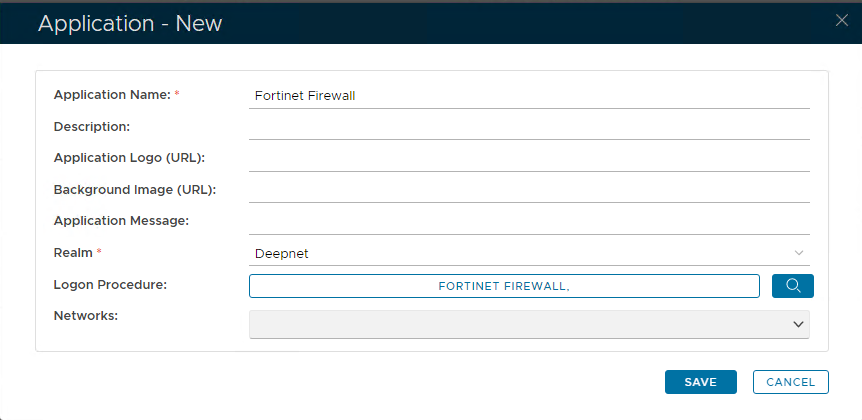
In the new Application window, please enter the following information: | Option | Value |
|---|
| Name: | Enter a friendly name | | Realm: | Select your Realm | | Logon Procedure: | Select the Logon Procedure you had created in the previous step |
Click: Save |
| Column |
|---|
|
| Panel |
|---|
| borderColor | #9EBEE5 |
|---|
| bgColor | #f0f0f0 |
|---|
| borderWidth | 1px |
|---|
| 
|
|
|
...
Publish the Application
| Section |
|---|
|
| Column |
|---|
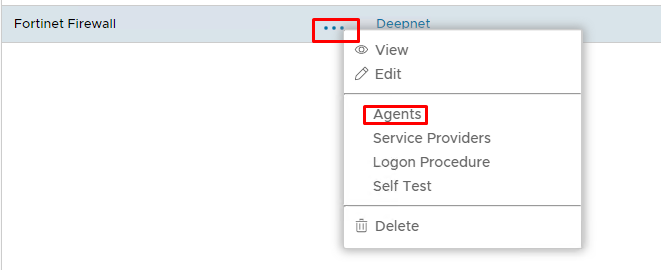
Select the drop down menu corresponding to the Application you will be using and click on Agents. |
| Column |
|---|
|
| Panel |
|---|
| borderColor | #9EBEE5 |
|---|
| bgColor | #f0f0f0 |
|---|
| borderWidth | 1px |
|---|
| 
|
|
|
...