Generally speakingCommonly, service providers use the NameID attribute as the user's identity. By default, the user's login name is returned in the NameID.
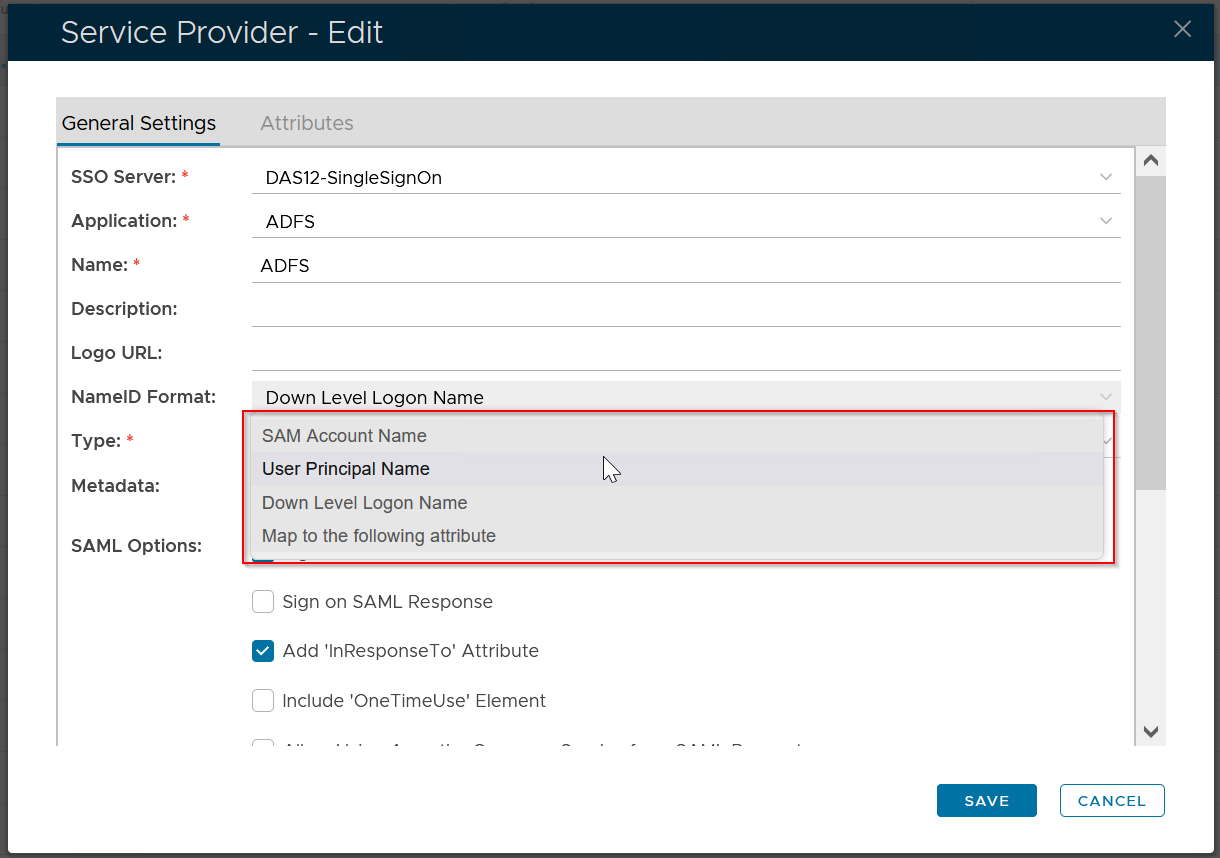
According to the requirement of the service provider, you can return one of the following values in the NameID attribute:
- SAM Account Name
- User Principal Name
- Down-Level Login Name
- Custom Attribute
To change the NameID attribute, follow the steps below.
In the DualShield Admin Console, find the Service Provider, e.g. "ADFS".
...
In the context menu of the service provider, select "Edit"
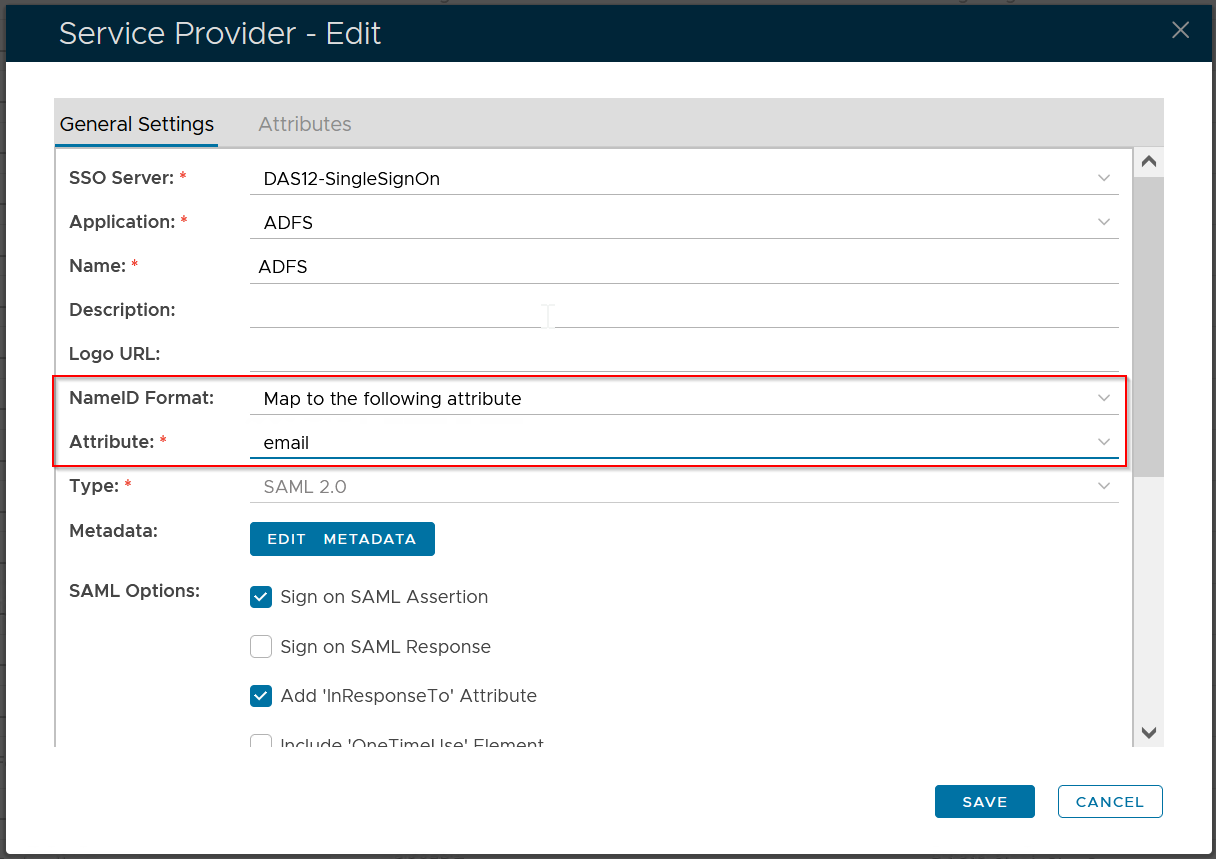
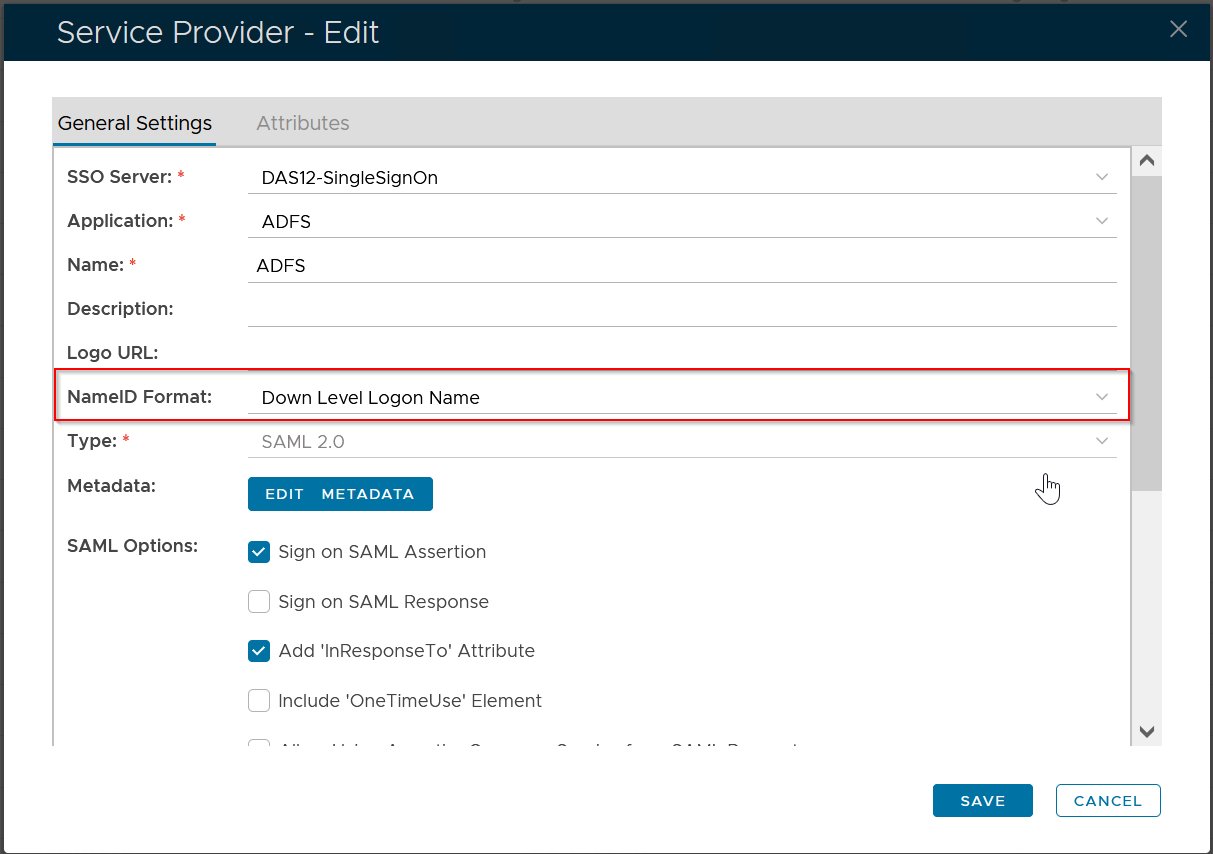
Change the "NameID Format" to "Map to the following attribute"
Select "email" as the "Attribute"
as required
If you want to map the NameID attribute to a custom attribute, then you need to add the custom attribute first.Click Save