...
- Login to the DualShield Administration Console
- In the main menu, select "Authentication | Logon Procedure"
- Click the "Create" button on the toolbar
- Enter a name and select "RADIUS" as the type
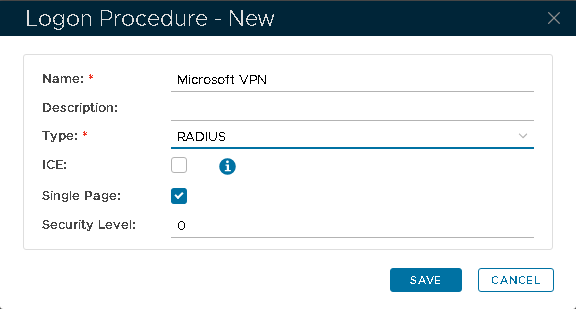
- Click "Save"
- Click the context menu icon of the newly create logon procedure, and select "Logon steps"
- In the popup window, click the "Add" button at the top.
- Select the desired authenticator, e.g. "static password + one-time password"
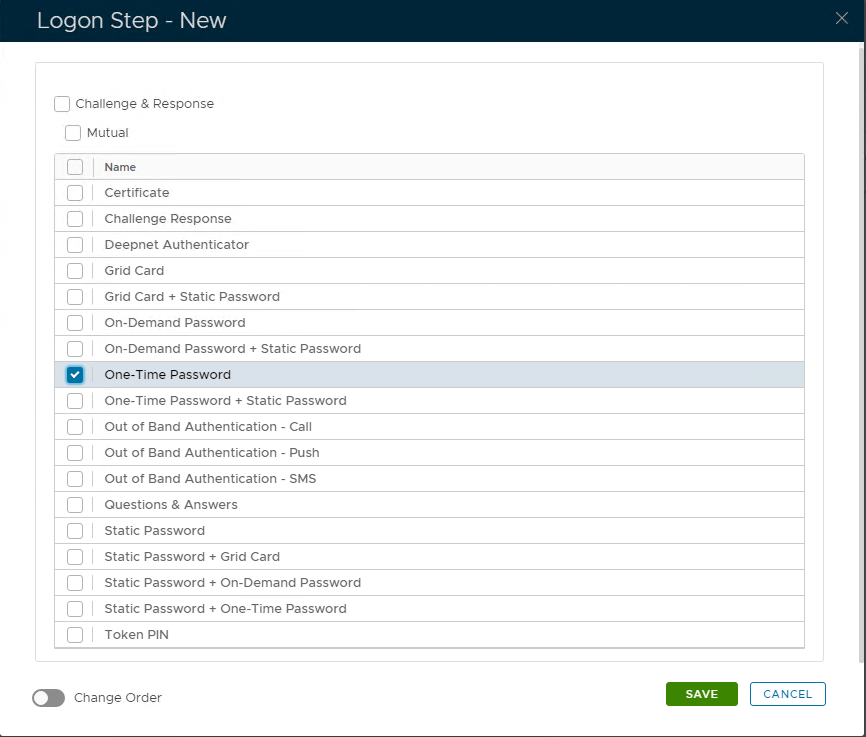
- Click "Save"
...