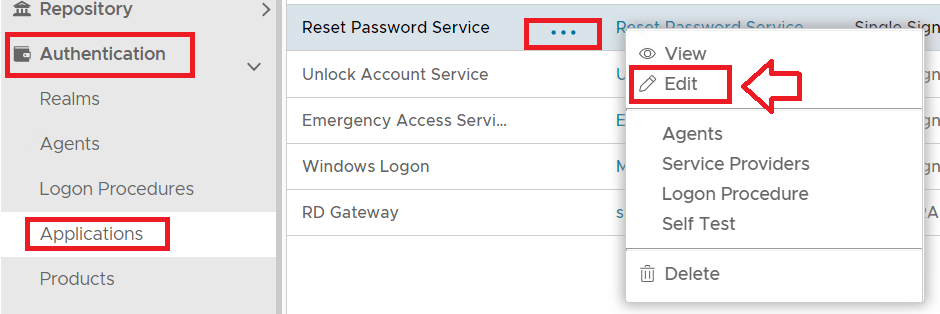
The application details can be customised by navigating to "Authentication | Applications", then left clicking on the context menu of the application to be customised, then selecting "Edit";
A new window titled "Application - Edit" will now open which can then be used to customise the application specific aspects of the logon portals;
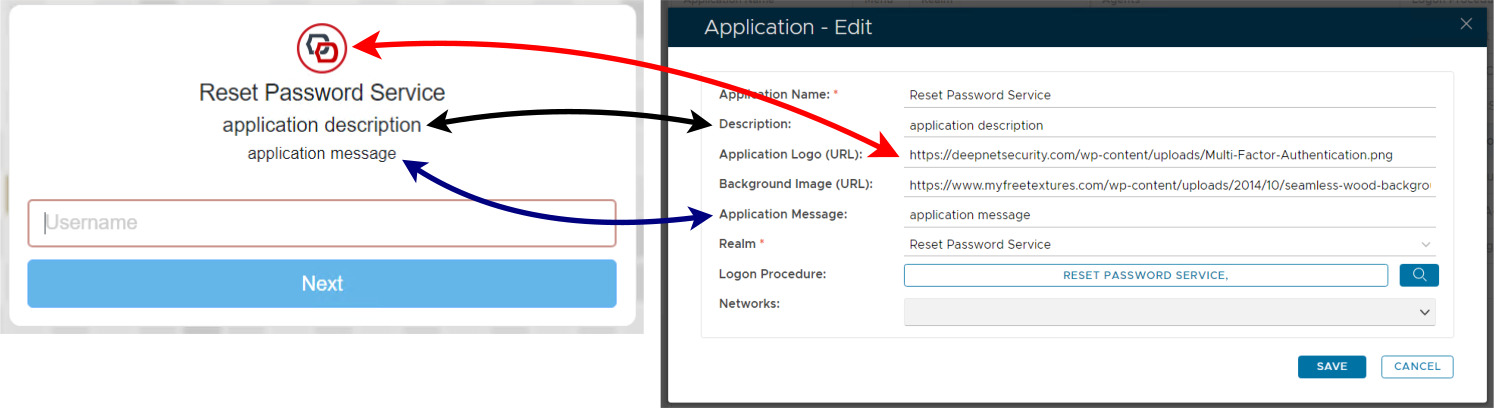
In addition to the indicated fields you will also find that the name of the application (as specified against the prompt "Application Name:" will also customise what name is shown below the application logo.
Once the application details have been customised click "SAVE" to commit the changes.
Changing the Application Logo
...