...
| Section |
|---|
|
| Column |
|---|
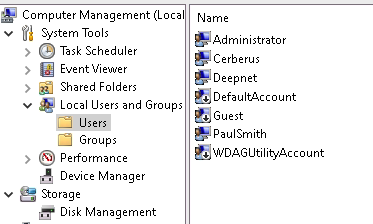
Create some local user accounts and make sure the Administrator account is active.
|
| Column |
|---|
|
| Panel |
|---|
| borderColor | #9EBEE5 |
|---|
| bgColor | #f0f0f0 |
|---|
| borderWidth | 1px |
|---|
| 
|
|
|
Create a Virtual Domain (This is required as the Stand-alone machines' host name will act as it's own domain.)
| Section |
|---|
|
| Column |
|---|
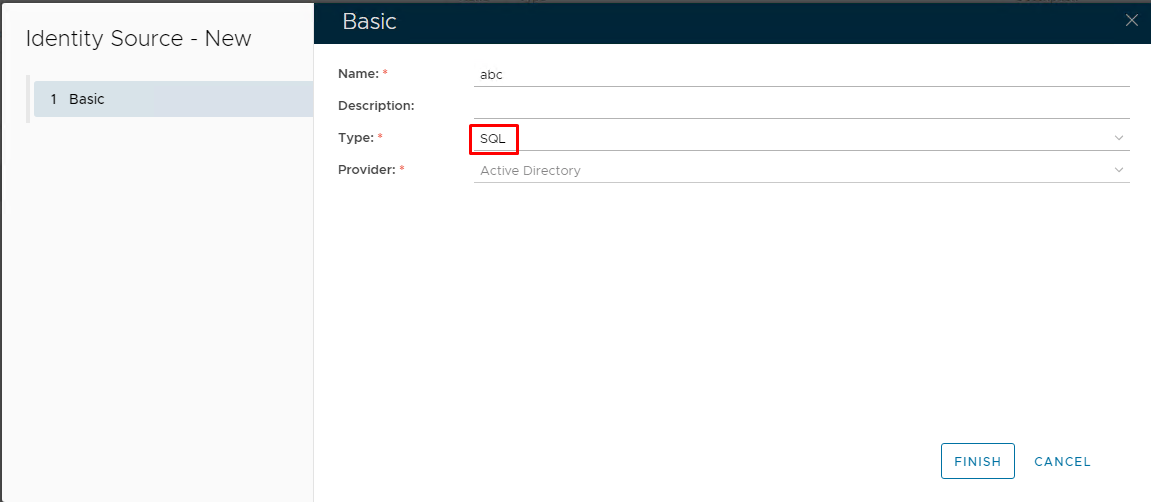
Login to the DualShield Administration Console and go to Identity>Identity Sources Click on  on the top right. on the top right. It is recommended to specify the hostname of the Non-Domain joined machine as the friendly name of this identity source. Also, make sure the Type is set to SQL Click Finish |
| Column |
|---|
|
| Panel |
|---|
| borderColor | #9EBEE5 |
|---|
| bgColor | #f0f0f0 |
|---|
| borderWidth | 1px |
|---|
| 
|
|
|
...
| Section |
|---|
|
| Column |
|---|
Go to Directory>Domains Click on Image Added on the top right. In the 'Domain-New' Dialogue box, select the Identity Source that you have just created from the drop-down It is recommended to match the Name, DNS Name and NetBIOS Name with the hostname of the Stand-alone machine Click SaveTick the desired authentication method, e.g. Static Password |
| Column |
|---|
|
| Panel |
|---|
| borderColor | #9EBEE5 |
|---|
| bgColor | #f0f0f0 |
|---|
| borderWidth | 1px |
|---|
| 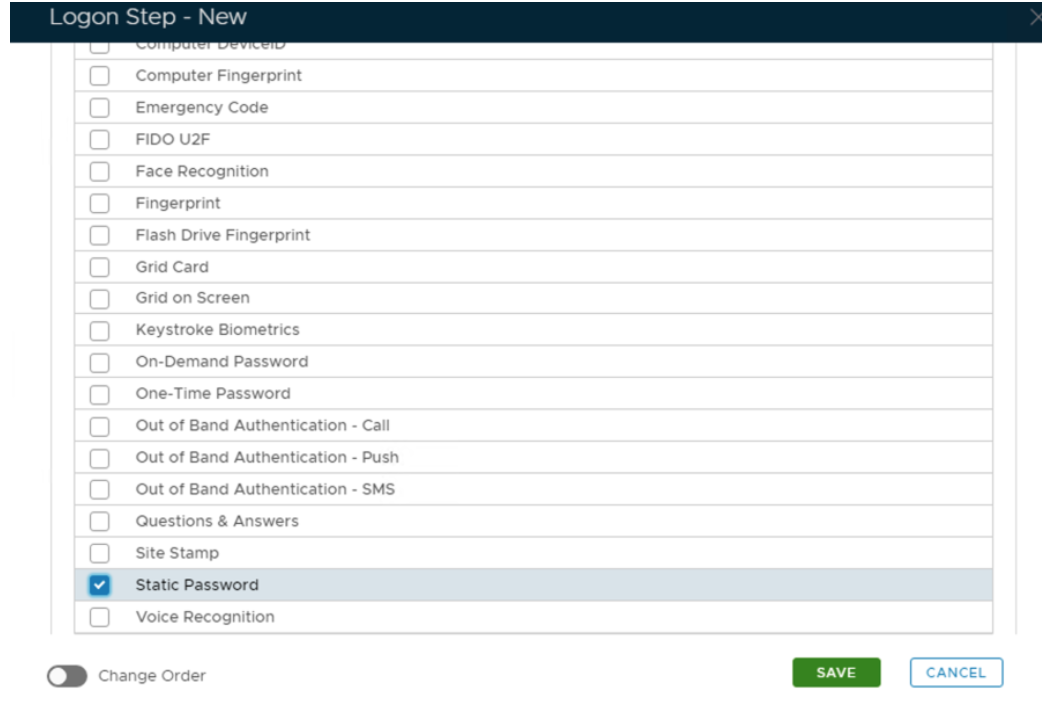 Image Removed Image Removed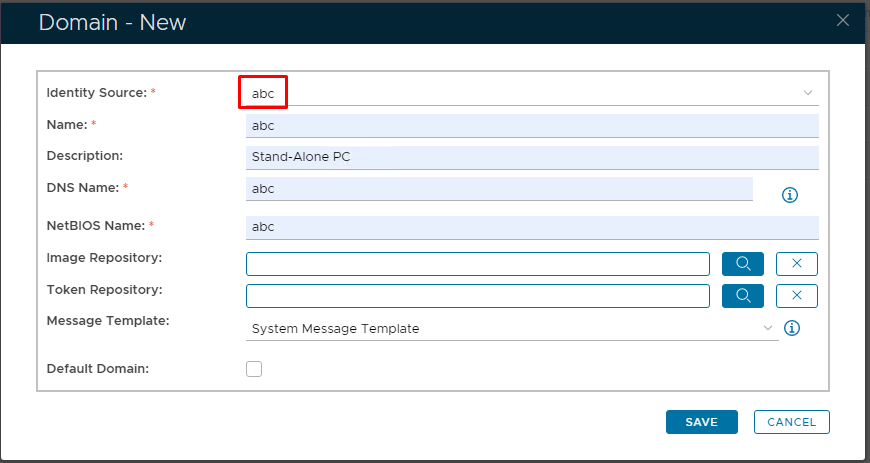 Image Added Image Added
|
|
|
Click Save.
Repeat to add extra steps.
...