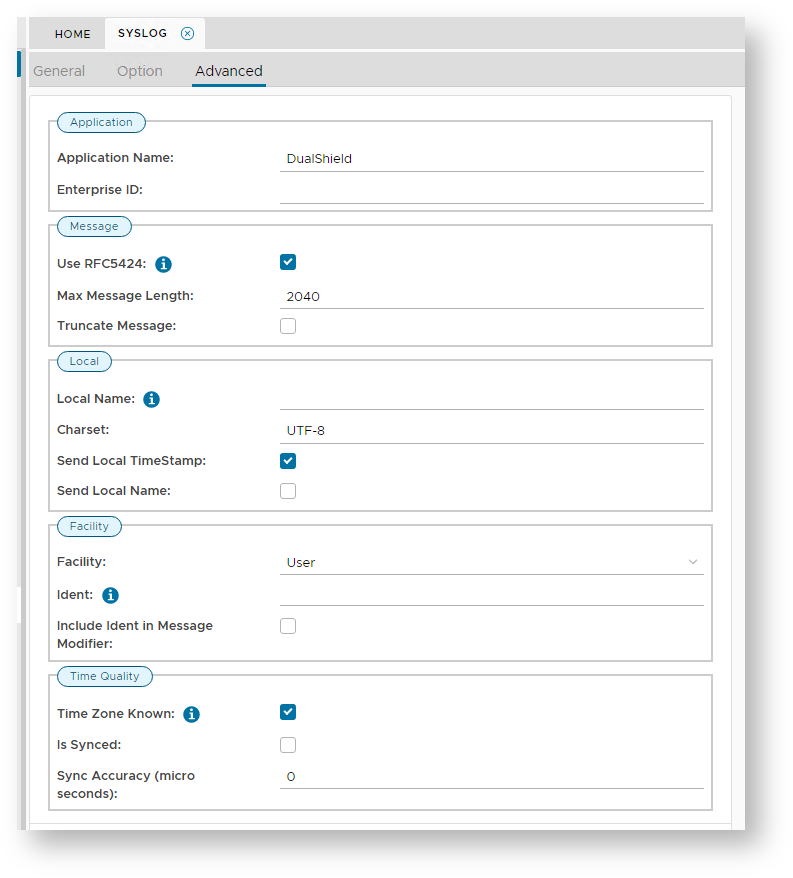
The Advanced TabThe tab "Advanced" provides options to configure the Application, Message Details, Local Machine Settings, Facility Settings and Time Quality options; 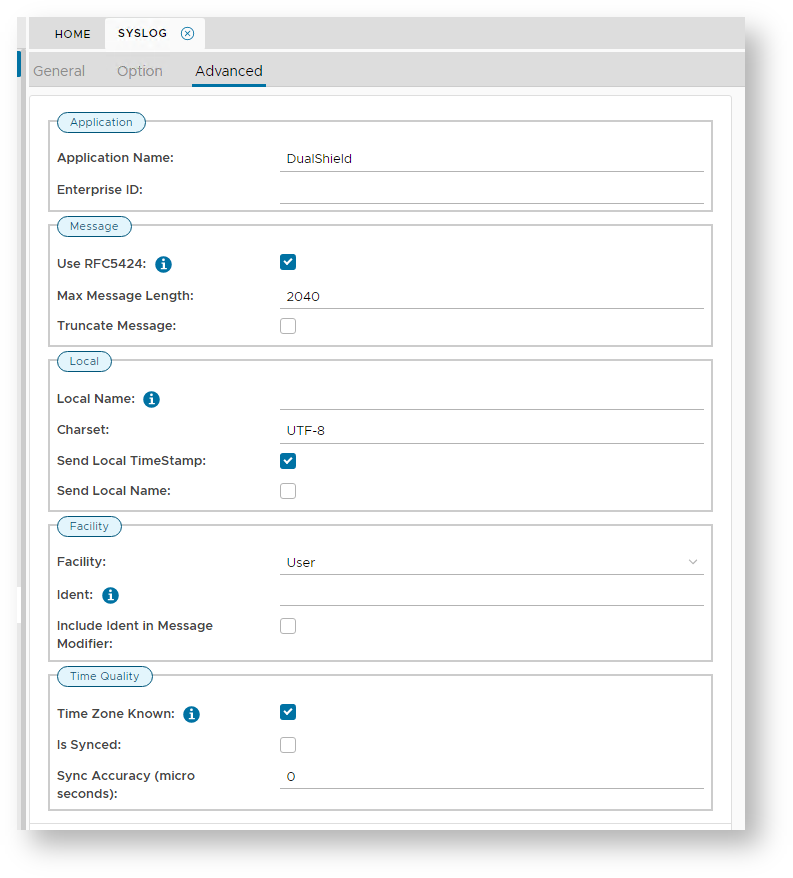
Application, Message Details, Local Machine Settings, Facility Settings and Time Quality options, and looks like the following; The section "Application" will determine if the properties "Application Name" and "Enterprise ID" are sent to the client logger. The section "Message" will determine the maximum message length of data sent to the client logger, and if the data is truncated if it exceeds this length (defaults to 2046 characters). The section "Local" will state the local Name of the syslog server, the character set that it uses, and if the local time stamp (and local name) are sent to the client logger. The section "Facility" will determine the source of messages that are sent to the client logger. The section "Time Quality" will identify if the time zone is known, synched and to what degree of accuracy the messages are expected to have. |