...
| Section |
|---|
| Column |
|---|
| 
|
| Column |
|---|
|
| Expand |
|---|
|
| Panel |
|---|
| borderColor | grey |
|---|
| bgColor | #F8F8F8 |
|---|
| borderStyle | dashed |
|---|
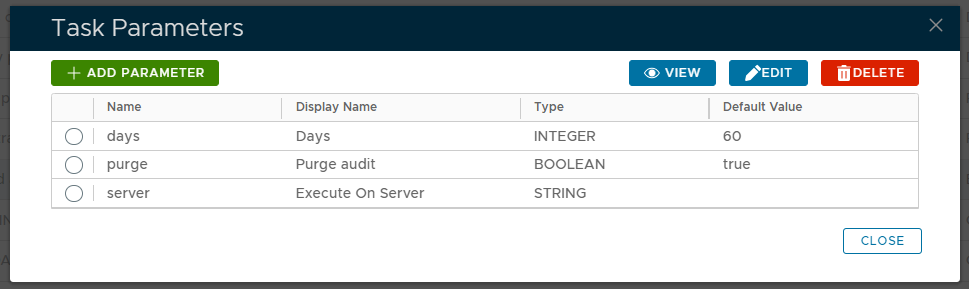
| Specify the number of days of audit records to retained after the audit log file has been purged. |
|
| Expand |
|---|
|
| Panel |
|---|
| borderColor | grey |
|---|
| bgColor | #F8F8F8 |
|---|
| borderStyle | dashed |
|---|
| This option specifies if the audit is to be purged after the export is performed. |
|
| Expand |
|---|
|
| Panel |
|---|
| borderColor | grey |
|---|
| bgColor | #F8F8F8 |
|---|
| borderStyle | dashed |
|---|
| Specify which server the task is to be executed on. |
|
|
|
The parameters may then be editing by selecting one of the parameters, then clicking on the  button.
...
To execute the task click the  button.
| Expand |
|---|
| title | Click here for more information on manually executing tasks |
|---|
|
| Include Page |
|---|
| Running a Task |
|---|
| Running a Task |
|---|
|
|
The Exported CSV file will be found in C:\Program Files\Deepnet DualShield\export or \opt\dualshield\export on Linux
Related Articles