...
| Section | ||||||||||||||||||||||||||||||||||||||||||||||||||||
|---|---|---|---|---|---|---|---|---|---|---|---|---|---|---|---|---|---|---|---|---|---|---|---|---|---|---|---|---|---|---|---|---|---|---|---|---|---|---|---|---|---|---|---|---|---|---|---|---|---|---|---|---|
|
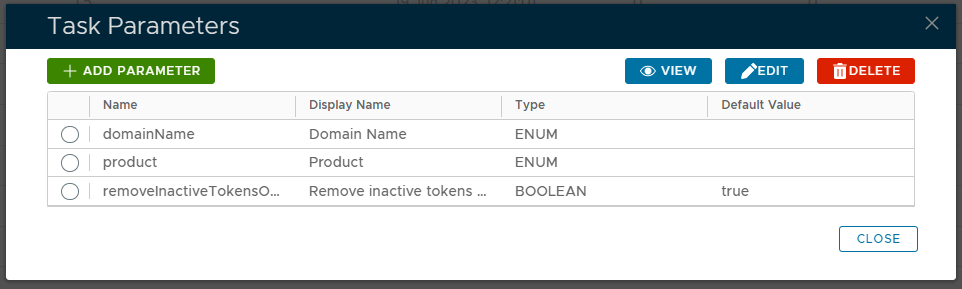
In the top right hand corner of this window are the buttons that all viewing, editing and deletion of task parameters;
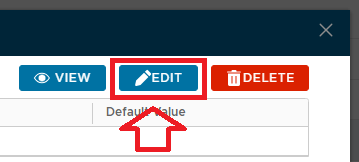
To edit one of the listed parameters first select the parameter to be edited then click on the  button.
A new window will now open that will allow you to edit the parameter (example below);
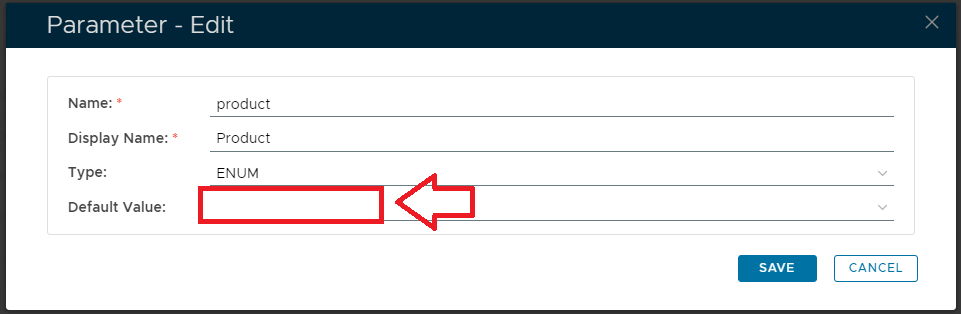
In most cases the only value that should be changed is the "Default Value" setting.
If the default value is updated, and the  button is pressed, then this new value will be used by the task script next time the task is runThe button can be used to edit the task parameters.