The RD Gateway uses NPS to send the RADIUS request to Azure Multi-Factor Authentication. To configure NPS, first you change the timeout settings to prevent the RD Gateway from timing out before the two-step verification has completed. Then, you update NPS to receive RADIUS authentications from your MFA Server. Use the following procedure to configure NPS:
Modify the timeout policy
- In NPS, open
...
- the RADIUS
...
- Client and
...
- Servers menu in the left
...
- panel, and
...
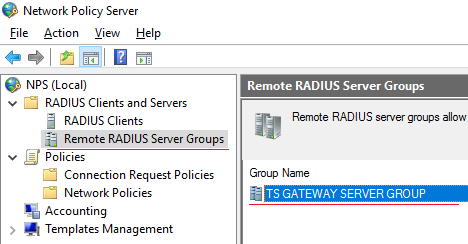
- select "Remote RADIUS Server Groups".
- Select
...
- "TS GATEWAY SERVER GROUP" in the middle panel.
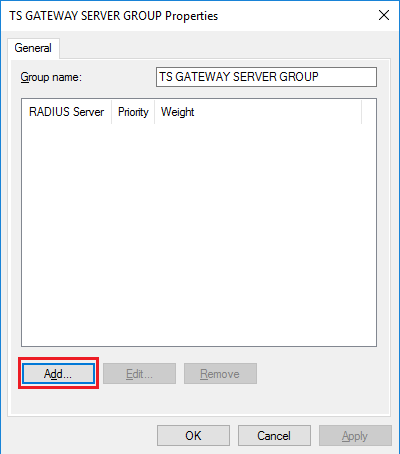
- Right click the "Properties" in "TS GATEWAY SERVER GROUP", and click "Add".
...
-
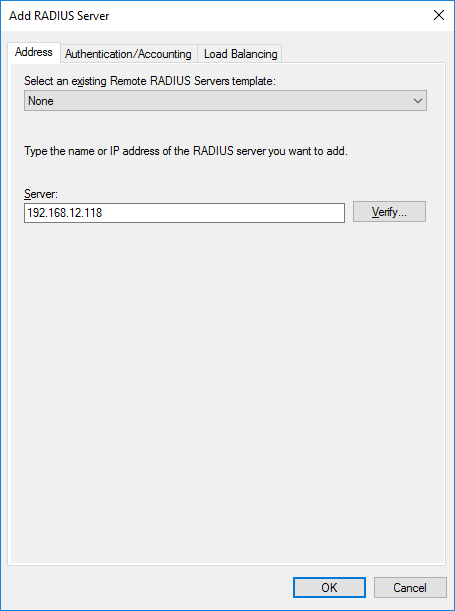
- In "Address" tab, add the DualShield RADIUS Server's address.
- In "Authentication/Accounting" tab, create a shared secret key.
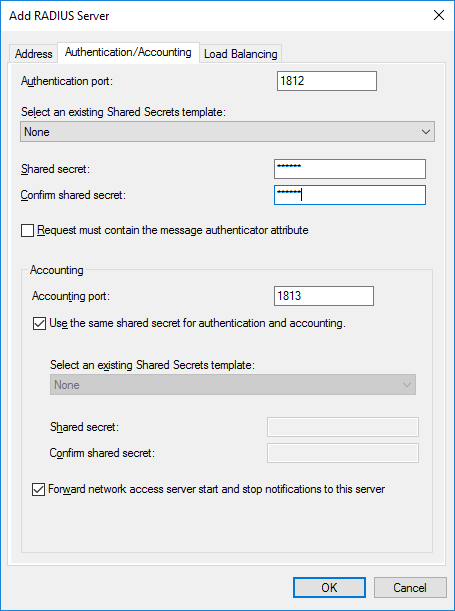
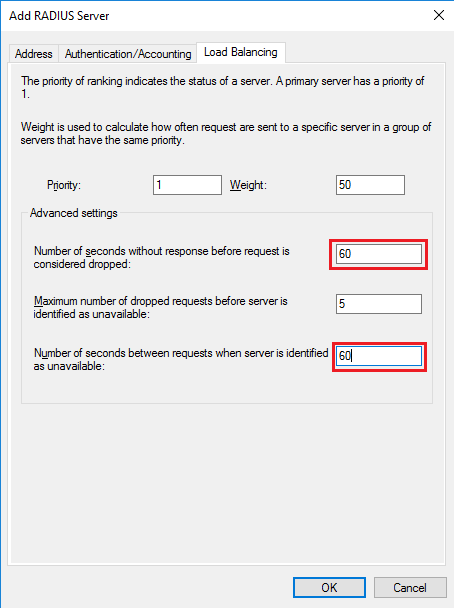
- Change both the Number
...
- of seconds without response before request is considered
...
- dropped and the Number of seconds between requests when server is identified as
...
- unavailable to between 30 and 60 seconds.
(If you find that the server still times out during authentication, you can come back here and increase the number of seconds.)
...
Prepare NPS to receive authentications from the MFA Server
...