For Internet Explorer or Google Chrome, navigate to "Internet Options" settings. Select the "Security" tab:
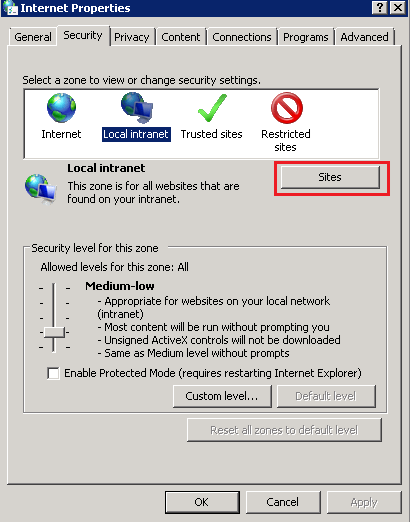
Select "Local Intranet" and click "Sites"
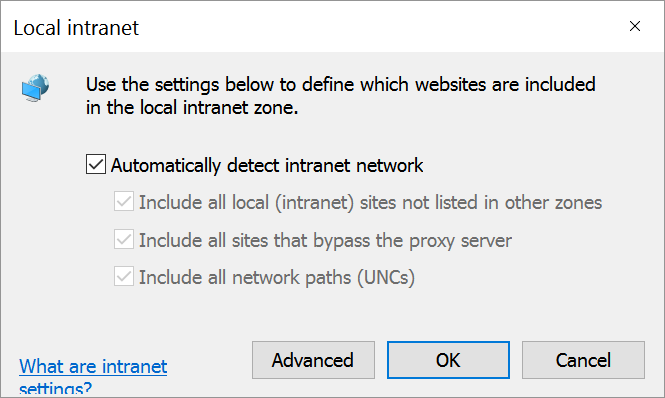
Enable "Automatically detect intranet network"
Click the "Advanced" button 
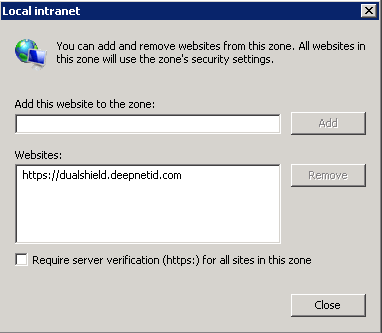
Add your DualShield Server's FQDN into the "Local Intranet" zone.
Clcik Click "Close" to save settings.
Now, select the "Advanced" tab, and scroll down to the "Security" section:
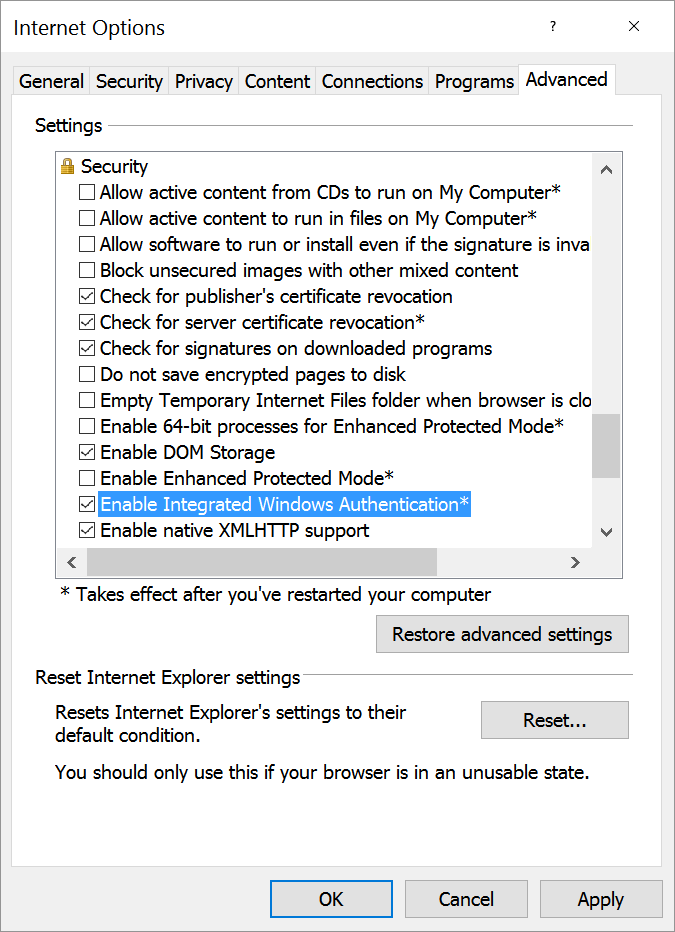
Make sure the "Enable Integrated Windows Authentication" option is enabled.