In Within the DualShield authentication server Authentication Server you need to create an application Application which will be used for the twoTwo-factor authentication in Parallels (2X).
An application Application in DualShield needs requires a logon procedure Logon Procedure which defines how users will be authenticated when they attempt to logon to the applicationApplication.
Create a Logon Procedure
Firstly, create a 2X logon procedureLogon Procedure, as follows:

Then, modify its logon steps and add one logon step with the desired authentication methods:
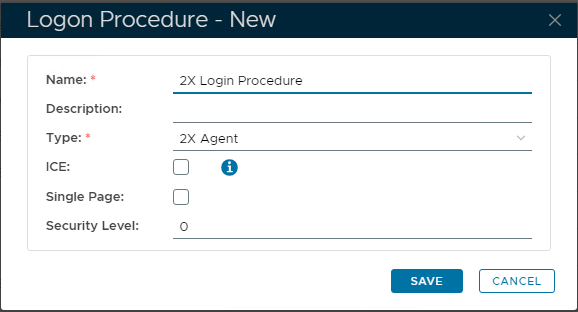
Next Add Login Steps, for the desired Authentication methods:
Click back on the Login Procedure context "..." menu, then Logon Steps:
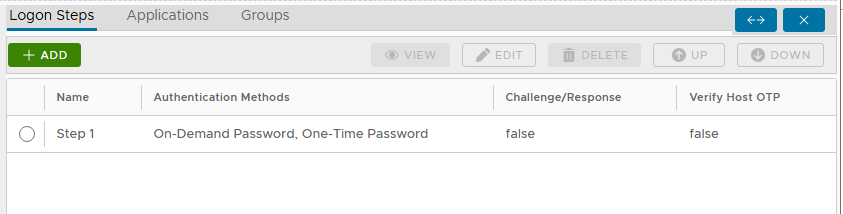

For Parallels (2X), only ONE logon step Logon Step is allowed.
Create an Application
The next step is to create an application Application in DualShield for 2x application, and assign the newly created 2X logon procedure to the 2X application..
Realm: Select the internal "Realm" for your Domain.
Logon Procedure: Select the 2X Logon Procedure created in the previous step.
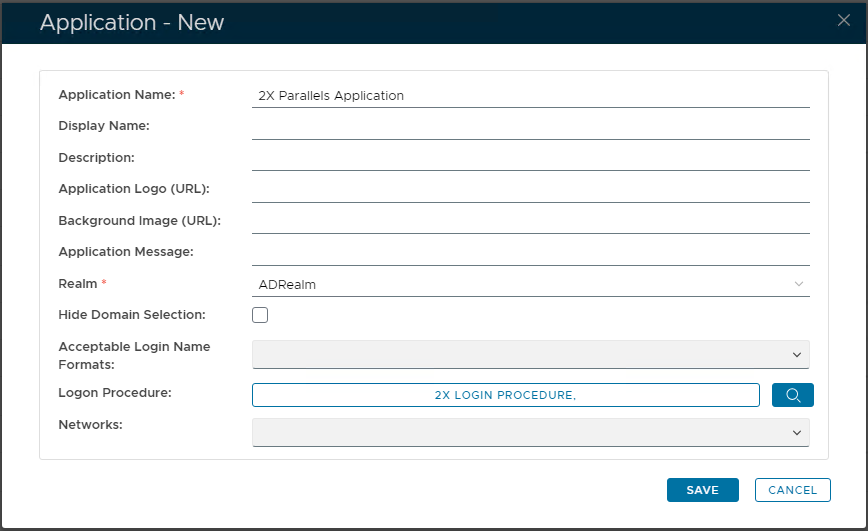

During the creation of the 2X applicationApplication, you will be asked required to link the application Application to an authentication Realm which in returns needs to be linked to a domain.
Please note that the 2X realm Realm associated, should contain one domain only , 1 Domain and the NetBIOS name of the domain Domain should be set correctly (refer to the following section):


...
.