Login to your Twilio account
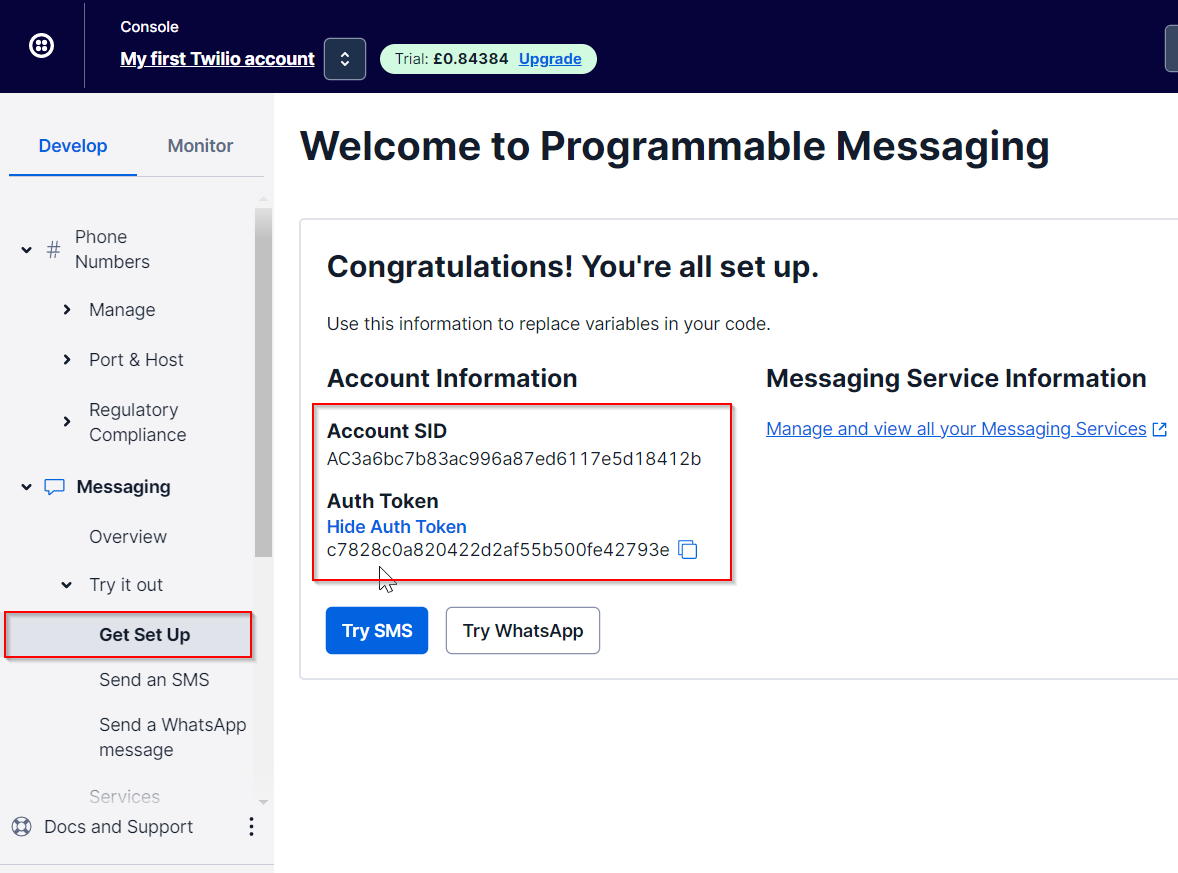
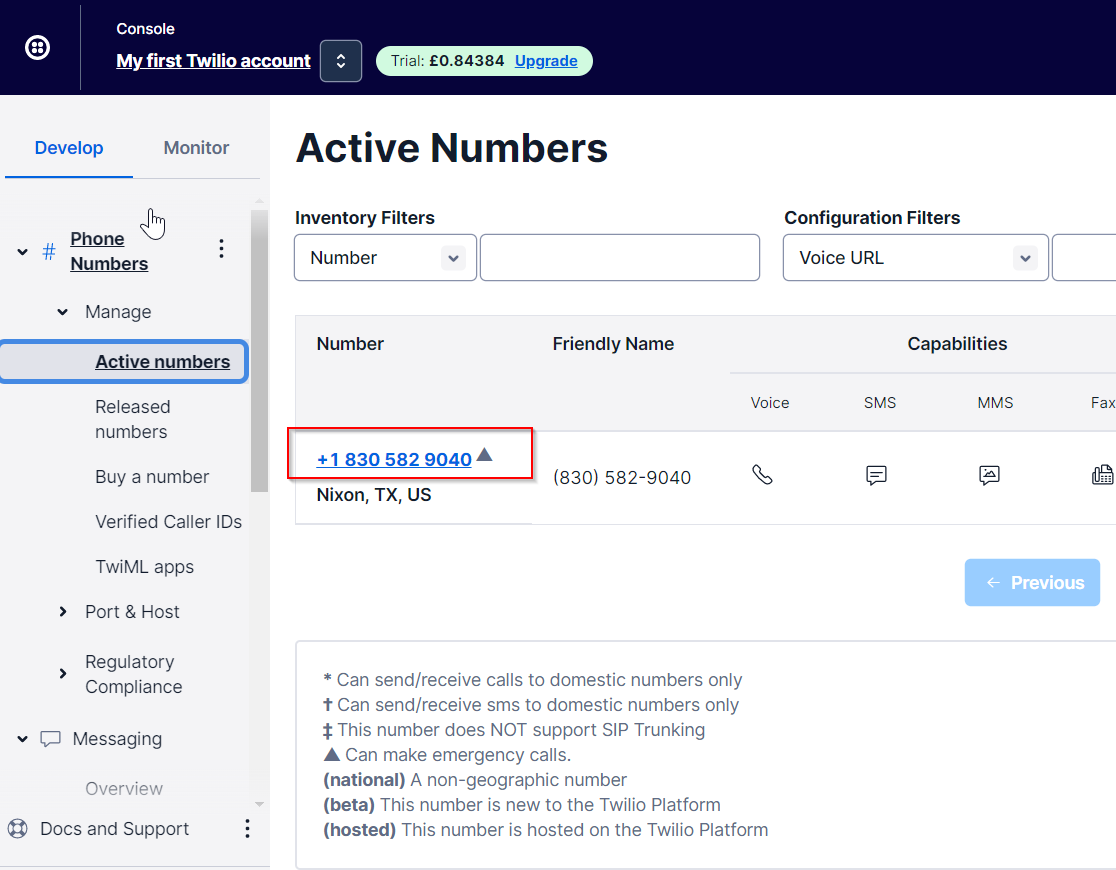
Copy out the ACCOUNT SID, AUTH TOKEN and PHONE NUMBER
Login to your DualShield Admin Console
Navigate to "Configuration | Gateways"
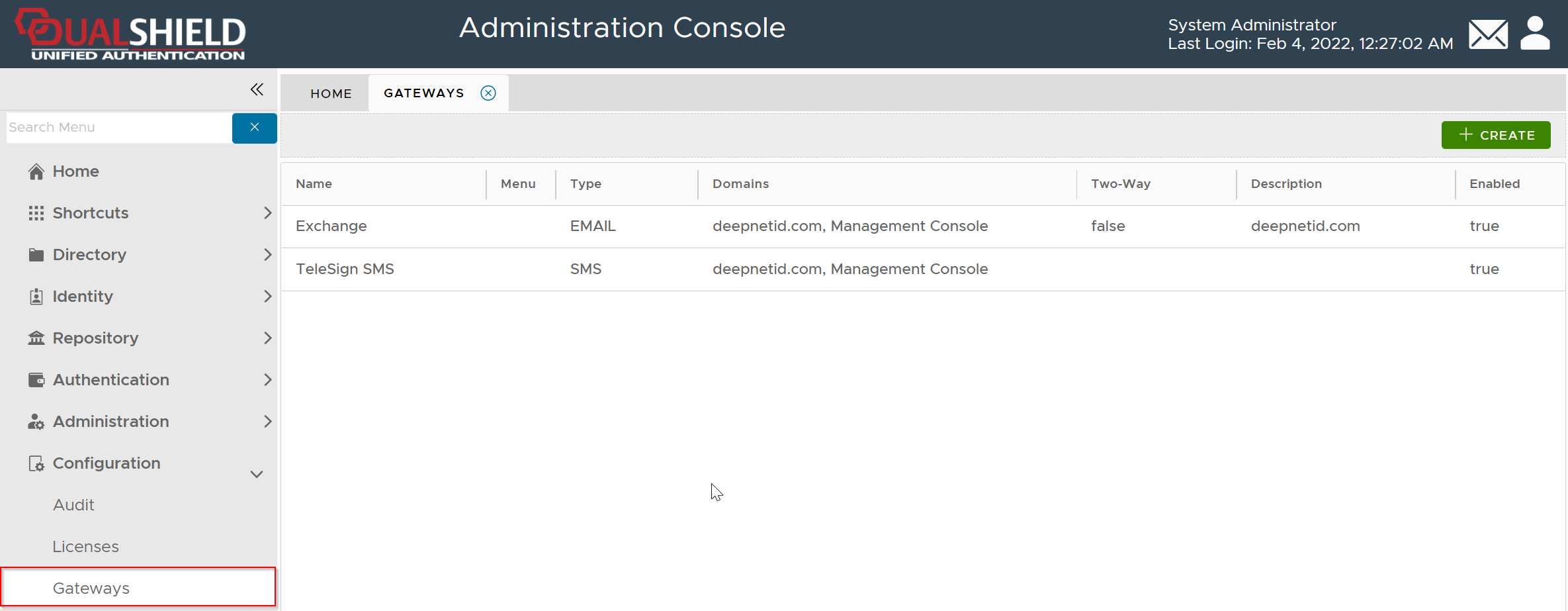
Click the "CREATE" button
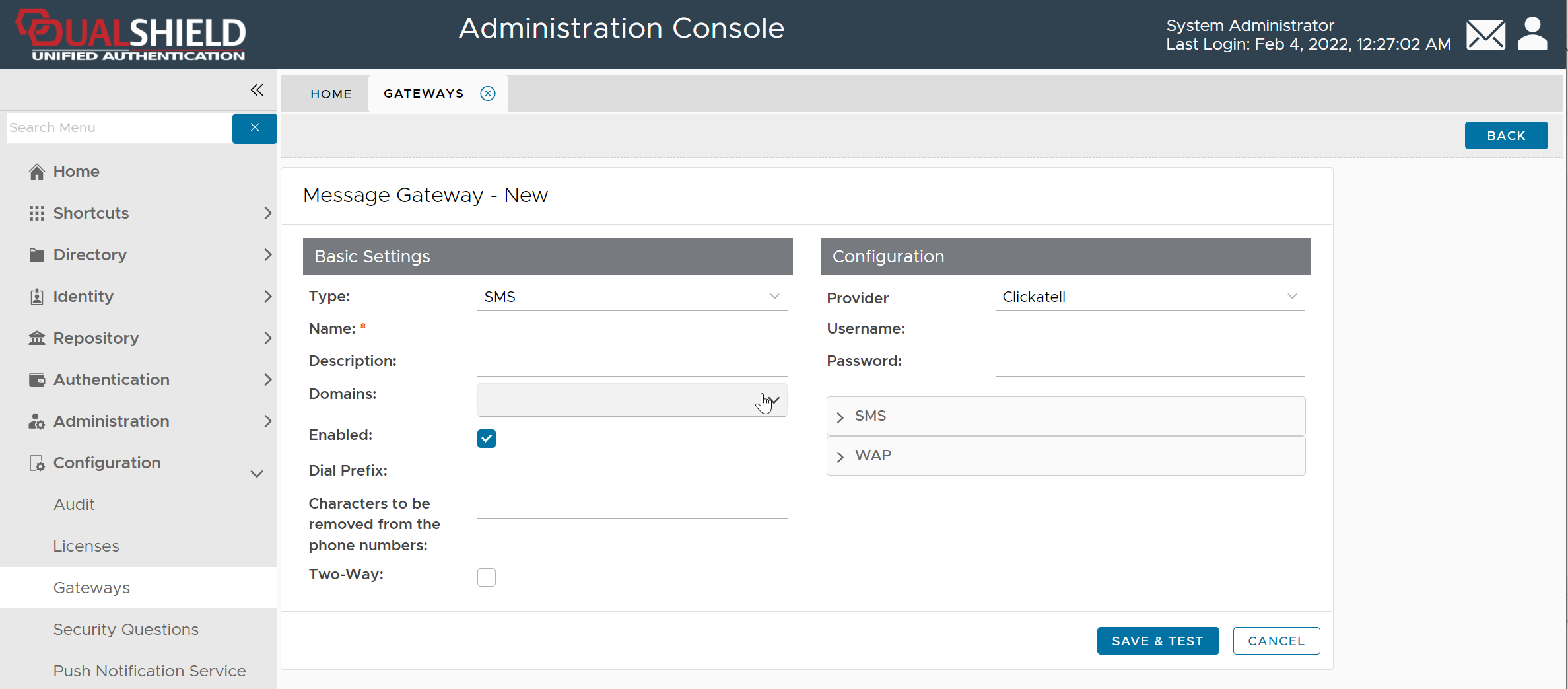
Fill in the following details
| Item | Value |
|---|---|
| Type | SMS |
| Name | Enter a name, e.g. Twilio SMS |
| Domains | Select all domains |
| Enabled | √ |
| Two-Way | √ |
| Provider | Twilio |
| Username | ACCOUNT SID in Twilio |
| Password | AUTH TOKEN in Twilio |
| api_from | Phone number in Twilio |
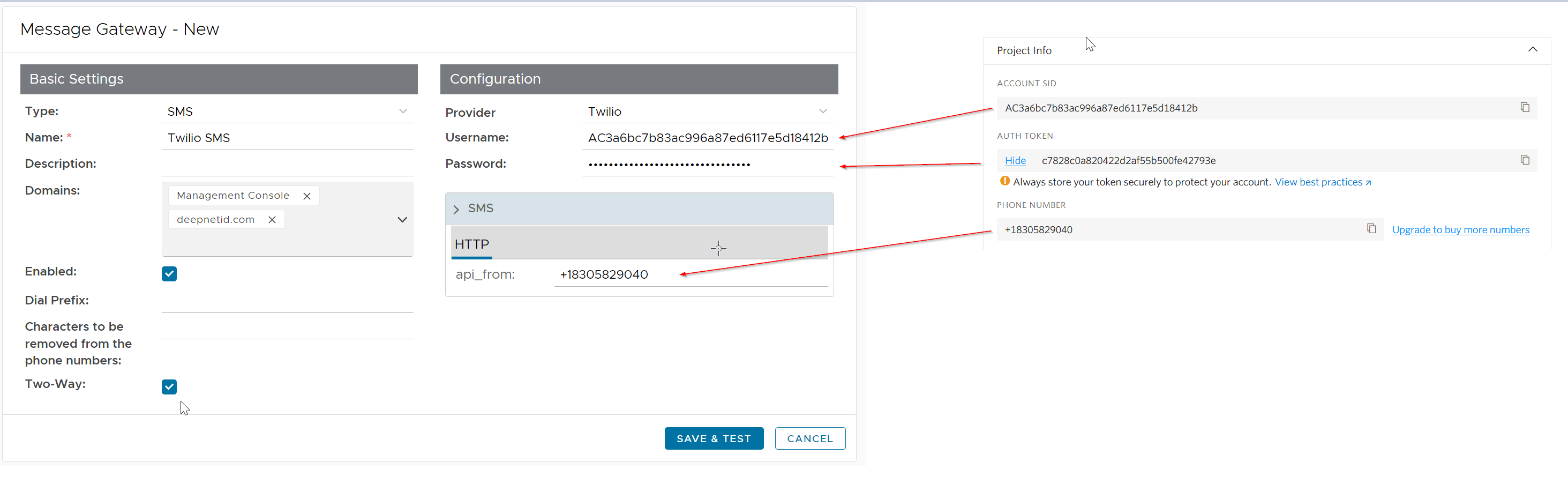
Click "SAVE & TEST"
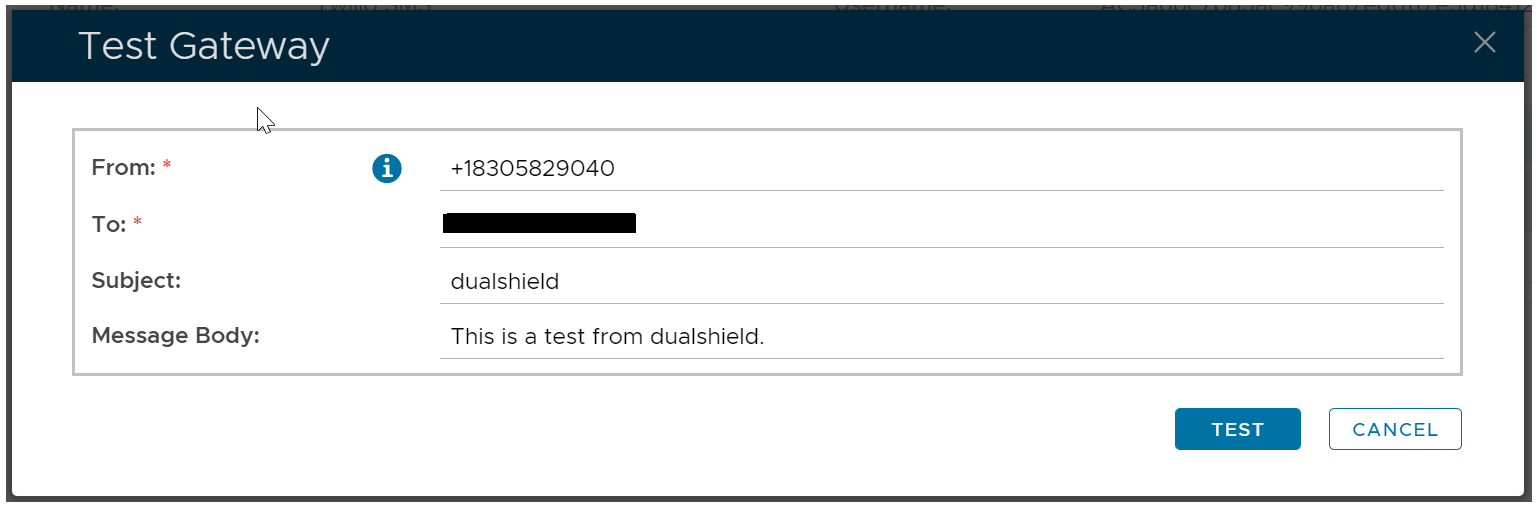
Click TEST to send a test message
Click CANCEL to finish it
