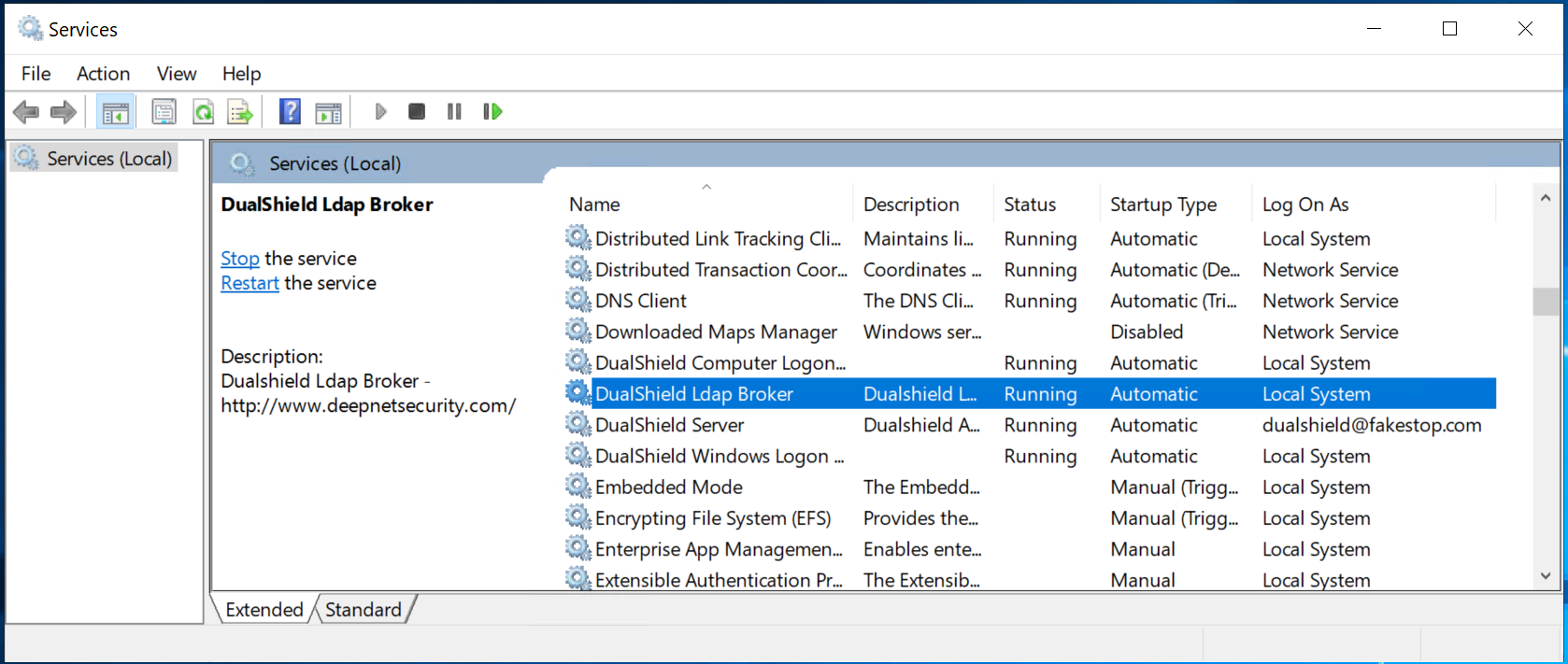
To switch the LDAP browser to work on LDAPS, follow the steps below.
Prepare SSL Certificate
First of all, you need an SSL certificate for the LDAP broker. The CN of the SSL certificate must be the FQDN of the LDAP broker.
Copy the PFX file of the SSL certificate to the directory where the DualShield LDAP broker is installed, i.e. "C:\Program Files\Deepnet Ldap Broker"
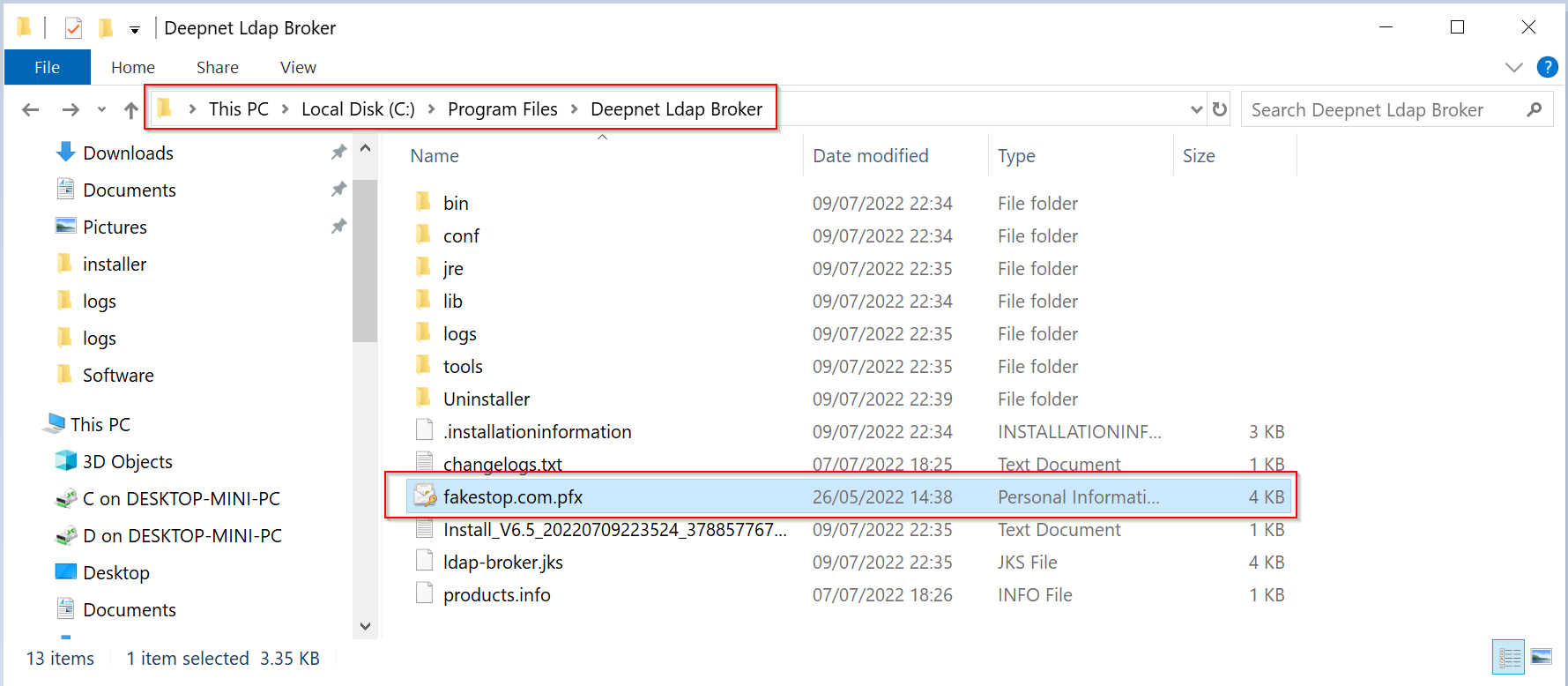
Edit Configuration File
Navigate to "C:\Program Files\Deepnet Ldap Broker\conf"
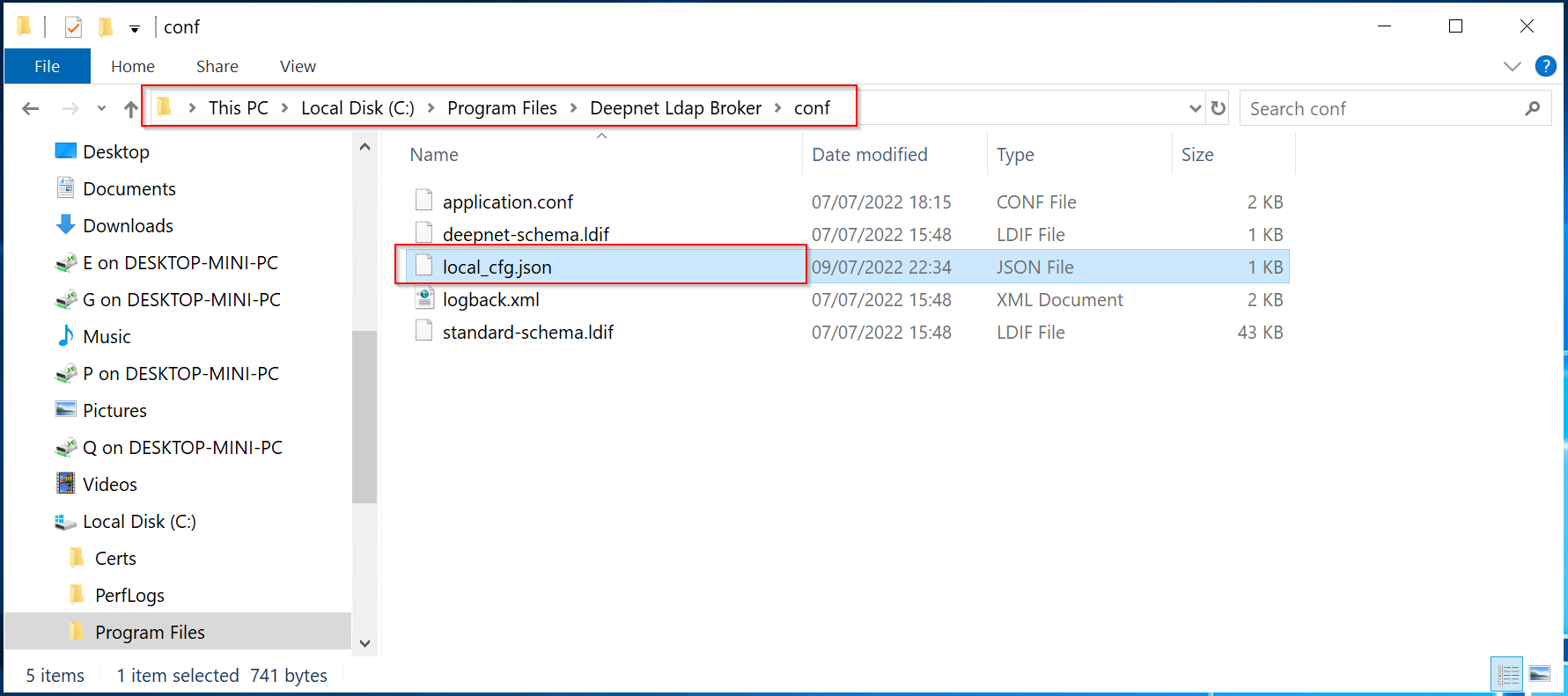
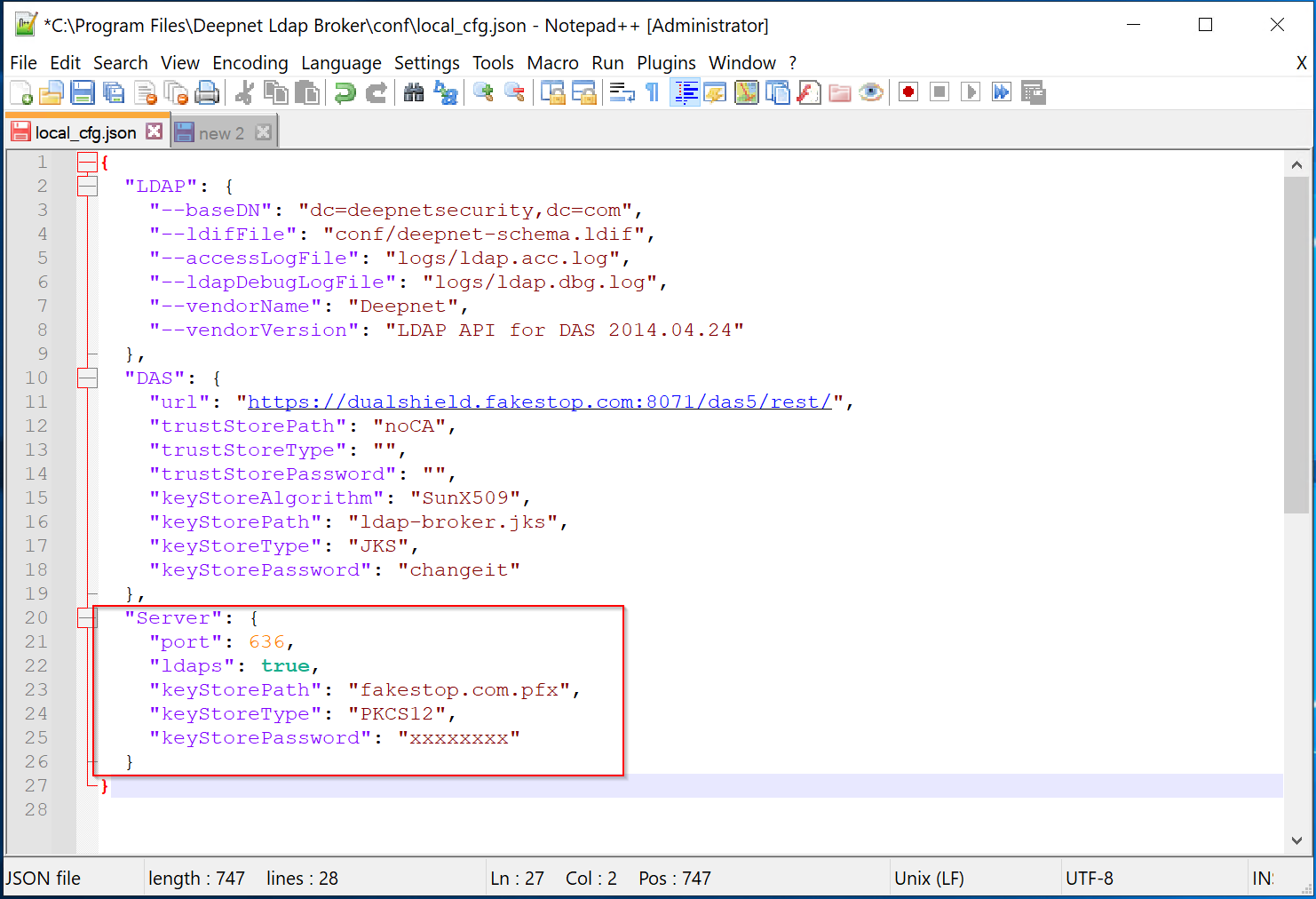
Open the file "local_cfg.json" in a text editor, e.g. Notepad++
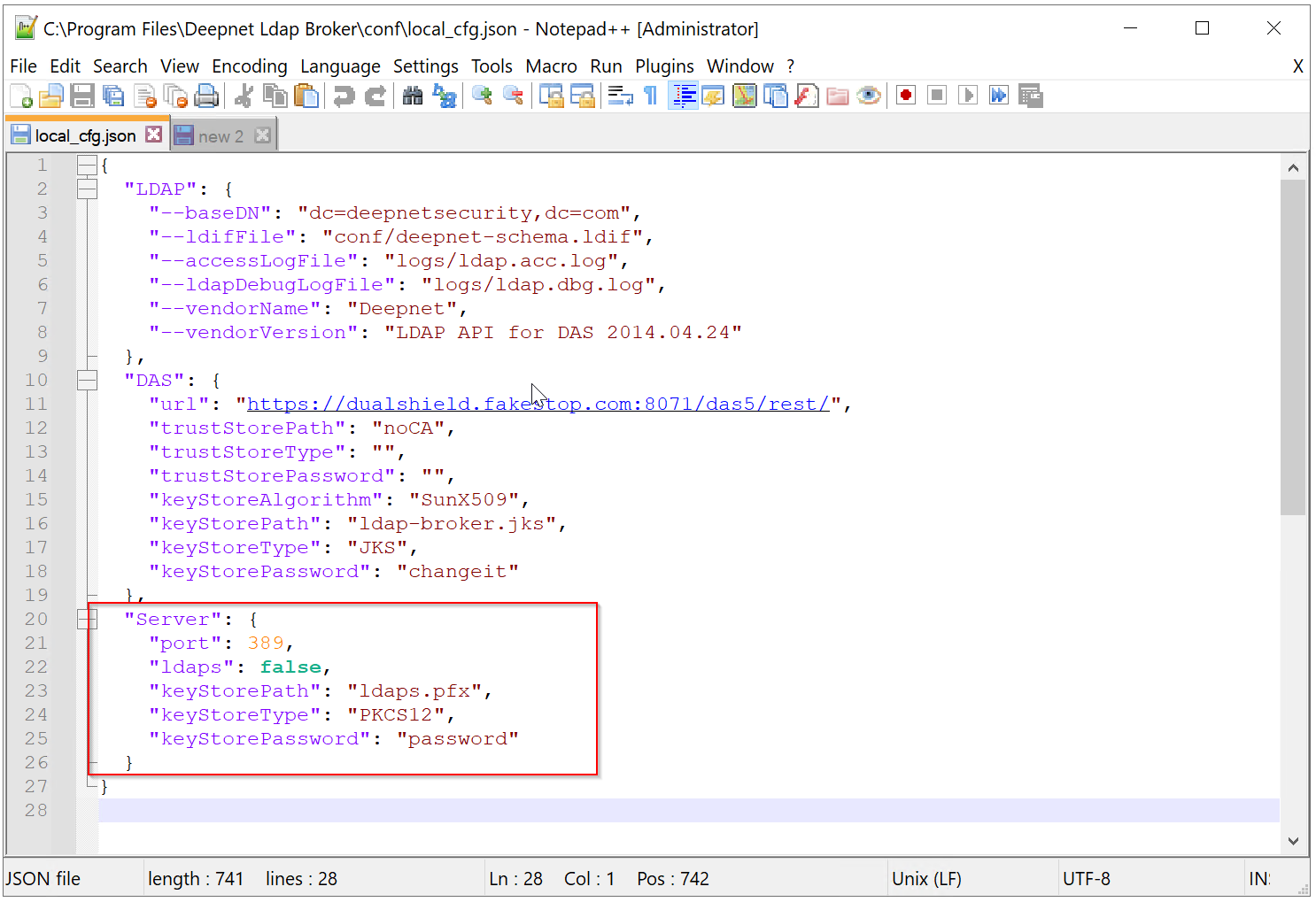
In the "Server" section, make the following changes
| Parameter | Old Value | New Value |
|---|---|---|
| port | 389 | 636 |
| ldaps | false | true |
| keystorePath | ldaps.pfx | The PFX file that you have prepared, e.g. fakestop.com.pfx |
| keysstorePassword | password | The password of the PFX file |
Save the changes
Finally, restart the "DualShield LDAP Broker" service