| Table of Contents |
|---|
Introduction
...
If there is a request to move DualShield Replication cluster to a new set of servers, the best approach would be to Clone just one dualshield/mysql node server in the cluster using the instructions as written here...
How to move DualShield to a new machine with the same Windows OS System Type
Then create a new replication cluster using the DualShield Assistant tool to clone from the new server and set up of the current environment and then restore to the new environment and from that create a new replication cluster.
However, this may not be 100% straightforward as there are a couple of factors to consider, such as the size of the audit log table , eg
...
..however, if you have a large amount, dating back a long time, together with a large audit log table, cloning will take too long, or may even fail. Therefore,
Prepare for Clone
Please do the following to ensure a more efficient and quicker way of moving Duslashield from and an existing replication cluster...
...
| Expand | ||||||||||
|---|---|---|---|---|---|---|---|---|---|---|
| ||||||||||
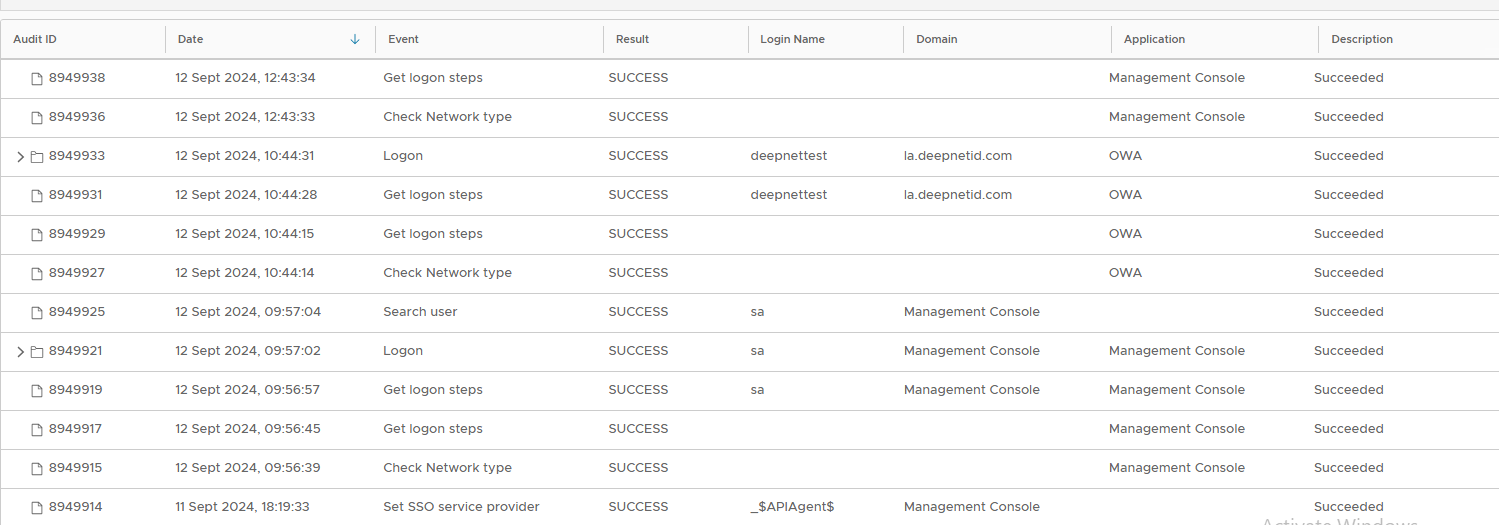
Whether you are administrating Dualshield or end user are authentication through DualShield MFA, Audit logs will be created.
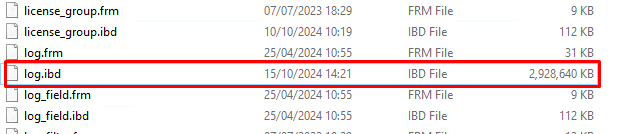
These log records are stored in the log table in the dualshield database, The more logs the bigger the size of the table The easiest way to check the size of your audit log table is to go to C:\Program Files\Deepnet DualShield\mysql\data\dualshield and search for the the log.idb file
In the screenshot posted above 3Gb is acceptable and should not hamper the cloning, but if you have 10, 20, or 30 Gbs or more it is advisable to cut this down. If you are not concerned with keeping the audit logs, then the fastest approach is to stop DualShield service, log into your Mysql console via command prompt (refer to Login to MySql console) or MySQL Workbench, and drop the log table...
Please note that for DualShield v5 you also need check the size of the logthe log_field.idb and drop this table first. If you are not confident with MySQL queries you can use the Truncate audit trail task in the admin console to do the same thing. If you would prefer to keep some of the records you can set the parameters of the days you want to keep and run the Purge old audit trail records task, If you wish to backup whilst purging then you can run the Export/Purge old audit trail records task. Export and Purge old audit trail records Please note that Purging is a longer process than truncating, and export/purge will take even longer. Once you have completed the trucate or purge tasks it is recommended to then optimize the table size to ensure the file size of the table reduces
Do the same for the table log_Field if required (for DualShield v5) |
| Expand | ||||||||||
|---|---|---|---|---|---|---|---|---|---|---|
| ||||||||||
Binary log files (often referred to as binlogs) in MySQL are a record of all changes made to the database. They are essential for replication, backups, and recovery purposes. Binlogs track events such as:
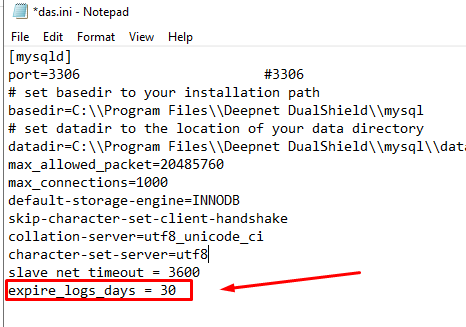
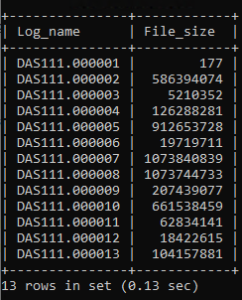
MySQL uses binlogs to propagate changes from a master database to one or more slave databases in a replication setup. The slaves read and apply the binlogs from the master to stay synchronized. Over time the the amount of bin log files increase and therefore so does the size of the file they are stored in. This will take up hard drive space plus, this will significantly slow the process if you are cloning the system as the more bin log files there are, the more that have to be copied during the cloning process. Therefore there is some house keeping that needs to be done to ensure the older bin log files get deleted.
|

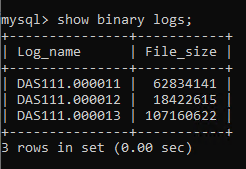
Begin the Initial Clone
Please do the following to move a DualShield Server from the current VM to a new one.
| Expand | ||||||
|---|---|---|---|---|---|---|
| ||||||
|
Prepare to Create a New Replication Cluster
Before you begin the process the master and slave configurations from the former cluster must be removed,
1) Stop the DualShied Server service on the new machine,
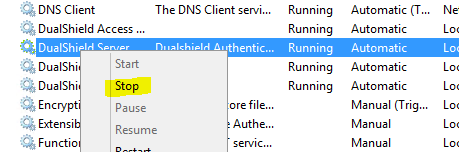
2) Open a command prompt and change directory to C:\Program Files\Deepnet DualShield\mysql\bin
Log into MySQL console , and stop the slave service:
| Code Block | ||||
|---|---|---|---|---|
| ||||
mysql -u root -p

(Enter your password at prompt)

mysql> stop slave; |
3) Reset master and slave on both servers. This will clear the replication configuration and status information from the previous cluster.
| Code Block | ||
|---|---|---|
| ||
mysql> reset master;
mysql> reset slave;
|
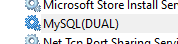
4) Stop the MySQL(Dual) Service
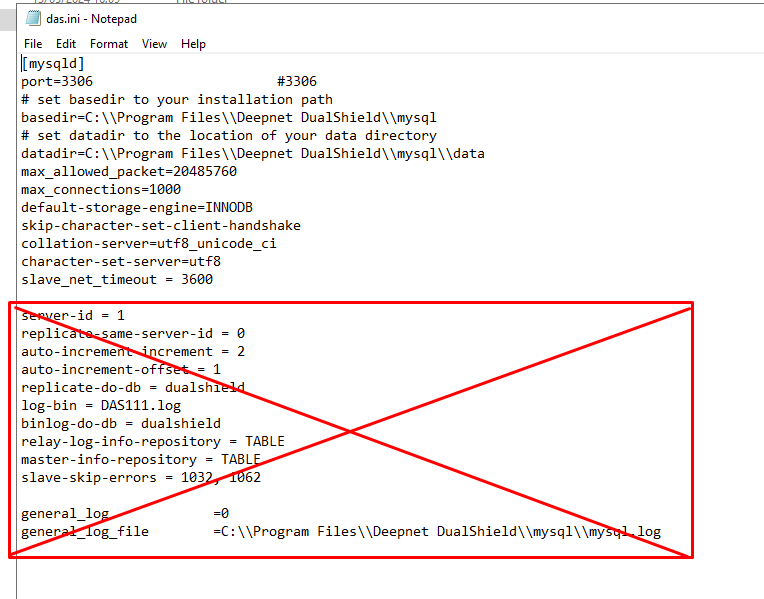
5) Launch Notepad in Admin mode and open the das.ini file in C:\Program Files\Deepnet DualShield\mysql
6) Delete all existing replication server configuration details from the das.ini file.
7) Download DualShield Assistant from here: DualShield Assistant v2.5
8) Install DualShield Assistant on Source and Target machines (In other words the new machine running DualShield and the other machines In your new environment you wish DualShield Server to be deployed to)
Create New Replication Cluster using DualShield Assistant
1) Follow Cloning DualShield to clone DualShield and MySQL server and deploy to another new hosting server
2) Once the clone is complete follow Setting up Replication to setup replication between the two servers.
3) If you wish to add additional servers please follow steps 1 and 2 again and repeat until you have replication set up on all the servers you need.