You can set up Office 365 MFA from either your own PC or from the computer where your DualShield MFA server is running.
| Table of Contents |
|---|
Download PS Script
Download this PowerShell script: setup-o365-sso-v2.ps1, and save it to a local folder.
...
| Expand |
|---|
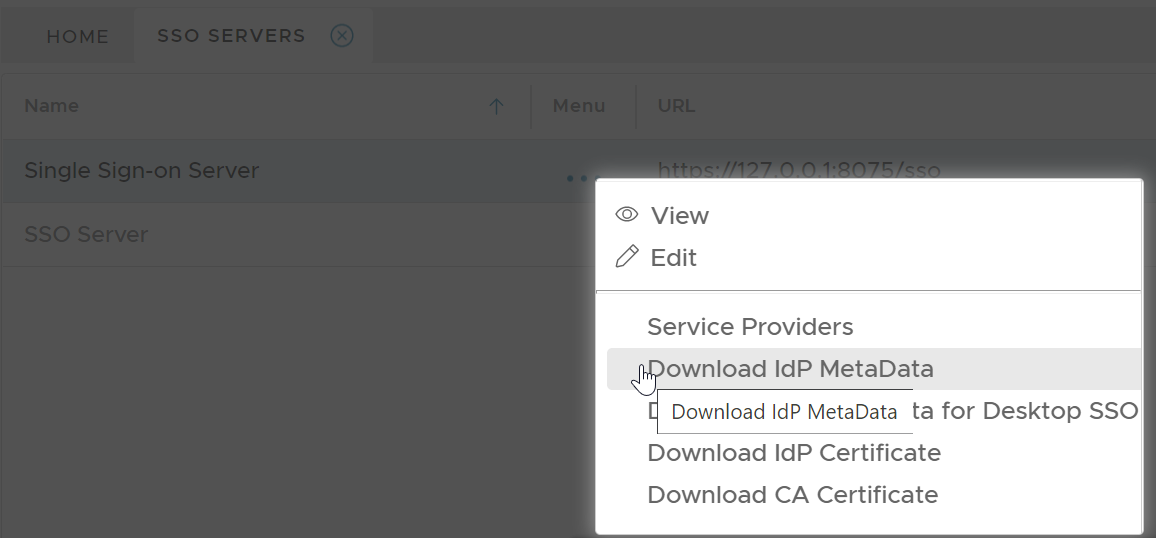
In your DualShield admin console, select "SSO | SSO Servers". Click the context menu of the SSO server, then select "Download IdP Metadata"
Save the IdP Metadata to a file, eg. "dualshield-idp-metadata.xml", in the same folder where the PowerShell script "setup-o365-sso.ps1" is saved. |
...
Connect to Office 365 Powershell
Connect to Office 365 Powershell as shown below:
| Expand | ||||||
|---|---|---|---|---|---|---|
| ||||||
|
Check Current Federation Settings
First, check the current settings by run ning the following command:
...
in which 'domain name' is the domain name of your Office 365.
Enable SSO Federation in Office 365
When you are ready to enable DualShield MFA on your Office 365 domain, take one of the steps below.
...
| Code Block | ||
|---|---|---|
| ||
get-MsolDomainFederationSettings -domain 'domain name' |
Related Articles
...