To download offline tokens from the DualShield MFA serverSafeID Token Service (STS), follow the steps below:
...
Configure the Token Download Endpoint
In the Deepnet Configuration Editor, navigate to "MFA Platform / MFA Provider / Entra ID Joined PC"
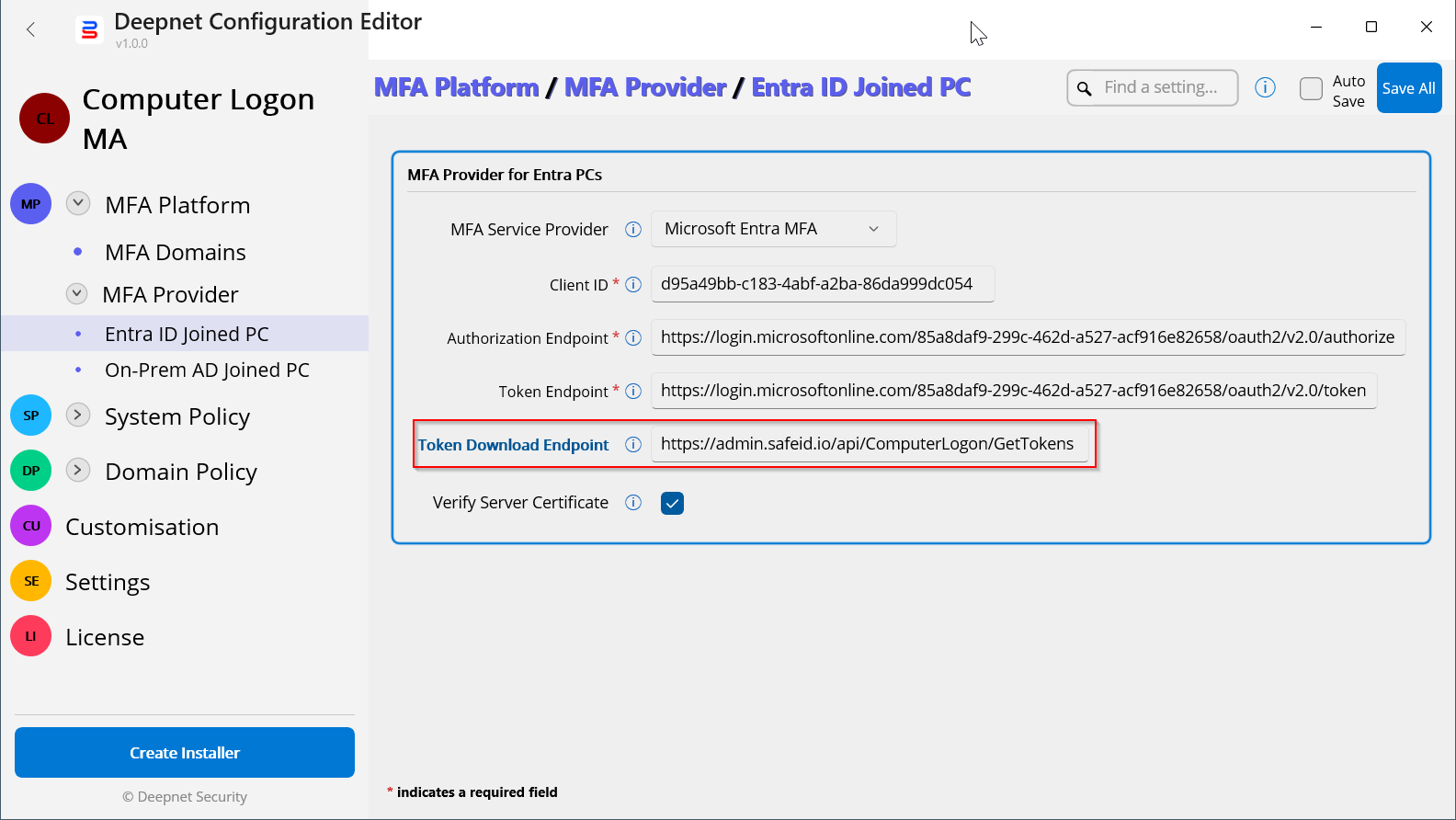
In the "Token Download Endpoint" box, enter "https://admin.safeid.io/api/ComputerLogon/GetTokens"
Save the change.
Configure the SafeID Token Service
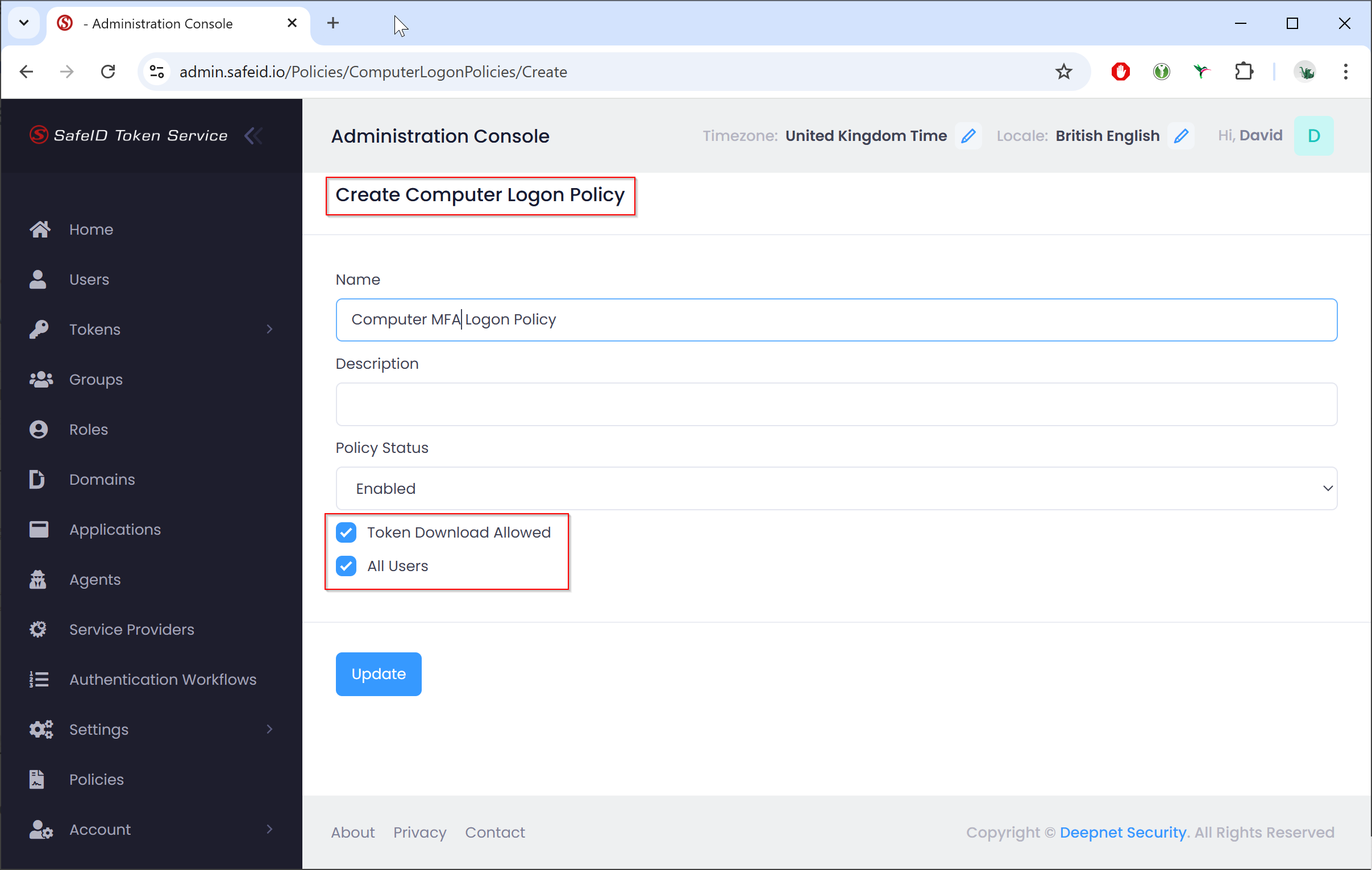
In your SafeID Token Service account, you need to create a Computer Logon policy:
.
Sign in to the SafeID Token Service admin console
Navigate to "Policies", click the "Add+" button
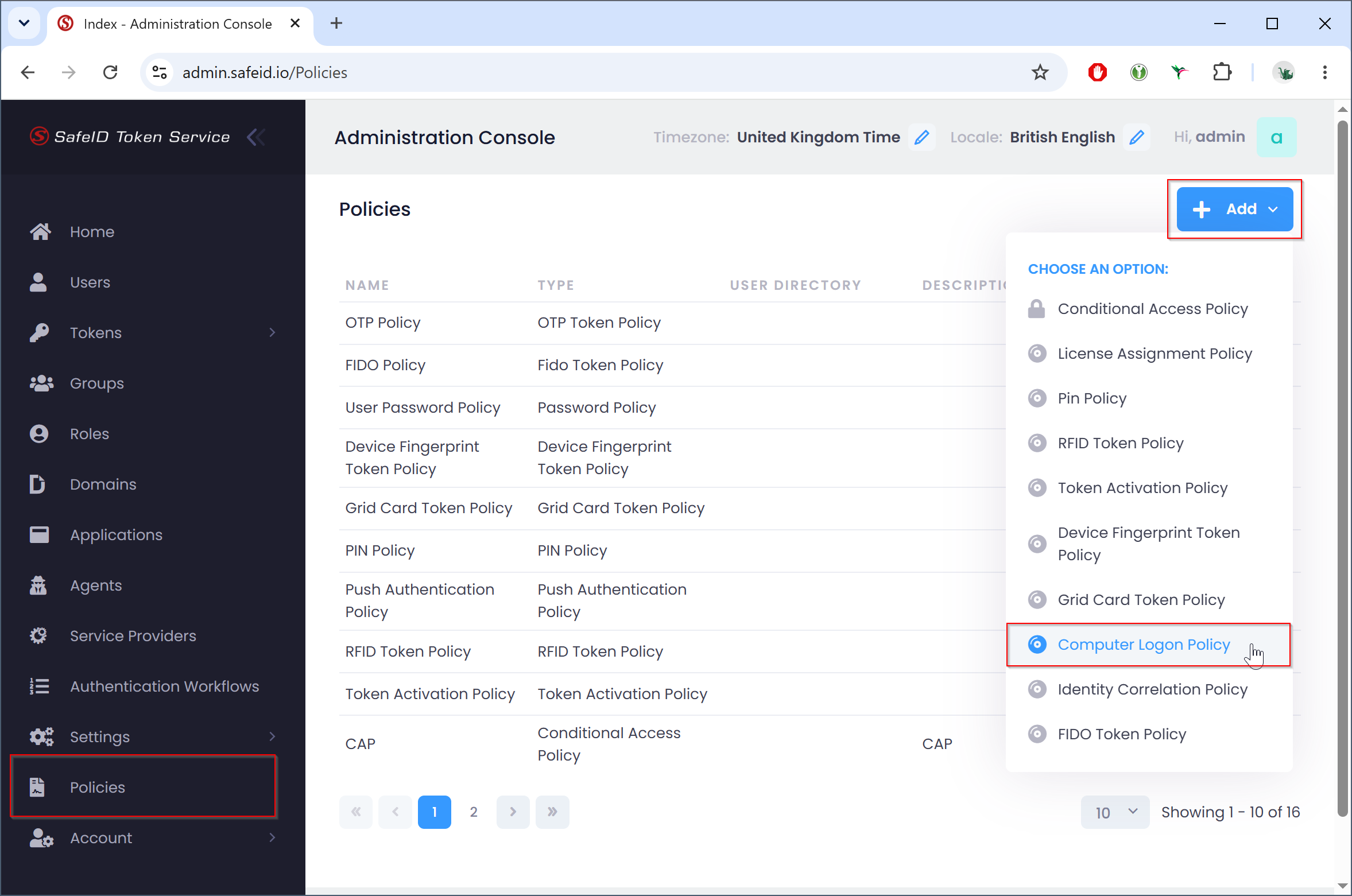
Select "Computer Logon Policy"
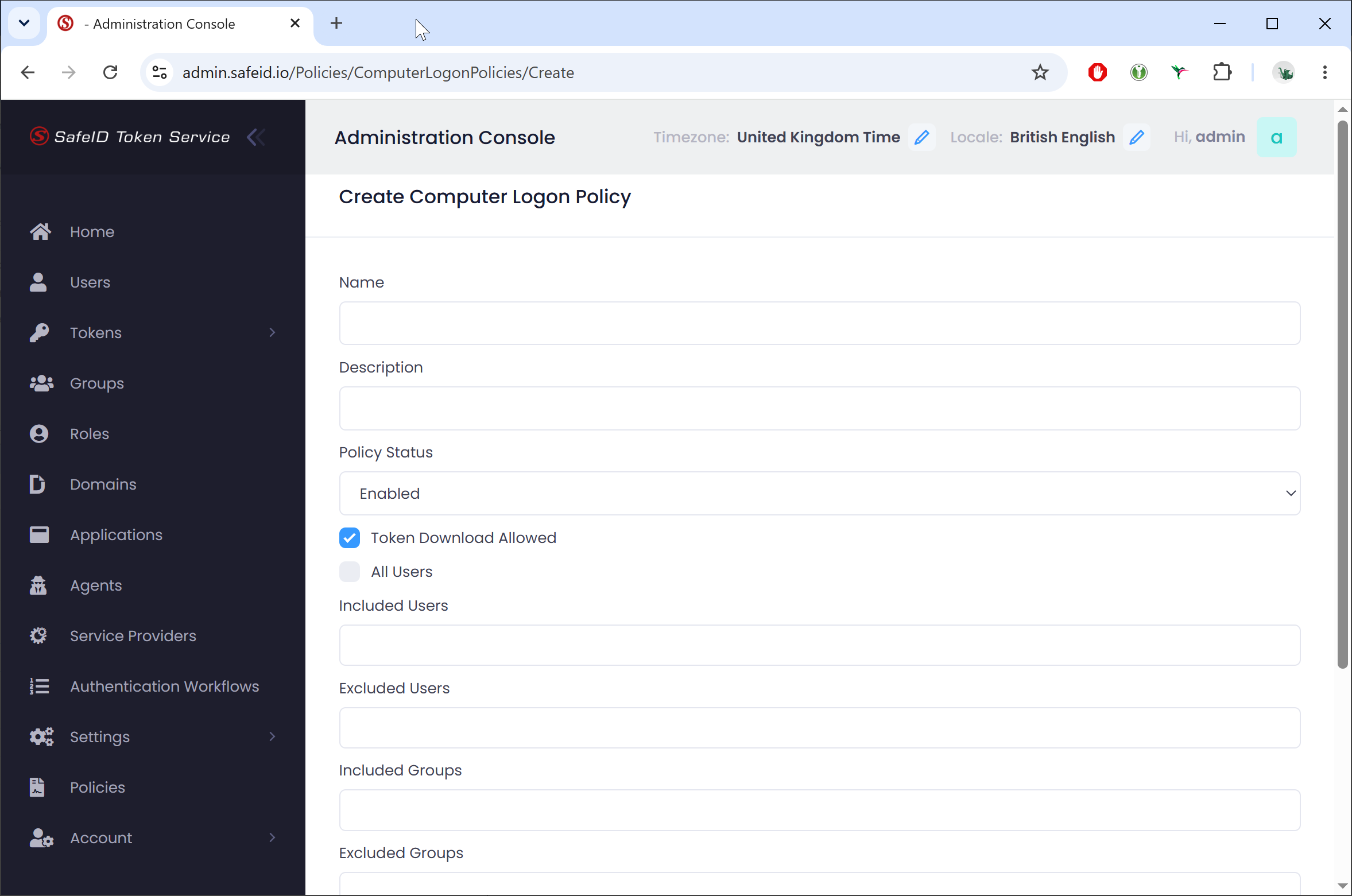
Name the policy, e.g. "Computer MFA Logon Policy"
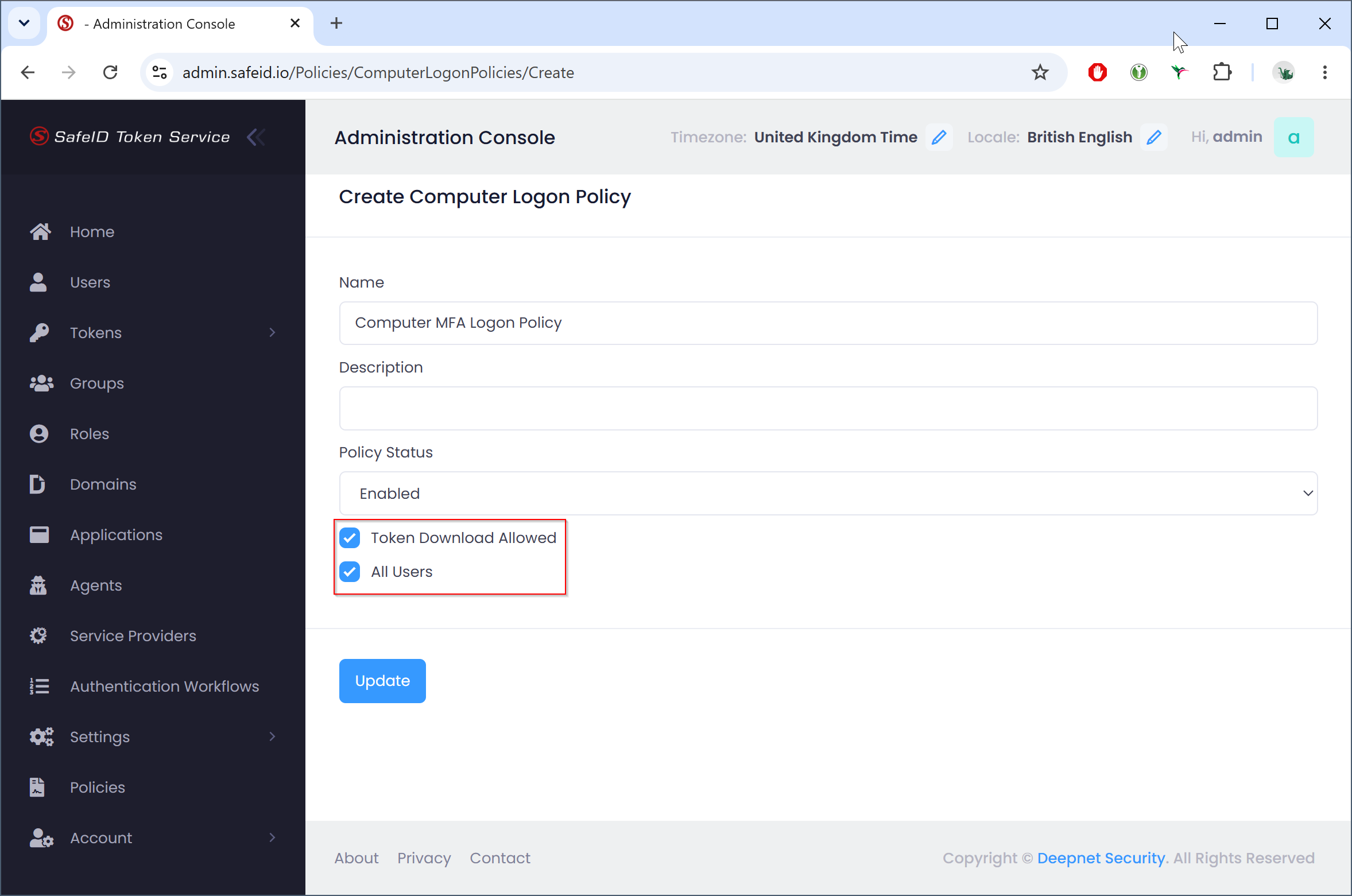
Enable the Enable the "Token Download Allowed" option, and bind the policy to all users or to specific users only.
...