The quickest and safest method of replacing the Frontend agent certificates is to uninstall and then reinstall the front end frontend servers again.
However, this reinstallation will be done slighly differently, as since your Frontend Server is already registered to the backend, you want to avoid having to re-attach all the applications/consoles to the Frontend server.
For example, if you go to Authentication>Agents on your Administration Console, you will see references to the frontend services with the attatched attached applications...
e.g.
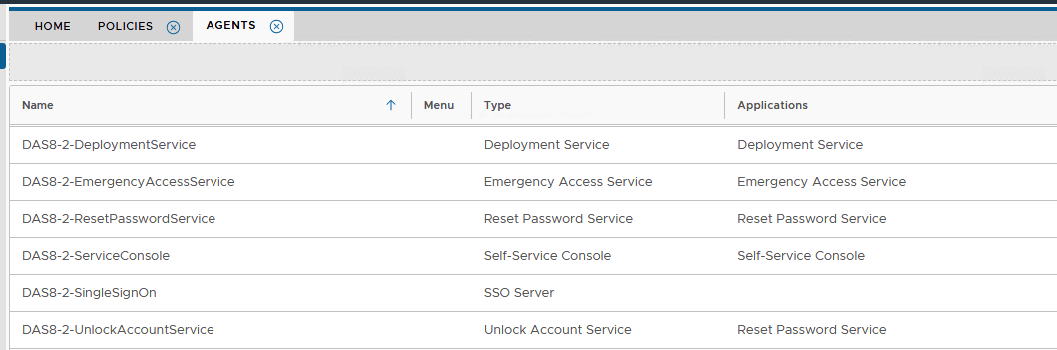
In this example, the Frontend Server is called DAS8-2. Please look at the entries on your own Admin Console, and it is important to note down the names of these agents.
...
You also need to make sure the agent names match exactly what you already have listed under Authentication>Agents on your Administration Console. (refer back to the start of this wiki.You would have noted the names earlier, as mentioned above)
New Frontend Agent Certificates will be installed during the process.
...