Sign in to the Power App Apps console. Navigate to "Apps" and select the app to be configured, e.g. "test"
...
| Select login provider | choose "Other" |
| Protocol | choose "SAML 2.0" |
| Provider name | enter the name to describe the provider, such as "Deepnet DualShield" |
Click "Next"
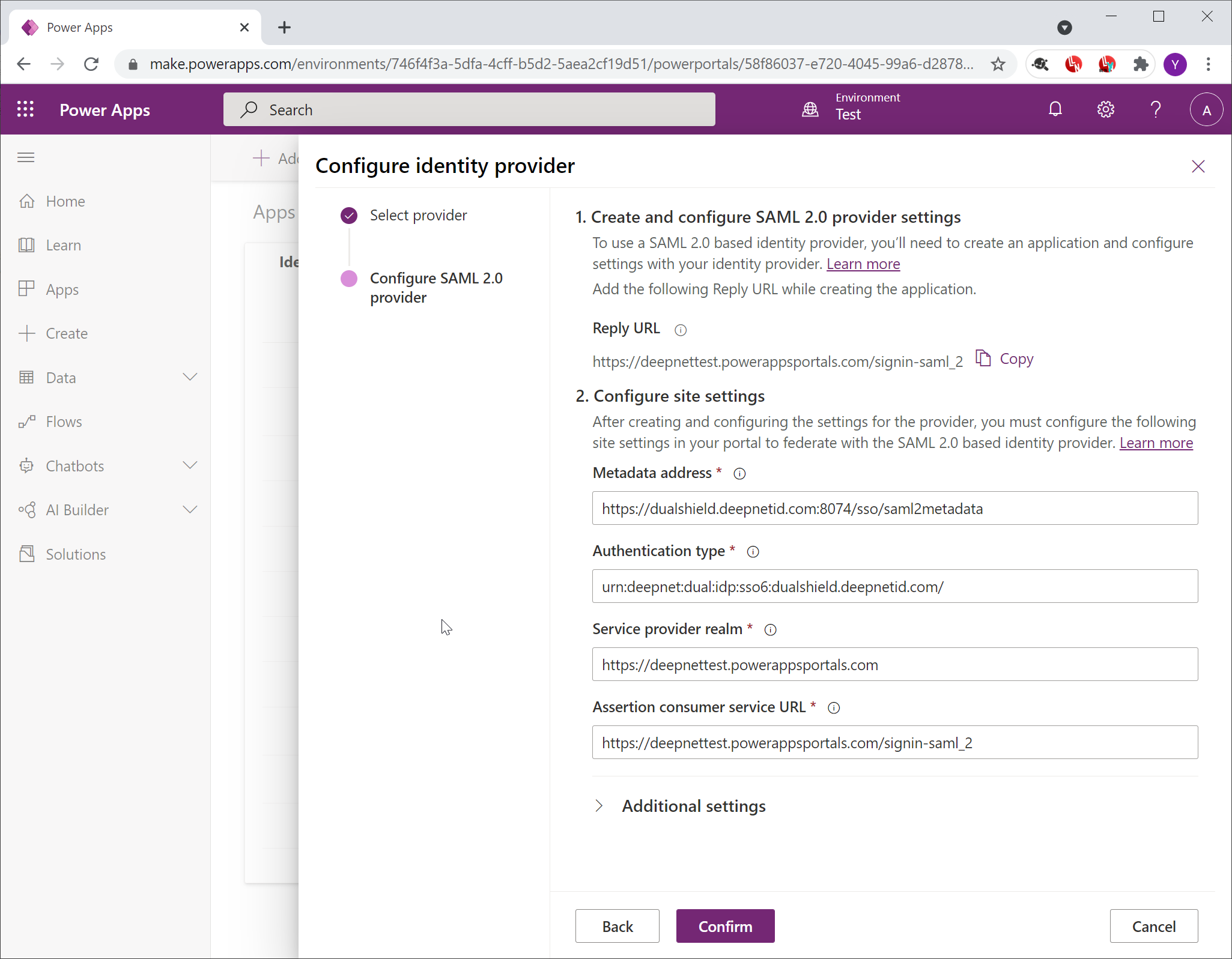
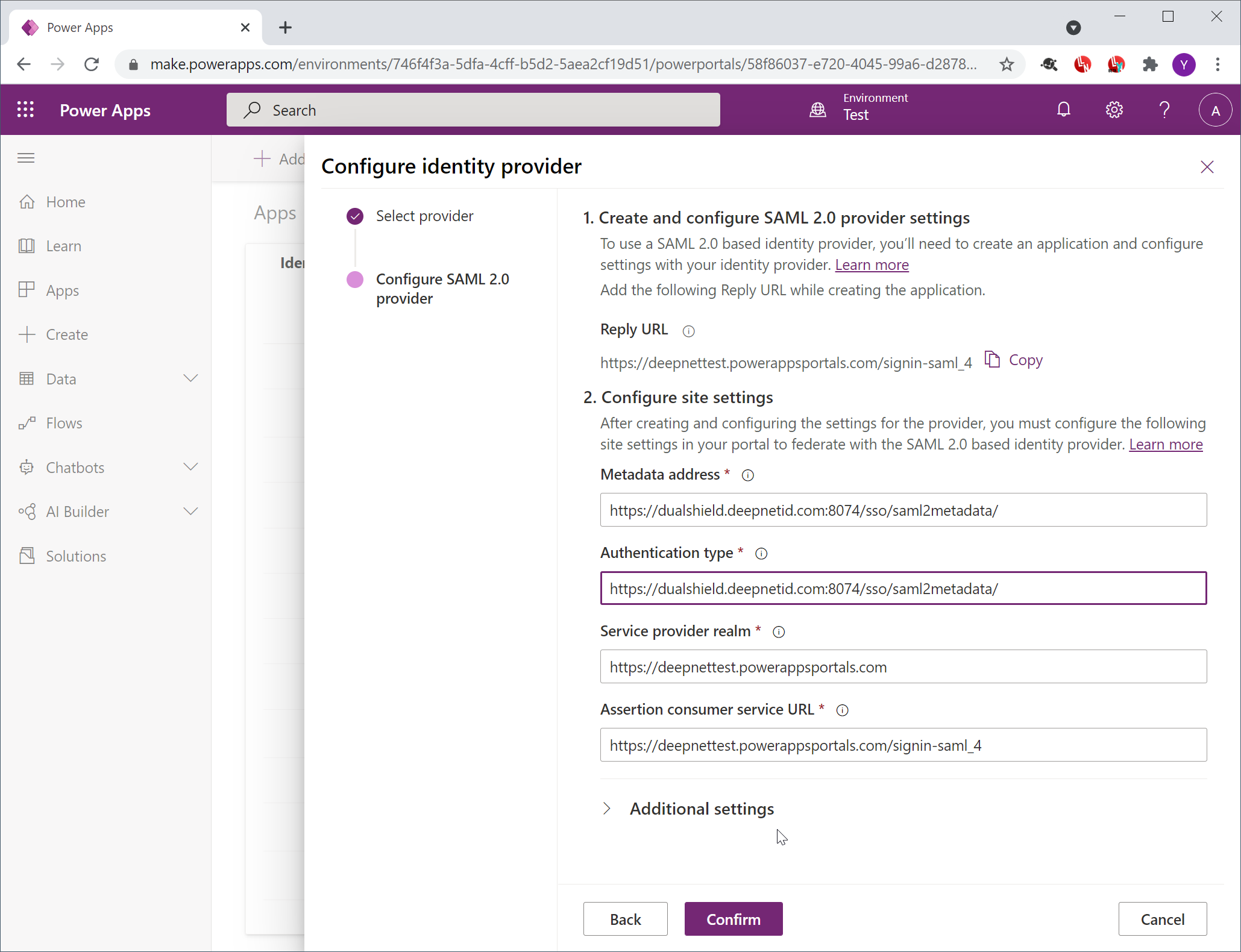
| Metadata address | Enter the metadata URL of your DualShield SSO server, e.g. https://your-dualshield-sso-fqdn:8074/sso/saml2metadata |
| Authentication type | Enter the EntityID of the IdP, i.e. your DualShield SSO server. same as above |
| Service provider realm | (generated automatically, do not change) |
| Assertion consumer service URL | (generated automatically, do not change) |
Click "Confirm"
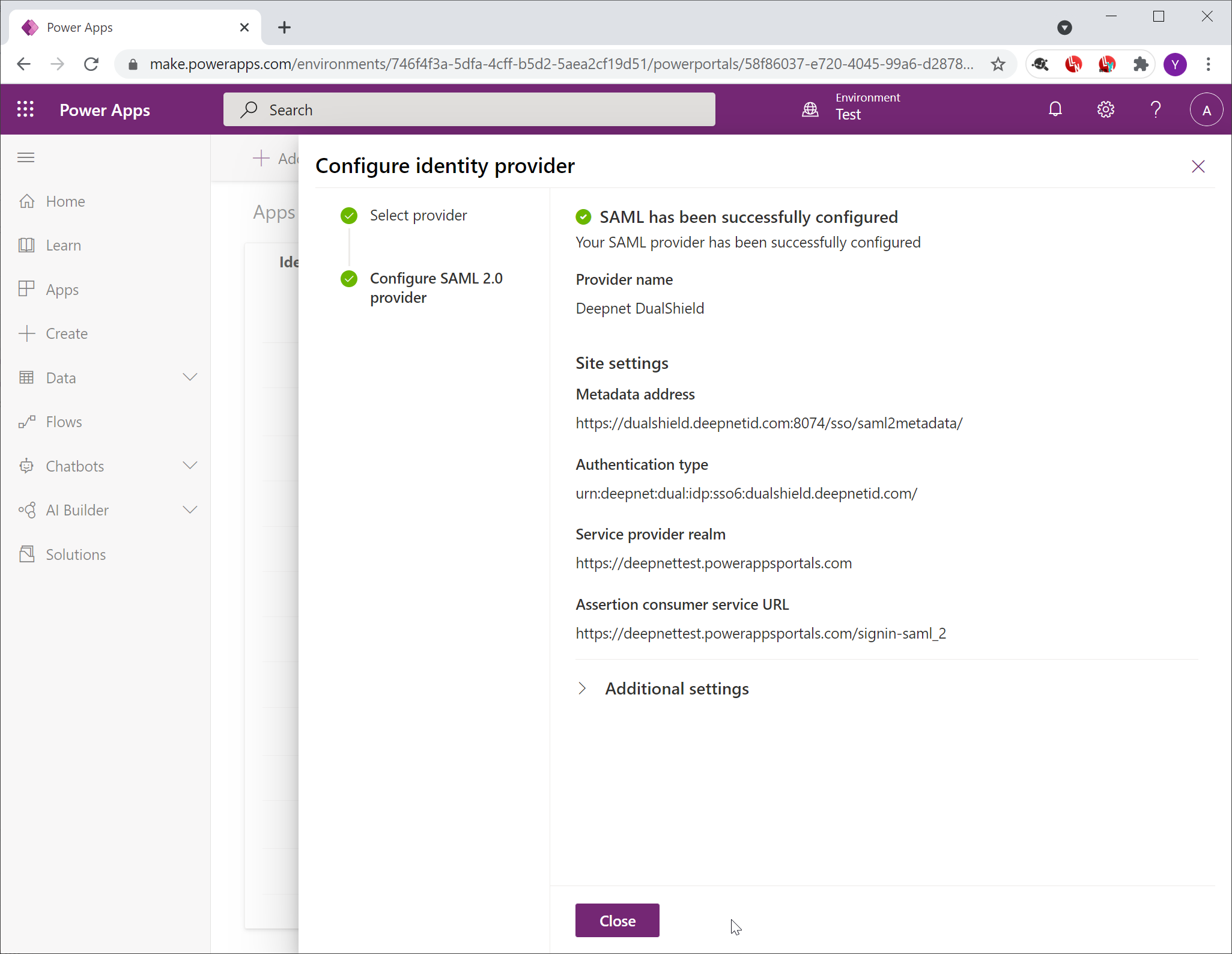
Click "Close"