...
Geo-velocity is usually calculated as maximum mileskm-per-hour. This allows you to determine how fast a user can travel from one place to another to successfully sign in within a specific time duration.
A pre-requisite to implementing the geo-velocity detection is to have the geo-location data.
| Expand | ||
|---|---|---|
| ||
- How to import IP2Location-IPV4 Geo Location database into DualShield - How to import IP2Location-IPV6 Geo Location database into DualShield |
The geo-location feature allows you to identify the physical location of the user. This is usually determined by obtaining the IP address of the device being used by a user to attempt a login. This data is then used to calculate the distance between two consecutive login attempts.
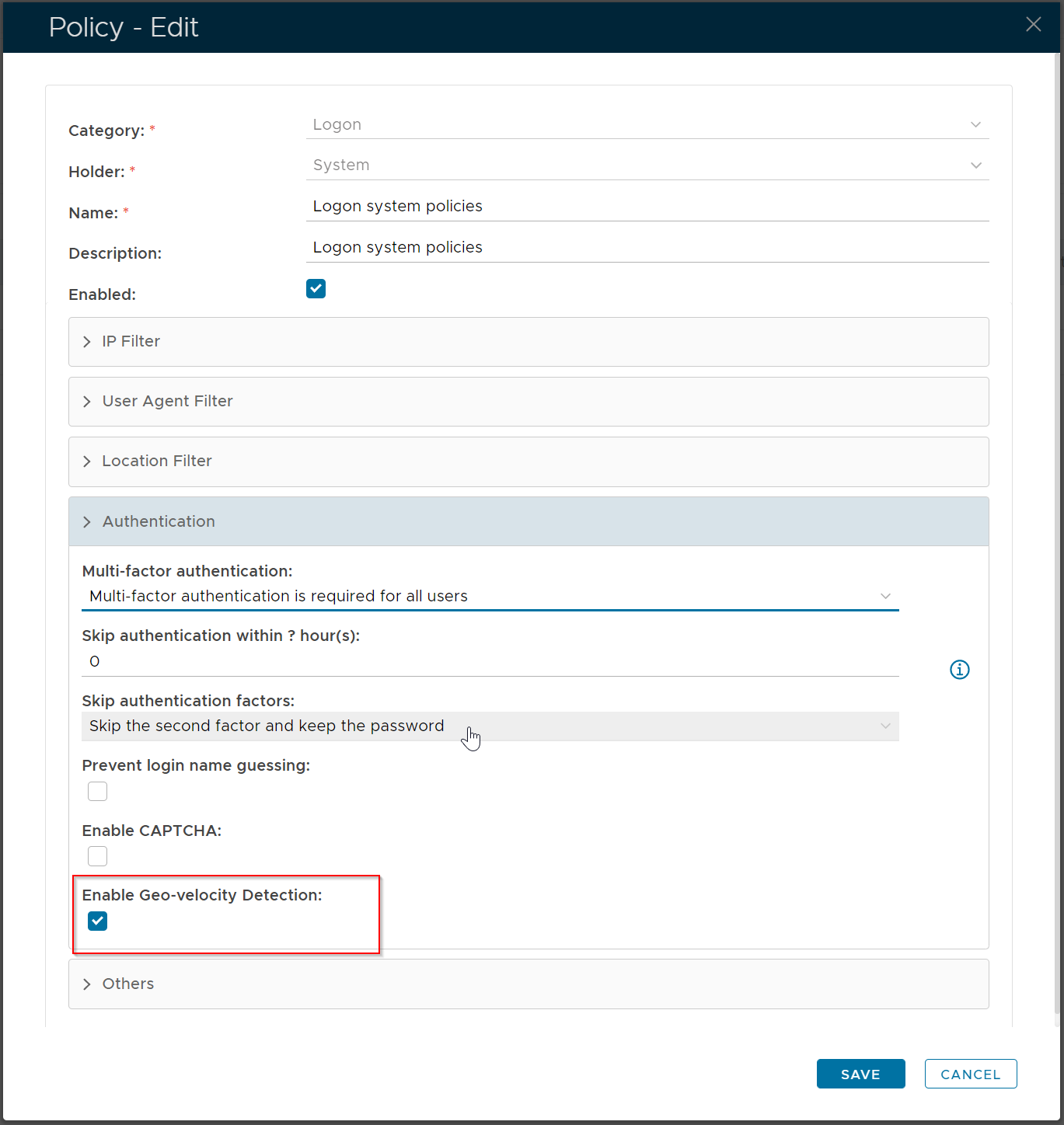
To enable Geo-velocity detection, edit the logon policy and enable the option "Enable Geo-velocity Detection"
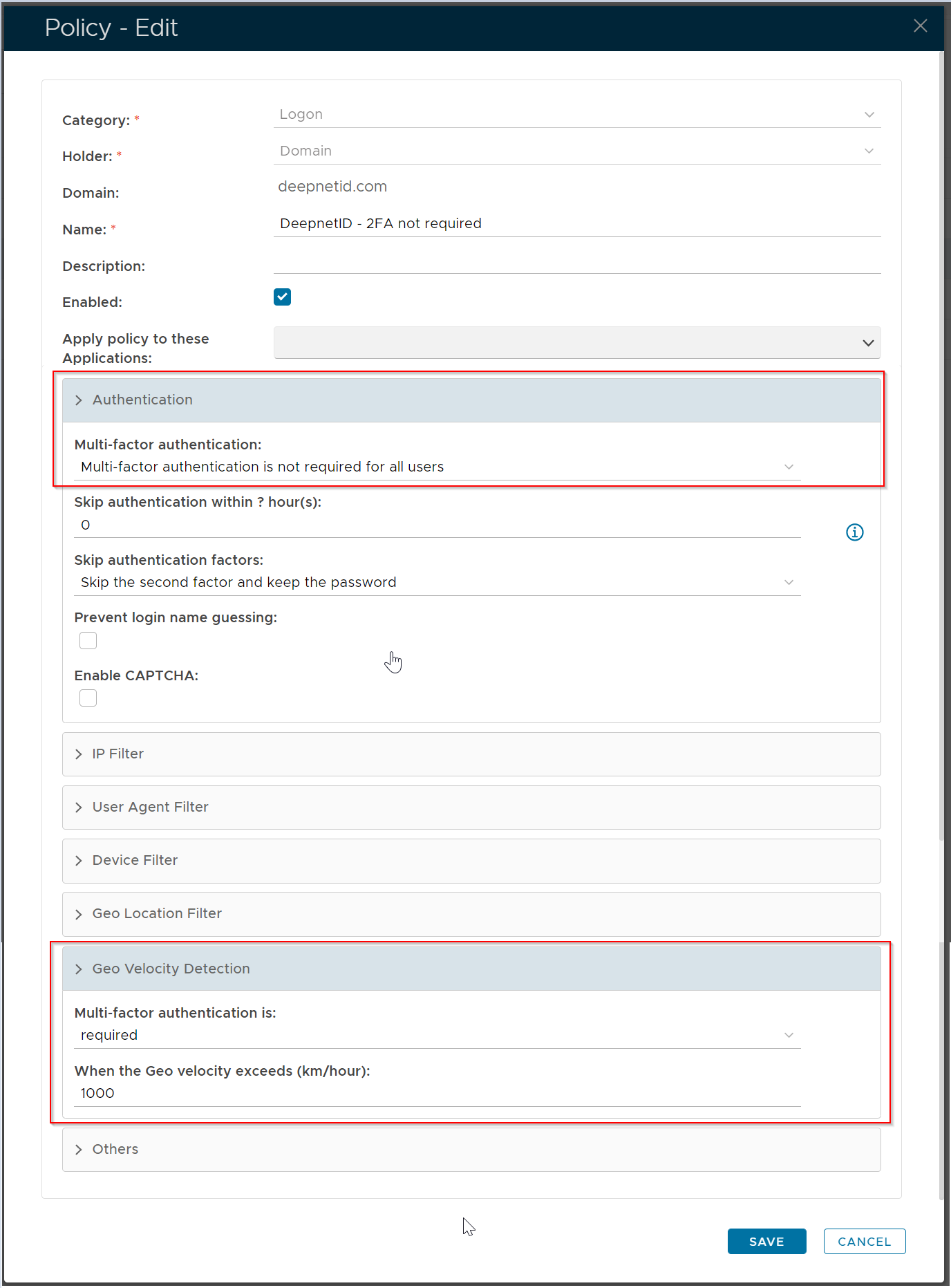
Adaptive authentication by geo velocity is implemented by using the Geo Velocity Detection function in the Logon policy. The example below shows that MFA is generally not required unless the user's travel velocity exceeds 1,000km per hour.