(This guide will assume That you already have NPS setup. If not please follow https://www.youtube.com/watch?v=eTzHH8CQX_8&t=190s )
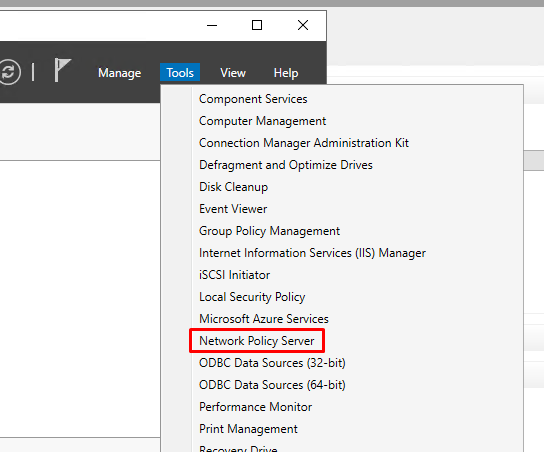
In Server Manager click "Tools"
Select Network Policy Server
Expand "Radius Clients and Servers" and then click on "Radius Clients"
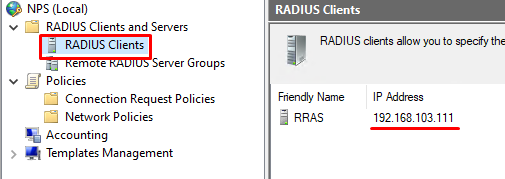
If there is no entry in here then right-click on "Radius Clients" to create a new one.
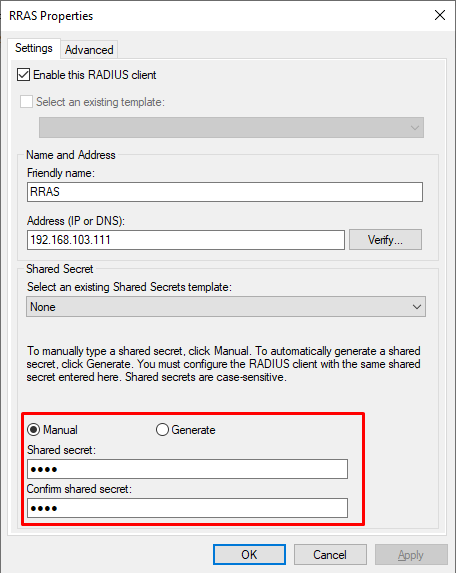
If you already have an entry here, then modify the entry so that the IP address points to your DualShield Radius Server,
Also, make sure the Shared Secret is the same as the Radius appliance you want to authenticate with...
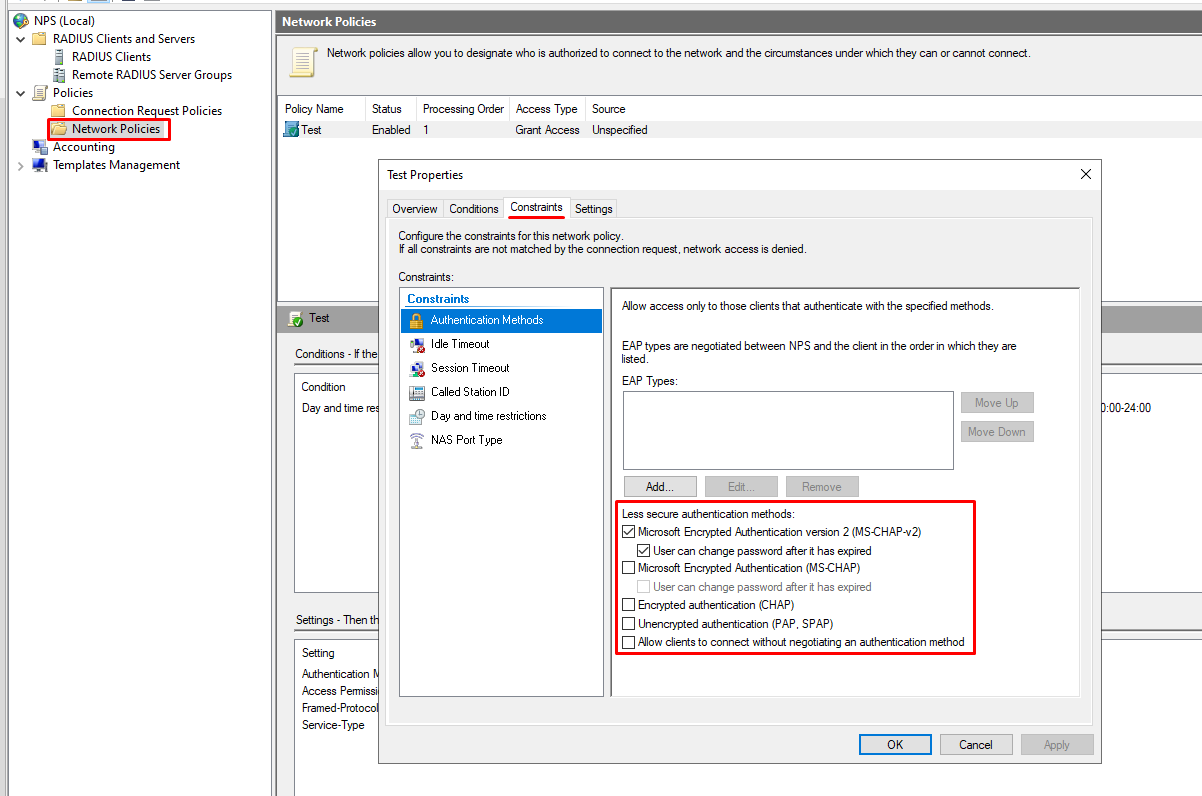
Make sure your Network Policy has the following constraints
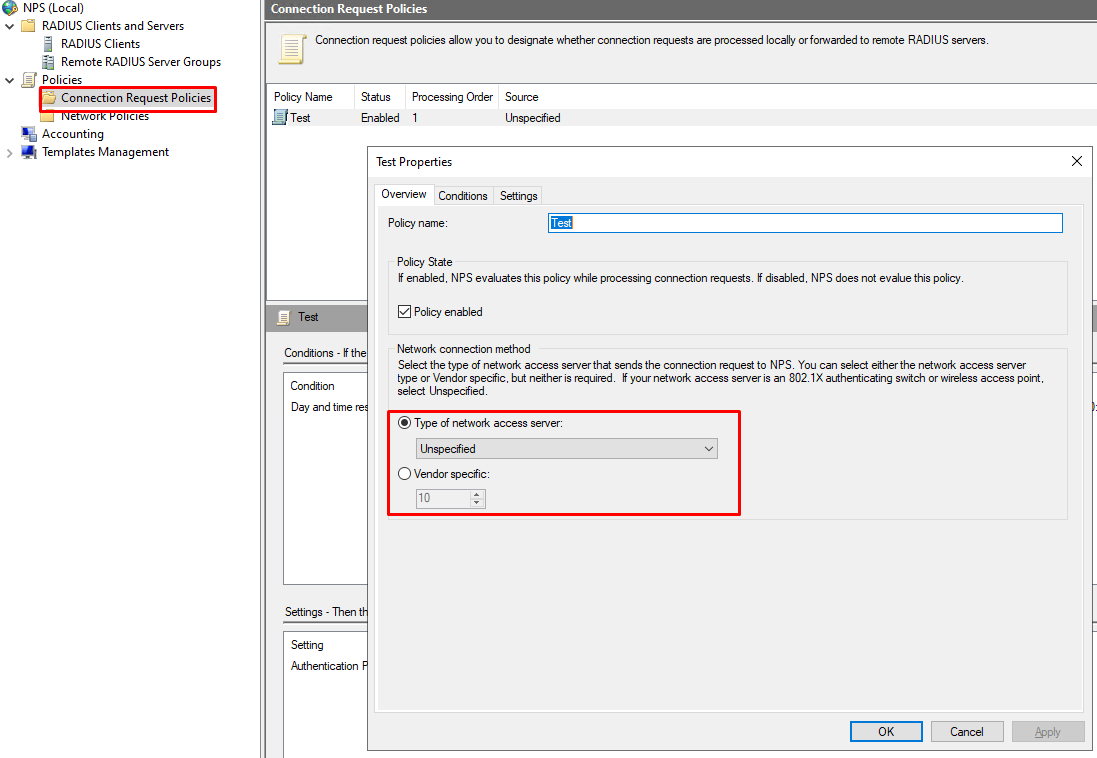
Also Check "Overview" and make sure the type of Access Server is set to "Unspecified"
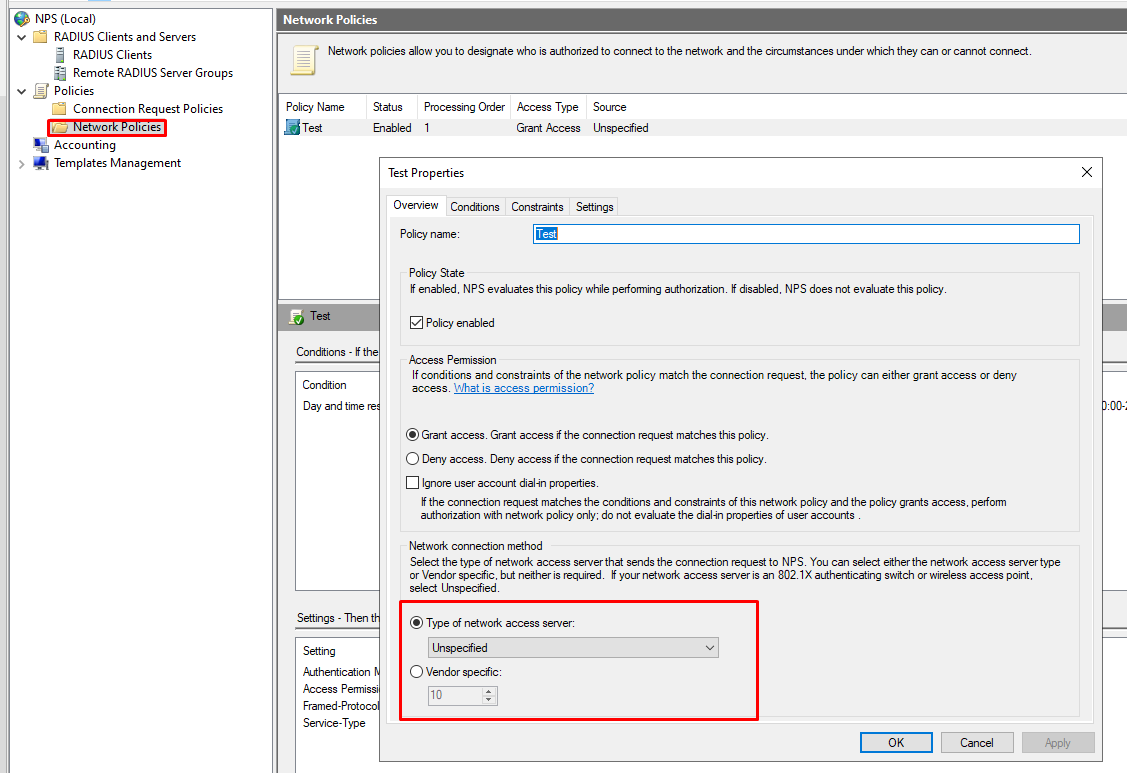
Check the same setting is applied to "Connection Request Policy"