To set up the Deployment Service portal, complete the following stepstoc
Anchor LogonProcedure LogonProcedure
Set up the Logon Procedure and Logon Steps
| LogonProcedure | |
| LogonProcedure |
Logon Procedure defines how users will be authenticated when they attempt to login to the portal. You can define a logon procedure of 1-step, 2-step and 3-step verification, for instance.
In the Admin Console, select "Logon Procedures"
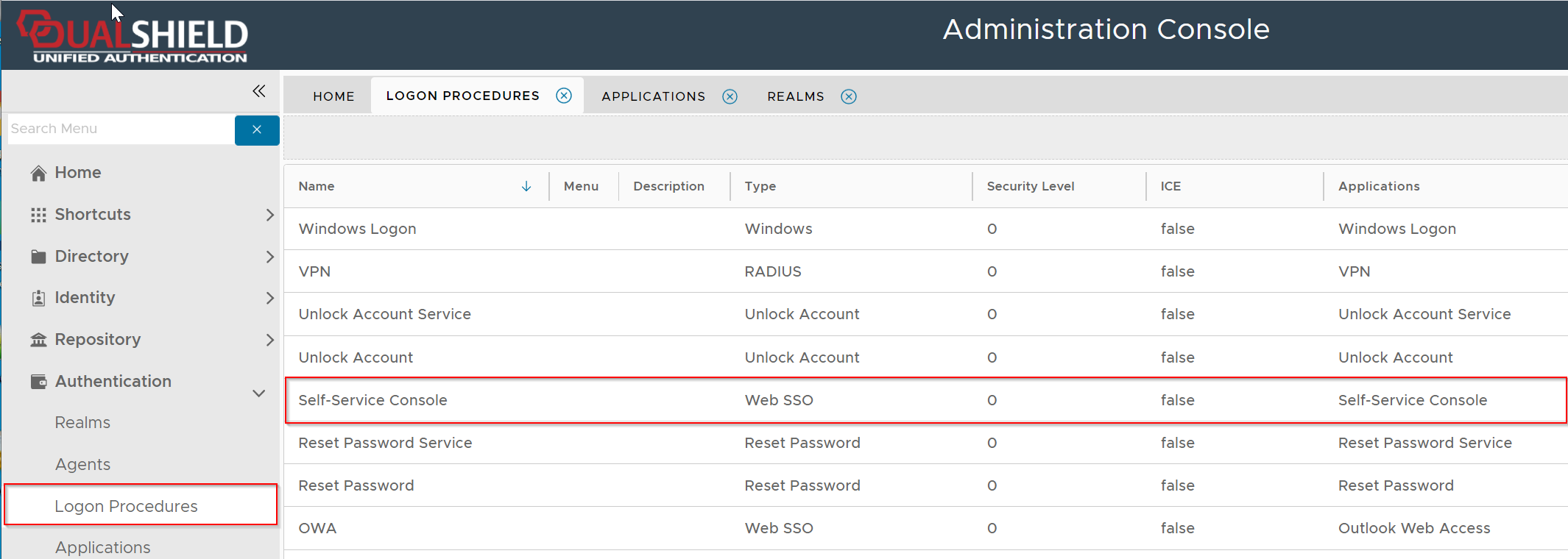
There is a pre-defined logon procedure named "Self-Service Console".
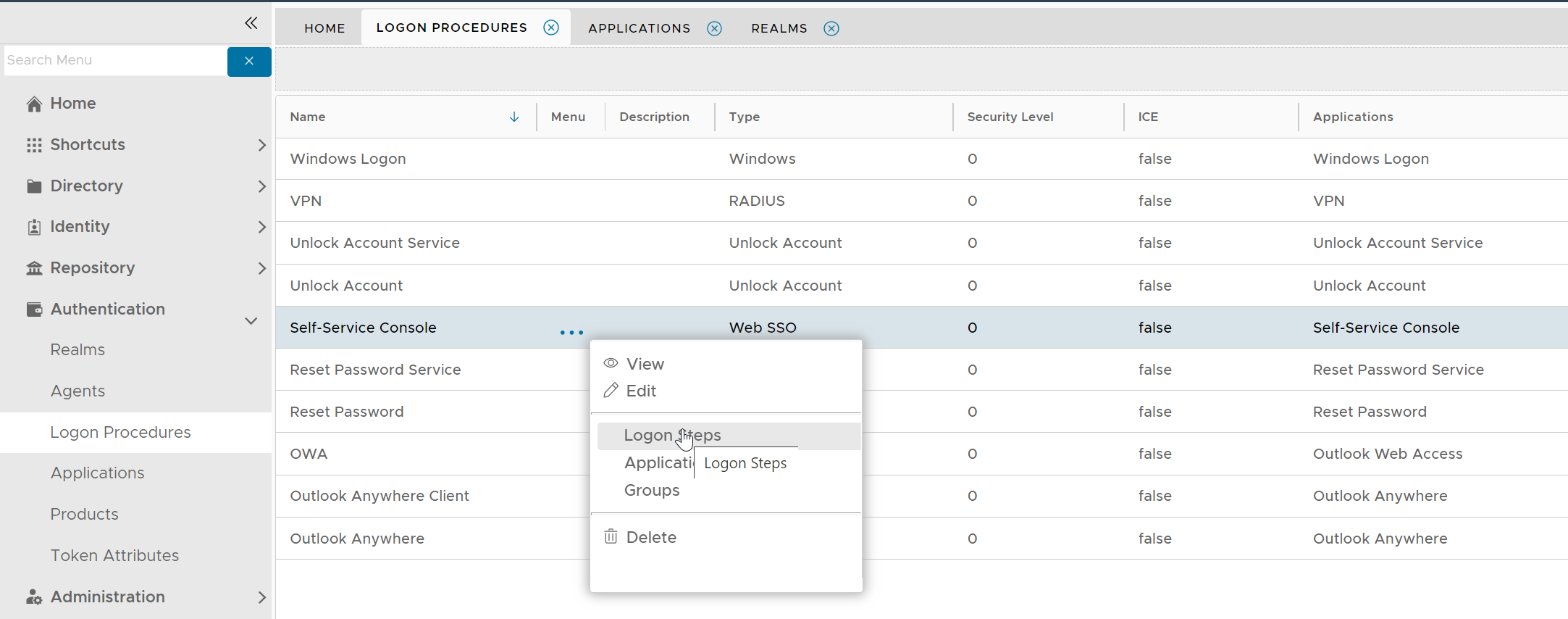
To change its logon steps, click its context menu, select "Logon Steps"
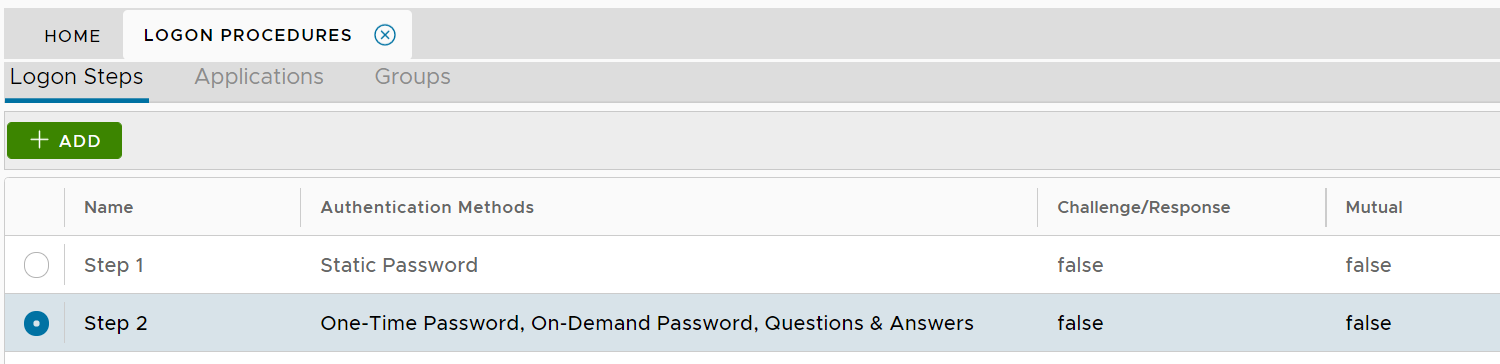
You can define the logon steps according to your own requirements
Anchor Application Application
Set up the Application
| Application | |
| Application |
In the Admin Console, select "Applications"
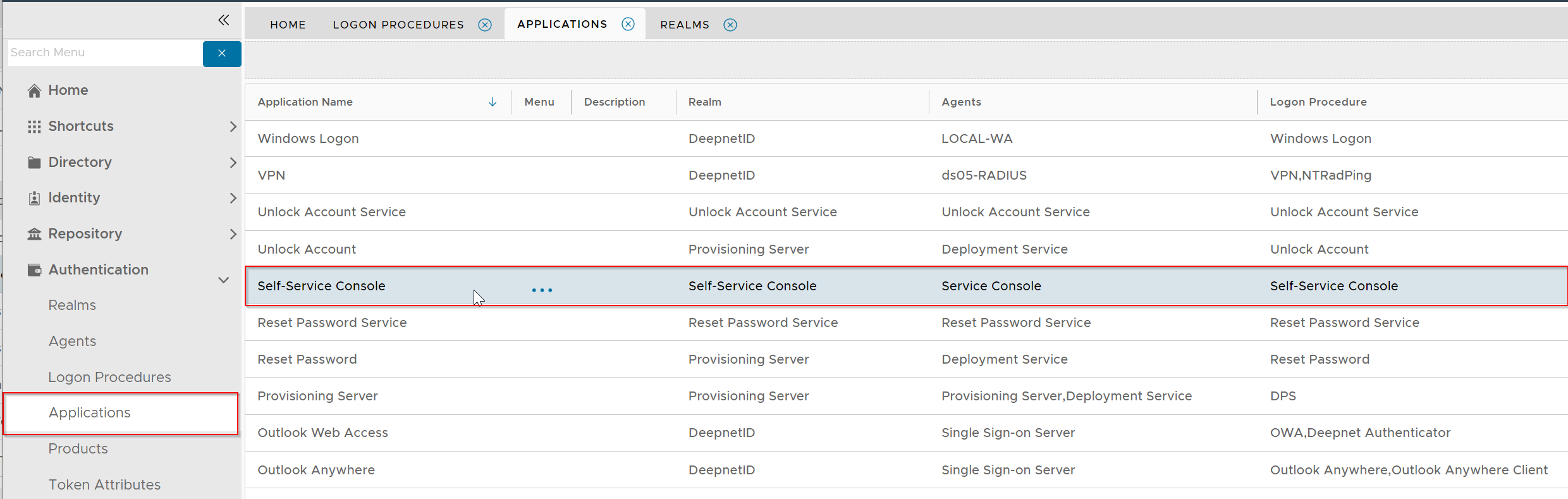
There is a pre-defined application named "Self-Service Console"
Normally, you do not have to make changes to the default setup.
Anchor Realm Realm
Set up the Realm
| Realm | |
| Realm |
Realm is a group of user domains. It defines who is allowed to access the application that's associated with the realm.
In the Admin Console, select "Realm"
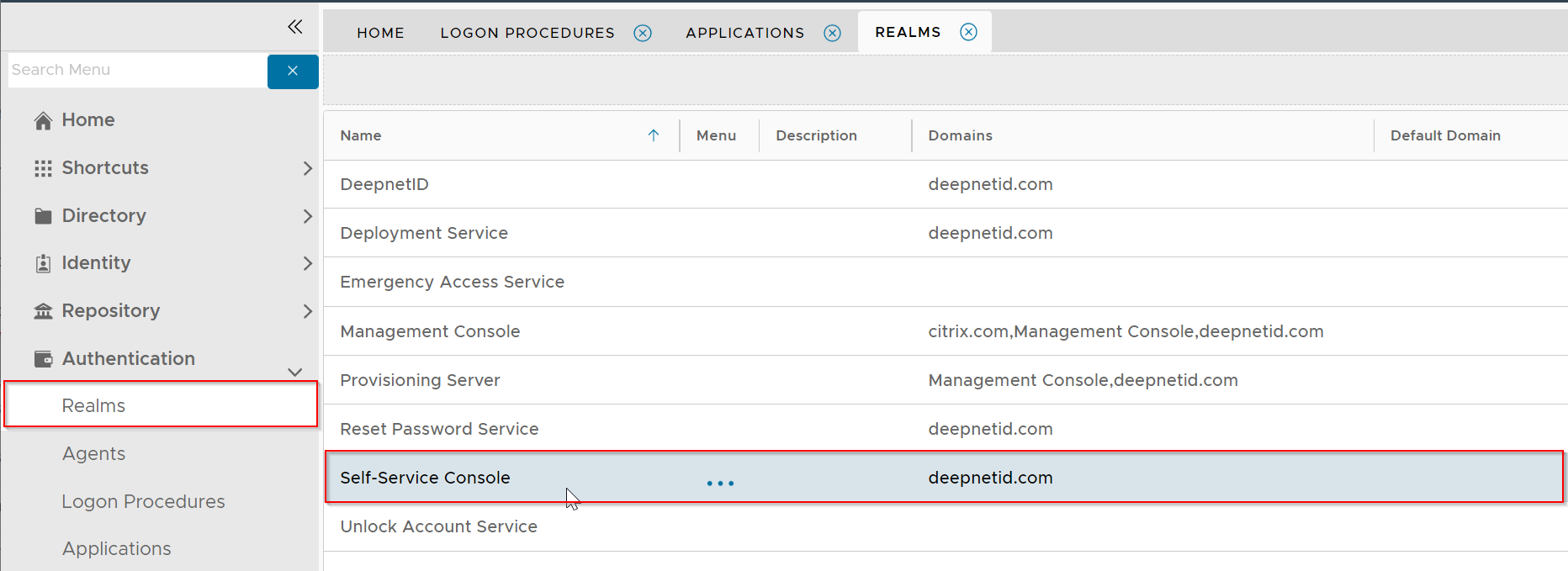
There is a pre-define realm named "Self-Service Console"
You must change the domains that are to be included in this realm, e.g. deepnetid.com
| Expand | ||||||
|---|---|---|---|---|---|---|
| ||||||
|
Anchor Policy Policy
Set up the Self-Service Policy
| Policy | |
| Policy |
The Self Service Policy settings provide the system administrator with the means to specify which self service modules are to be available to the portal user.
The following guide provides details on the various policy settings that are available for the Self Service Console;
| Expand | |||||||||||||||
|---|---|---|---|---|---|---|---|---|---|---|---|---|---|---|---|
| |||||||||||||||
|