If you want to renew this certificate from the step of generating CSR, then follow this guide.
Navigate To renew the certificate of web consoles, navigate to "SSO | SSO Servers".
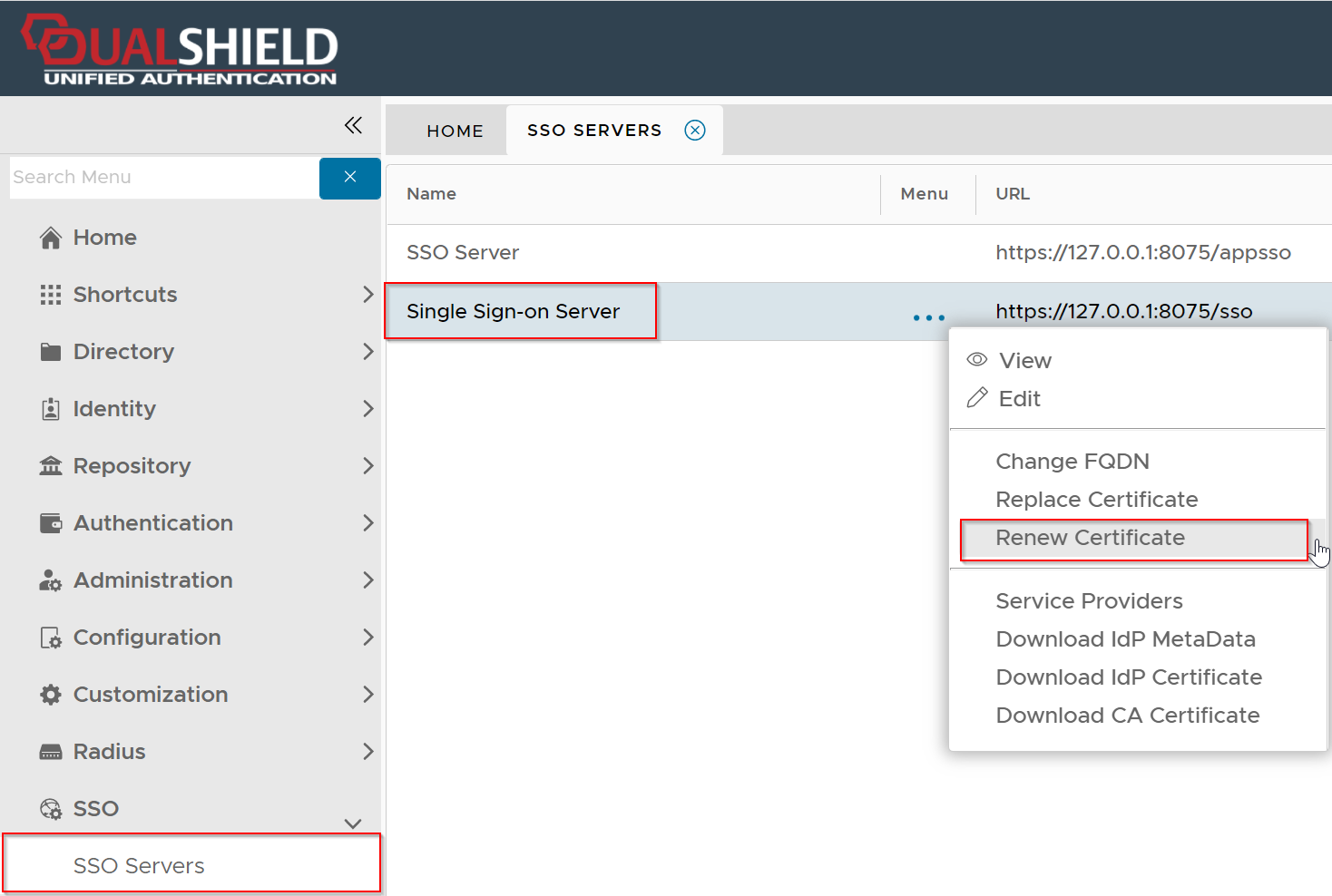
Click the context menu of "Single Sign-on Server", then select "Renew Certificate"
...
To be cautious, you might want to back you up your DualShield server or take a snapshot of your DualShield VM.
Click "Renew" to start the renewal process
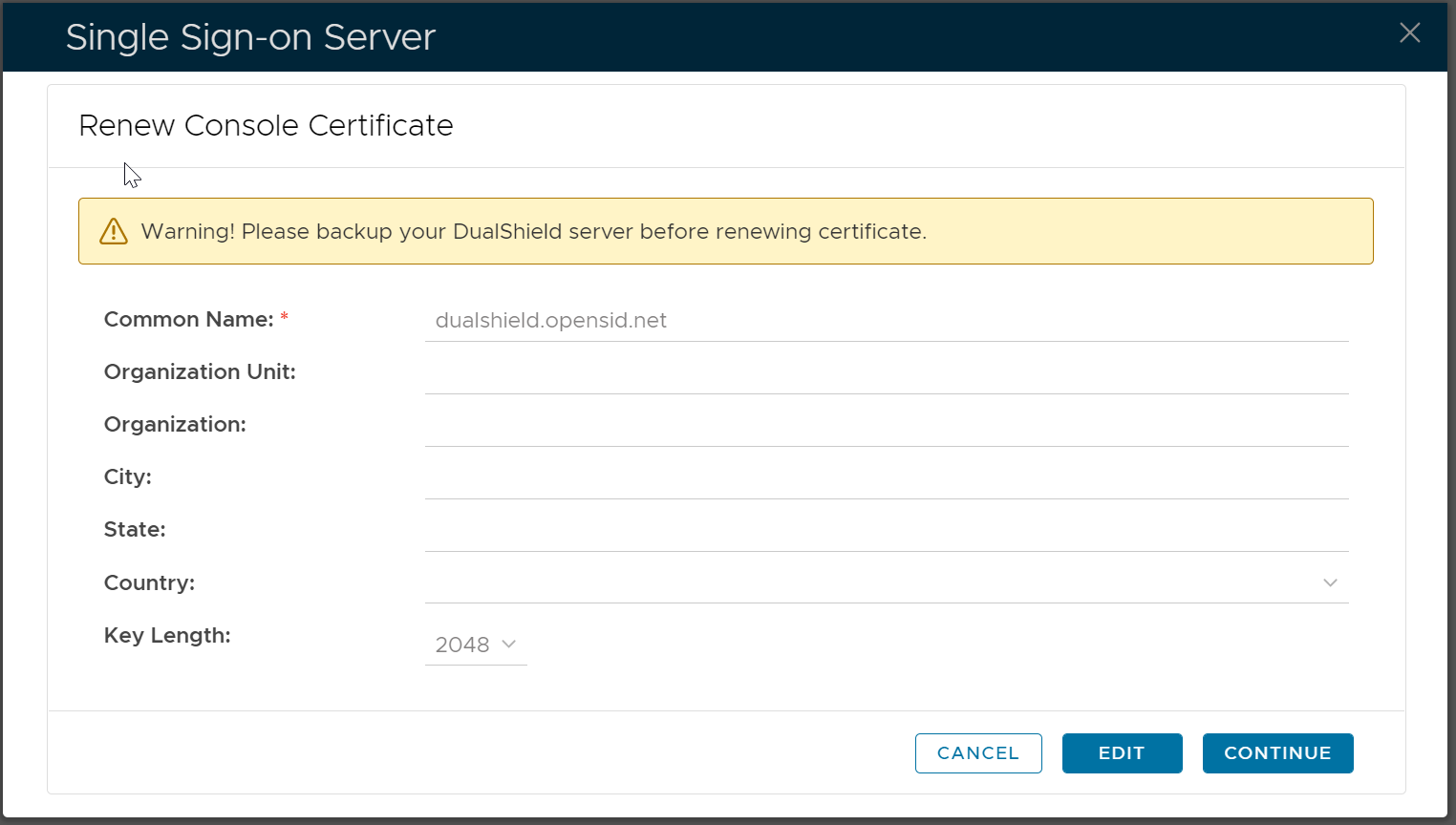
Click "Edit"
Fill out the certificate application form
...
Copy the entire CSR text, and submit it to your certificate authority (CA) to apply for a SSL certificate.
| Expand | ||||||
|---|---|---|---|---|---|---|
| ||||||
|
If you are able to get your SSL certificate from your CA shortly, then click the "Complete Certificate Request" button as soon as you have received your SSL certificate
...
Now, you need to replace the existing SSL certificate with the new SSL certificate
| Include Page | ||||
|---|---|---|---|---|
|