...
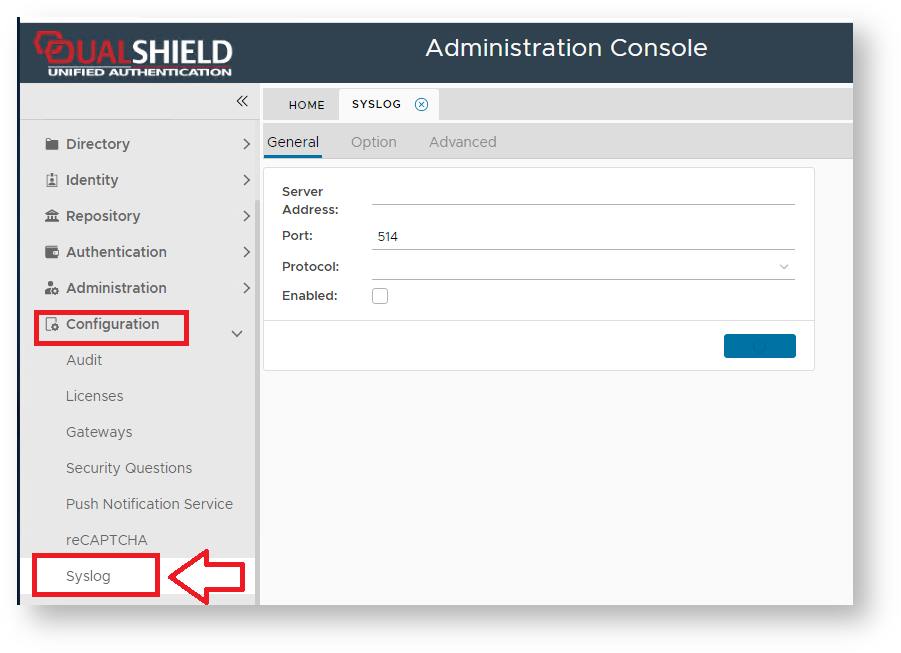
After selecting "Configuration | Syslog" from the Admin Console a new window tab titled "Syslog ServerSYSLOG" is opened;
| Expand |
|---|
| title | The General Tab Settings |
|---|
|
| Panel |
|---|
| borderColor | grey |
|---|
| bgColor | #F8F8F8 |
|---|
| borderStyle | dashed |
|---|
| The General TabThe tab "General" allows the System Administrator to configure the connection details of the server (it also includes an option to disable the server); 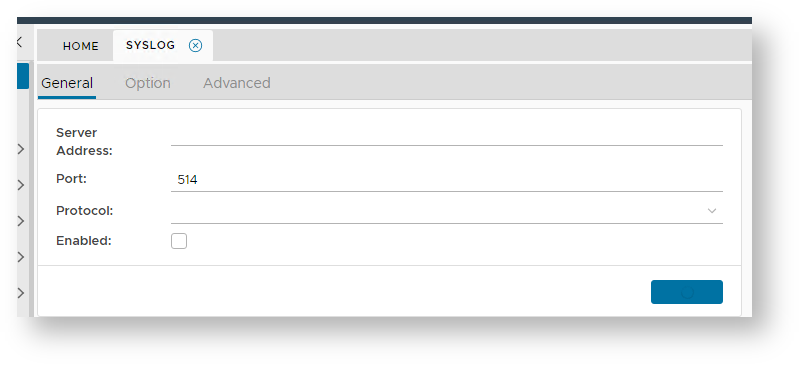
At the prompt "Server Address:", enter the address of the third party supplied syslog client application. At the prompt "Port:", enter the port address of the syslog client application. At the prompt "Protocol:", select the communication protocol ("TCP", "UDP", "UNIX SYSLOG" or "UNIX SOCKET") . The checkbox "Enabled" allows the system administrator to either enable or disable the syslog server. |
|
...