...
| Section |
|---|
|
| Column |
|---|
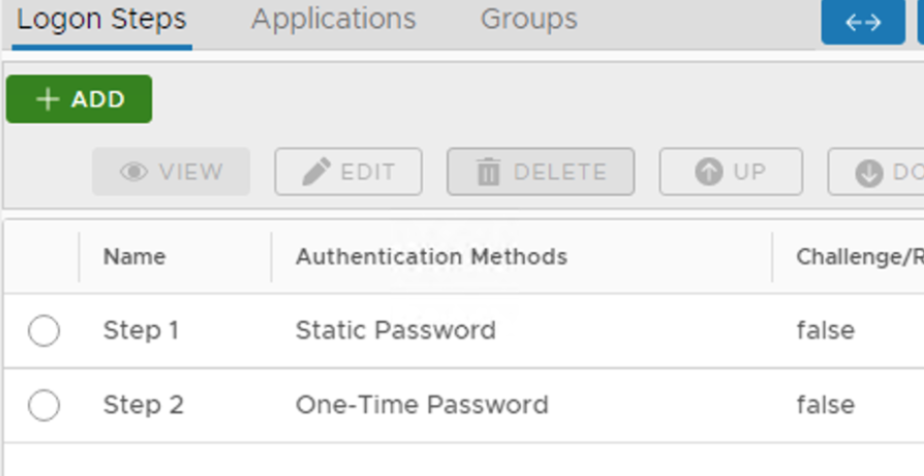
| I have added two steps; Static Password and One-Time Password |
| Column |
|---|
|
| Panel |
|---|
| borderColor | #9EBEE5 |
|---|
| bgColor | #FFFFFF |
|---|
| borderWidth | 1px |
|---|
|  |
|
|
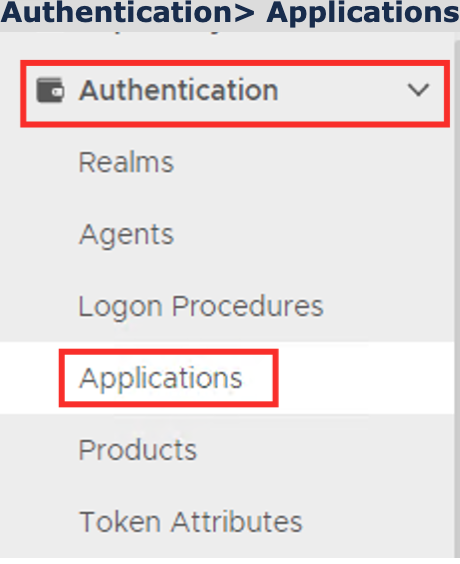
Create an Application:
| Section |
|---|
|
| Column |
|---|
Authentication> Applications |
| Column |
|---|
|
| Panel |
|---|
| borderColor | #9EBEE5 |
|---|
| bgColor | #FFFFFF |
|---|
| borderWidth | 1px |
|---|
| 
|
|
|
...
| Section |
|---|
|
| Column |
|---|
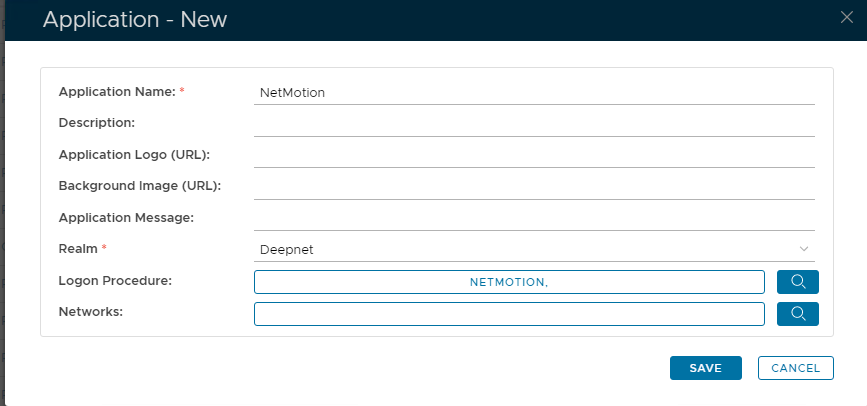
In the new Application window, please enter the following information: | Option | Value |
|---|
| Name: | Enter a friendly name | | Realm: | Select your Realm | | Logon Procedure: | Select the Logon Procedure you had created in the previous step |
Click: Save |
| Column |
|---|
|
| Panel |
|---|
| borderColor | #9EBEE5 |
|---|
| bgColor | #FFFFFF |
|---|
| borderWidth | 1px |
|---|
| 
|
|
|
Bind the Application to an SSO a RADIUS Server Agent
| Section |
|---|
|
| Column |
|---|
Select the drop-down menu corresponding to the Application you will be using and click on Agents. |
| Column |
|---|
|
| Panel |
|---|
| borderColor | #9EBEE5 |
|---|
| bgColor | #f0f0f0#FFFFFF |
|---|
| borderWidth | 1px |
|---|
| 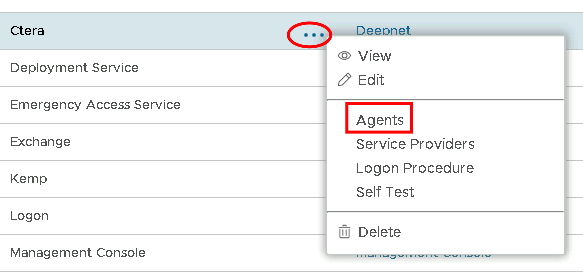 Image Modified Image Modified
|
|
|
| Section |
|---|
|
| Column |
|---|
Tick the box of the SSO Radius Server you will be using and click Save below. |
| Column |
|---|
|
| Panel |
|---|
| borderColor | #9EBEE5 |
|---|
| bgColor | #f0f0f0#FFFFFF |
|---|
| borderWidth | 1px |
|---|
| 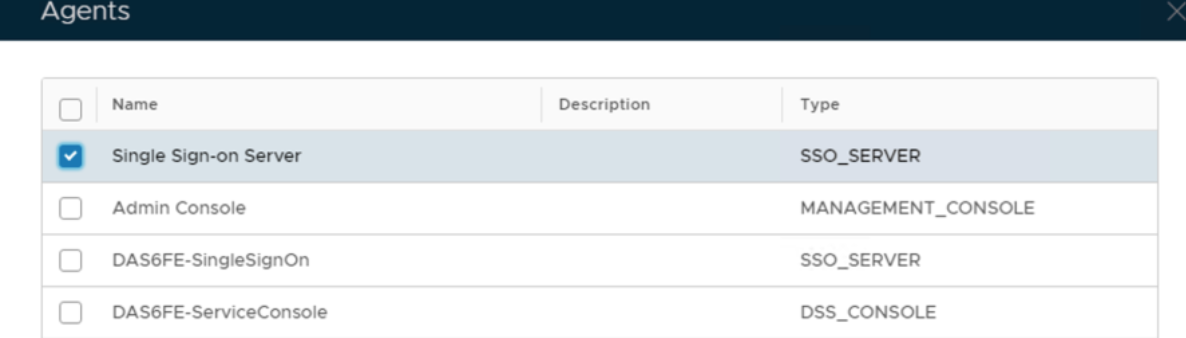 Image Removed Image Removed
|
|
|
Create a Service Provider Profile
...
Create a Logon Procedure
...
Create a Application
...
Certificates Configuration
As the authentication protocol between NetMotion server and DualShield Radius server is Radius and the method is EAP/PEAP, we need a SSL server certificate for the DualShield Radius server.
In the production environment, you will need to provide a commercial SSL certificate for your DualShield Radius server.
...
| title | Import a SSL Server Certificate |
|---|
...
In a test environment, however, you can create your own CA and issue a SSL certificate for DualShield Radius server. Please note, if you use a self-issued certificate by your own CA, then you must download & install your CA certificate onto the client PC in the Trusted Root certificate folder.
...
| title | Create a Self-Signed Certificate |
|---|
Certificate Authority
...
SSL Certificate
To create a SSL certificate,
- In main menu, select “Repository | Certificate Management | Server Certificates”
Click “Create” in the toolbar
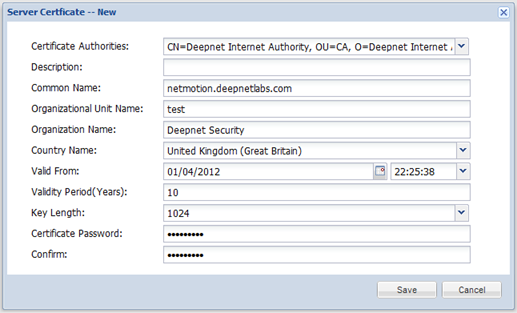 Image Removed
- Select the CA created in the previous step
- Fill in the form
- Click “Save”
Register Radius Client
We need to register NetMotion server as a Radius client in DualShield
...
Configure Radius Server
...
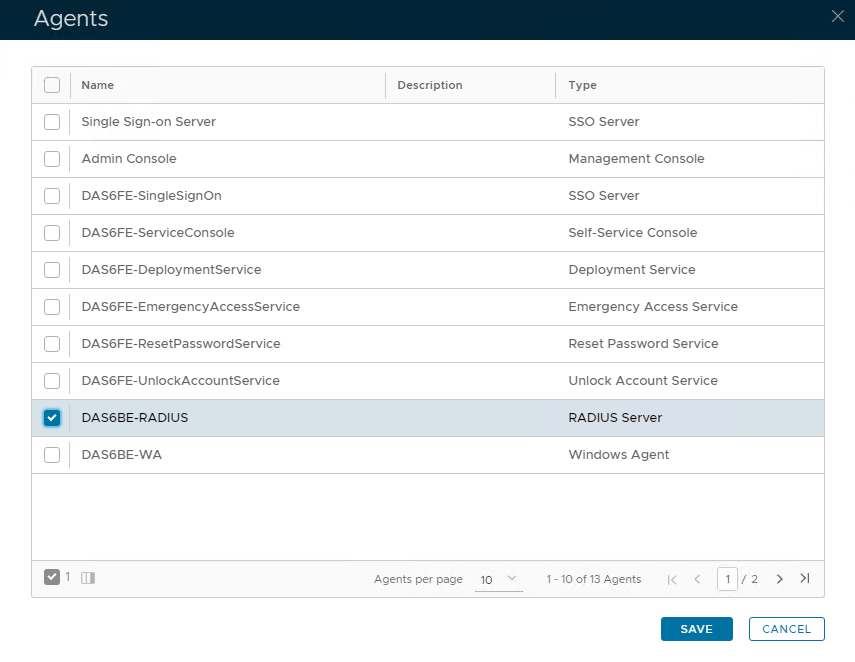 Image Added Image Added
|
|
|