In the IIS console, select the web application to be configured, e.g. "OWA"
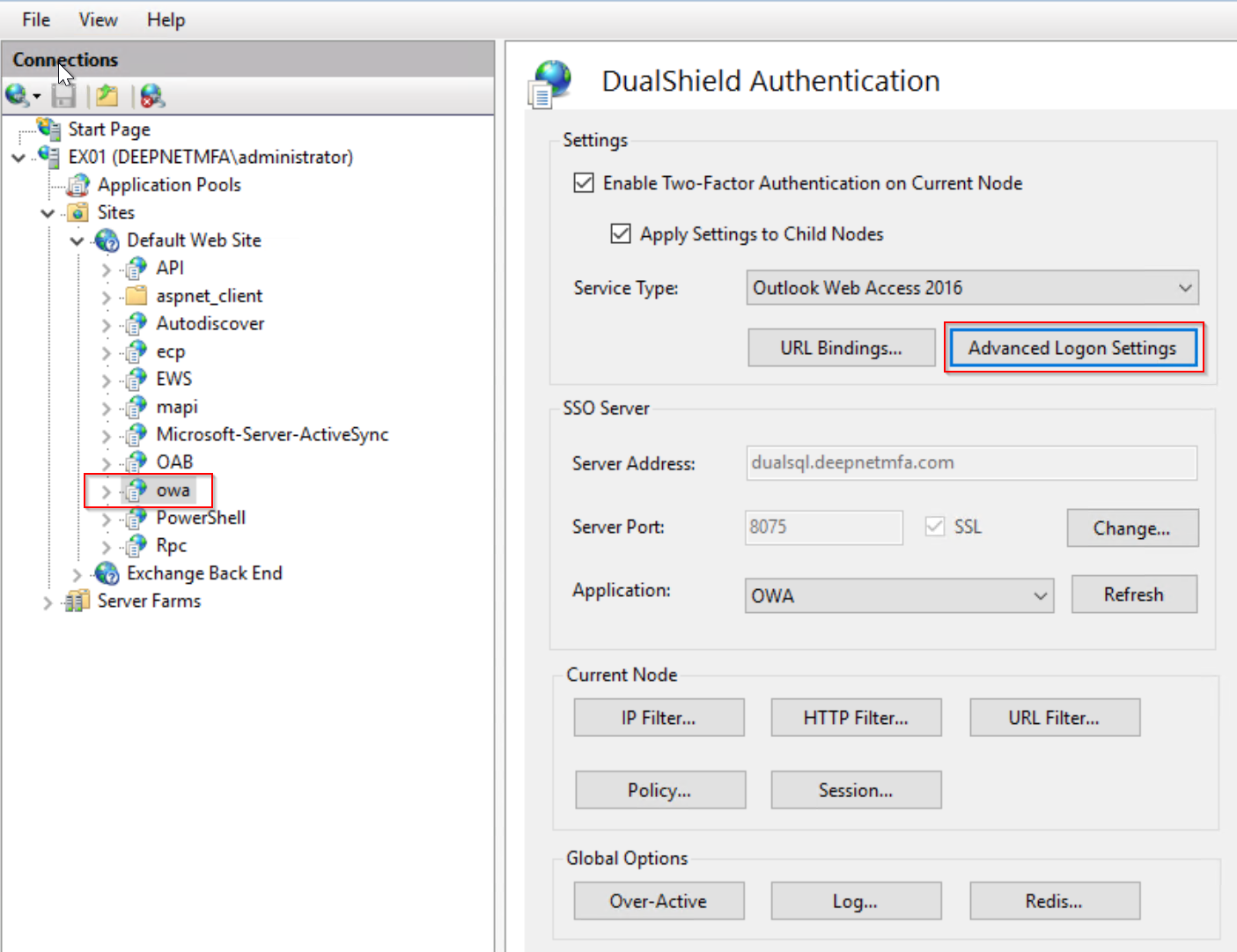
Click the "Advanced Logon Settings" button.
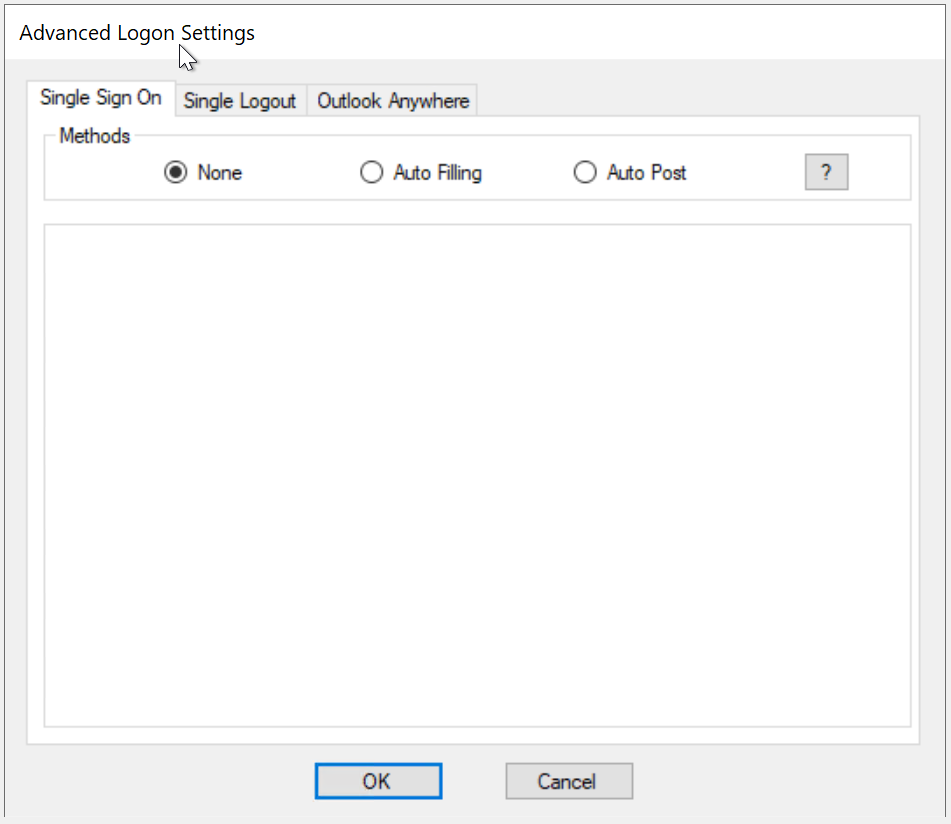
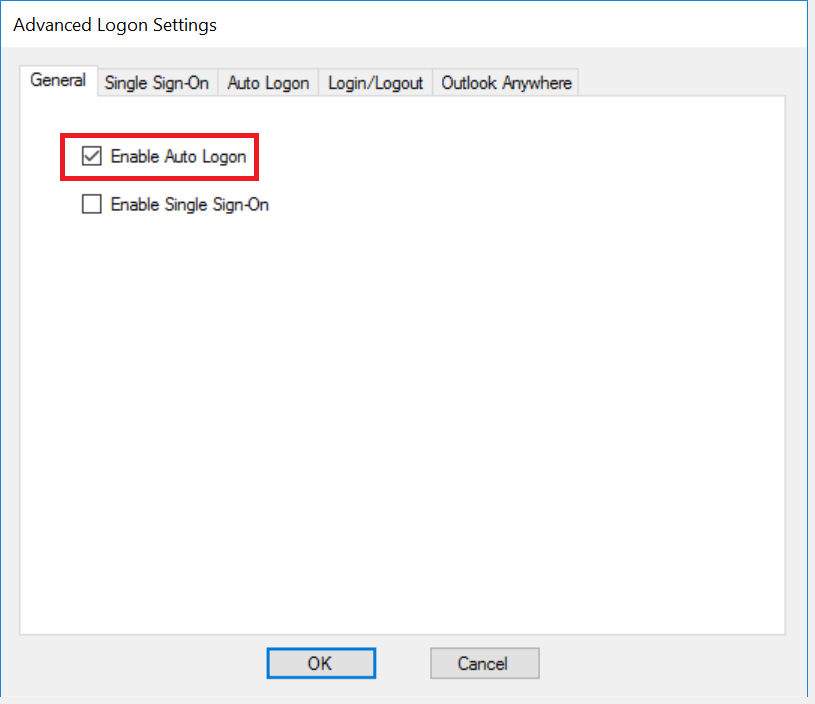
To enable Auto LogonSingle Sign-On by Auto-Post, tick the option "Enable Auto Logon" in the General tab
Then, click the "Auto Logon" tab
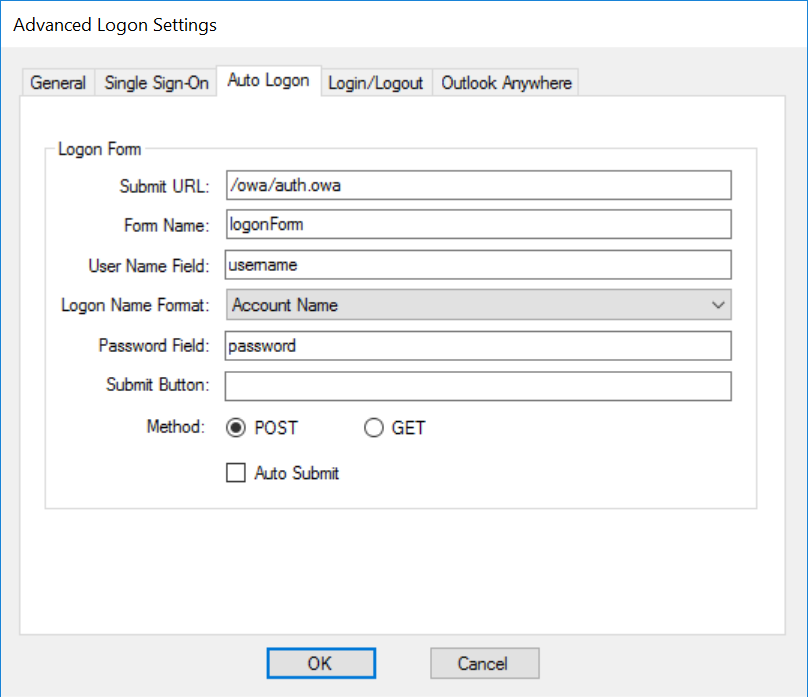
Filling"
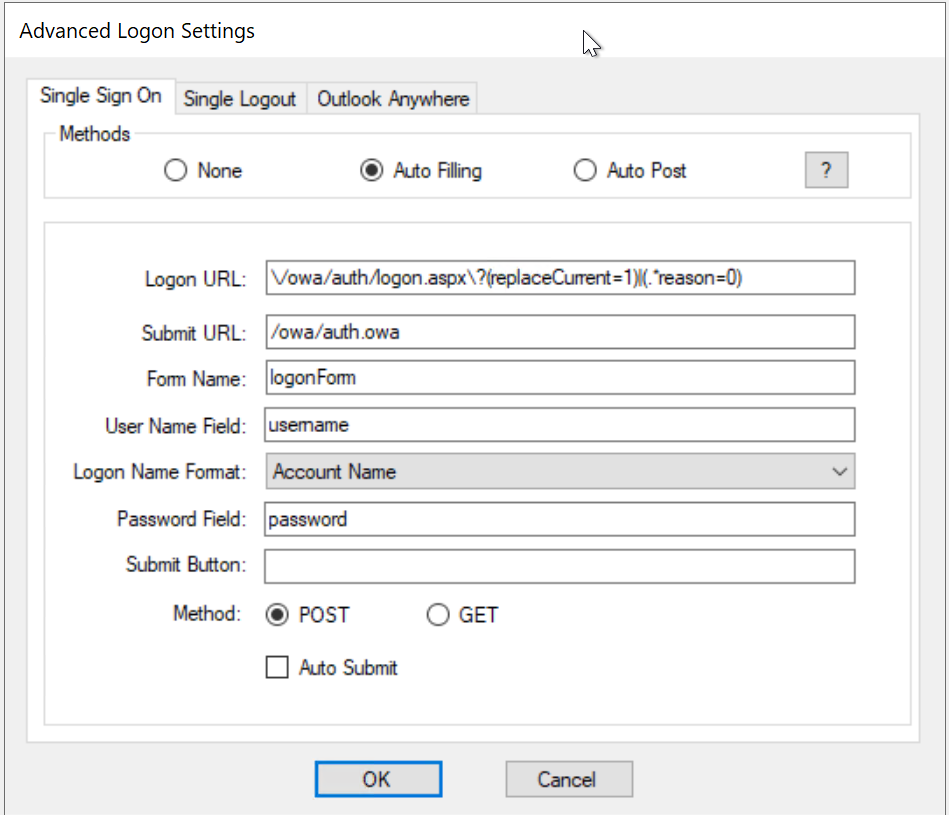
If the web application is one of the pre-configured server types such as OWA, then usually there is no need for any further configuration in this tab apart from ticking the "Auto Submit" option
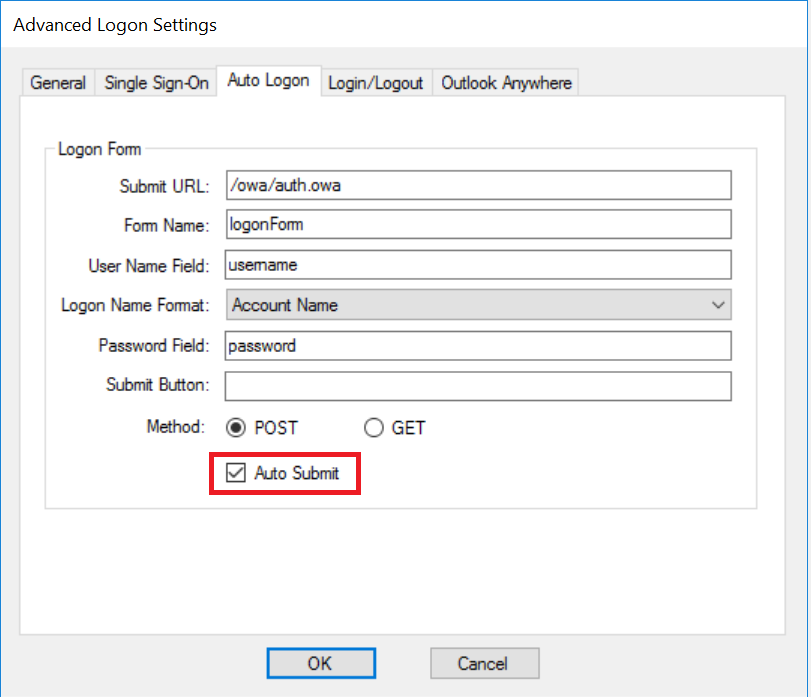
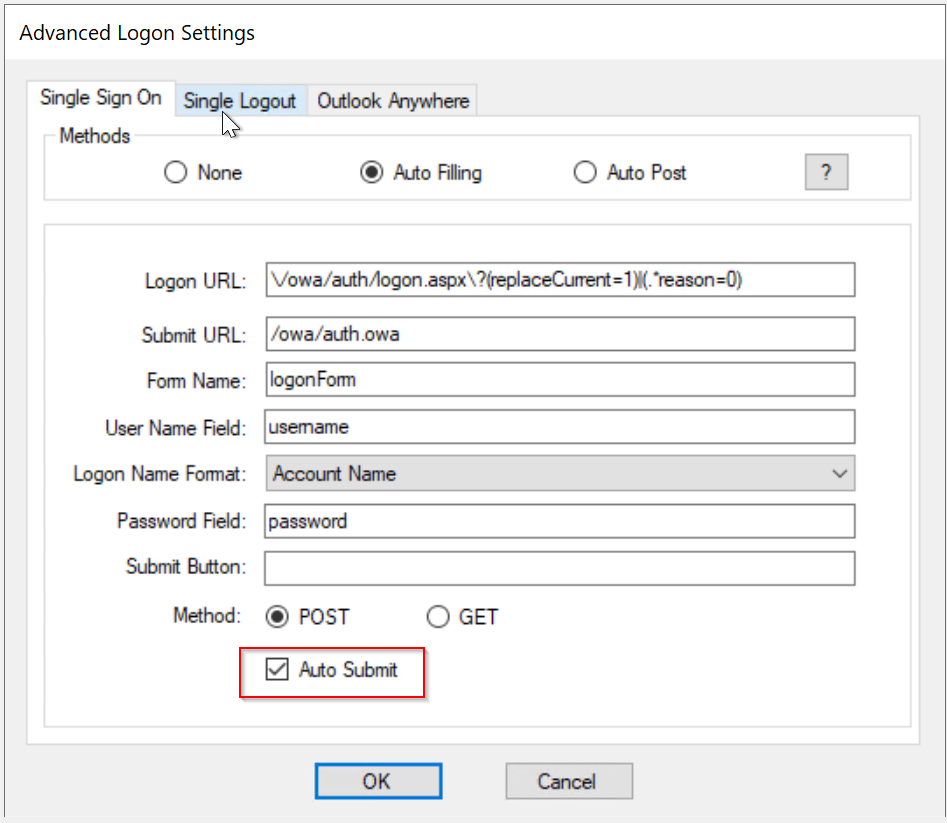
Click "OK" to save settings
...