If you plan to review every newly registered device and activate or reject it manually, then you need to configure the DevcieID policy as suggested below.
| Section |
|---|
|
| Column |
|---|
| 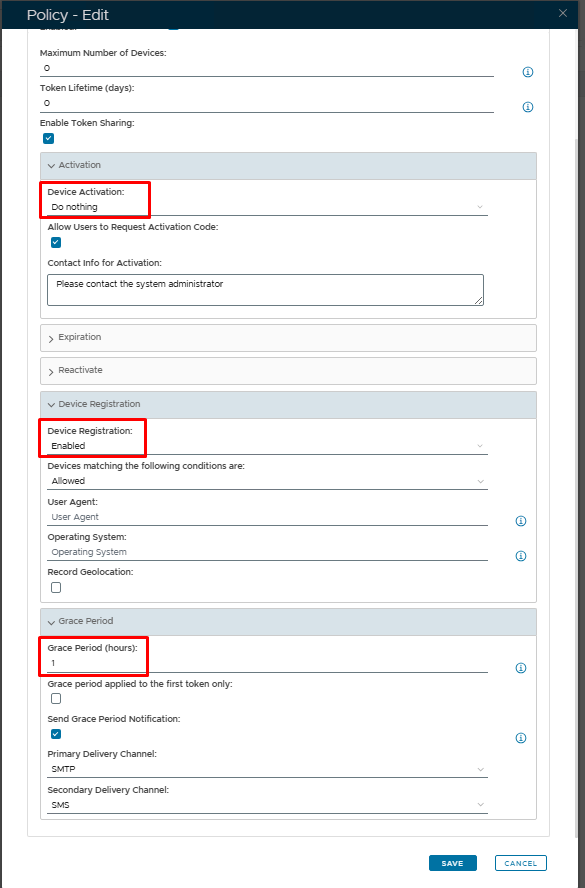 Image Added Image Added
|
| Column |
|---|
| Option | Value | Explanation |
|---|
| Device Activation | Do Nothing | No activation code will be sent to end users, preventing them from activating their device. | | Device Registration | Enabled | This is a default option so that a DeviceID token will get created and dropped into quarantine until such time as it is activated by the DualShield Administrator | | Grace Period | Optional | The end user will still be able to receive emails to their device for the duration of the grace period set after which email will be blocked until the token has been activated. (0 = No grace period set, therefore email blocked immediately until the token is activated.) |
|
|
...