You need to To add your ADFS server as a SAML Service Provider in your DualShield server, follow steps below.
In the DualShield Admin Console, select "SSO | Service Providers", then click "Create" on the toolbar.
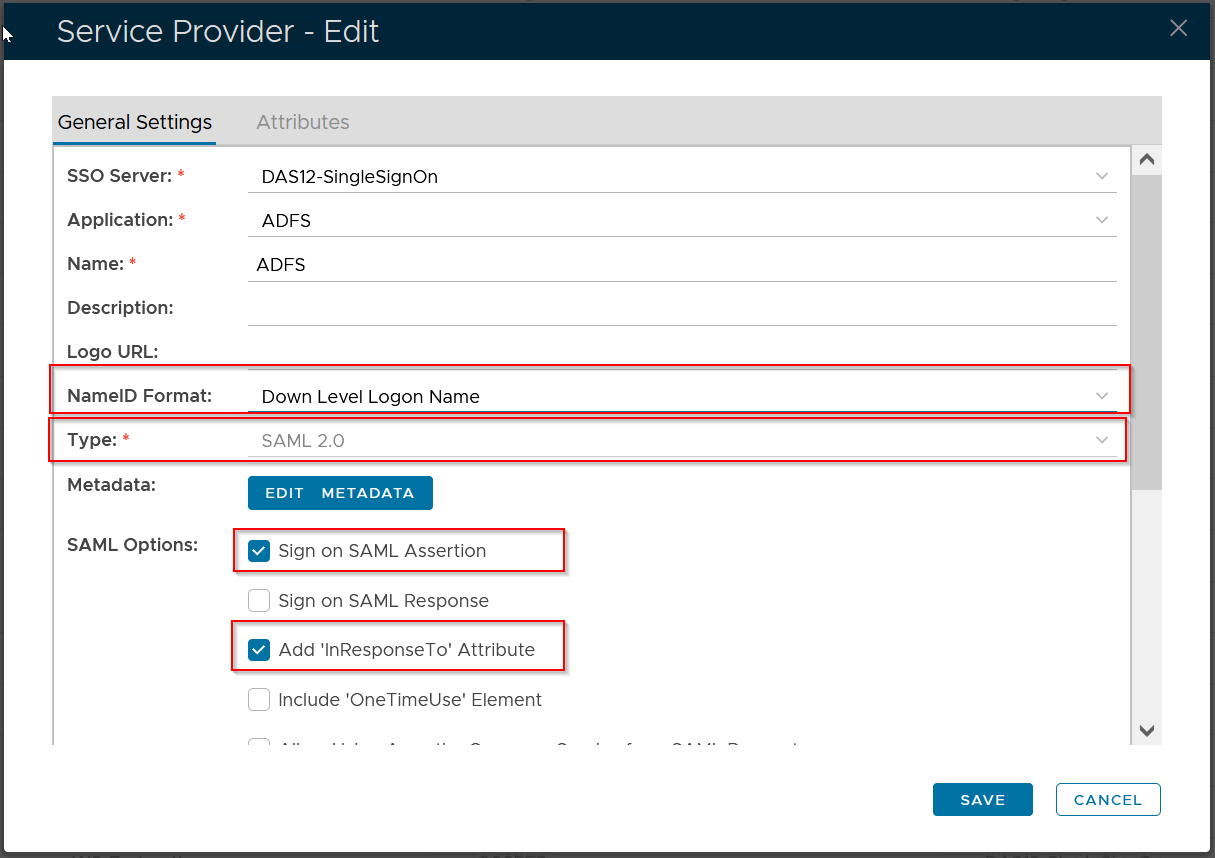
Use the following settings:
| FieldOption | Value | |
|---|---|---|
| SSO Server | select the SSO server to which the ADFS will be connected, e.g."Single Sign-On Server" | |
| Application | select the application that you created for ADFS integration in the previous step, e.g. "ADFS" | |
| Name | enter a descriptive text as the name of the service provider to be created, e.g. "ADFS" | |
| Type | select "SAML 2.0" | |
| NameID Format | ||
| Sign on SAML Assertion |
| |
| Add "InResponseTo" |
|


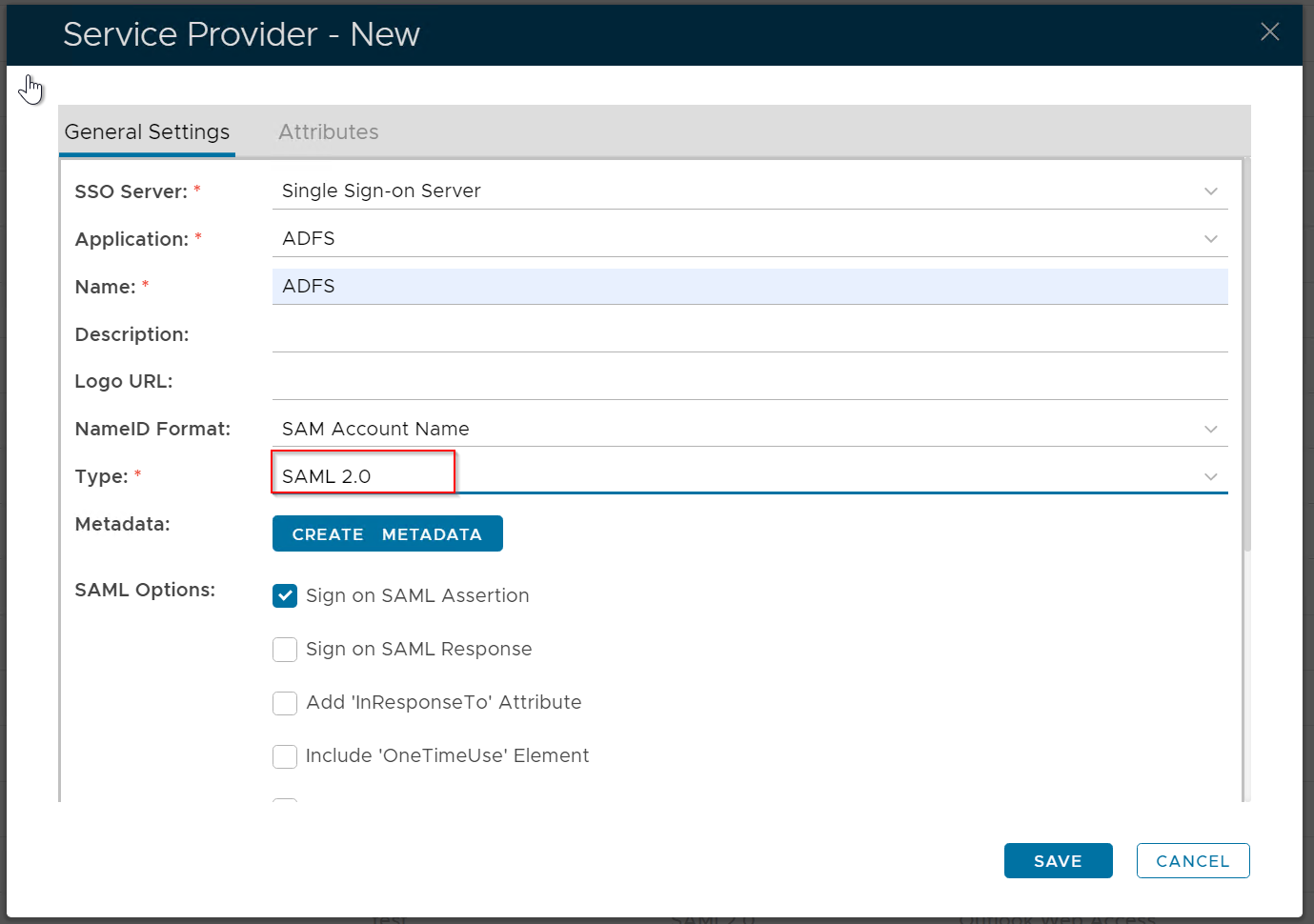
Click the "Create Metadata" button
...
<EntityDescriptor entityID="httpshttp://your-adfs-address/adfs/services/trust" xmlns="urn:oasis:names:tc:SAML:2.0:metadata" xmlns:saml="urn:oasis:names:tc:SAML:2.0:assertion" xmlns:ds="http://www.w3.org/2000/09/xmldsig#"> <SingleLogoutService Binding="urn:oasis:names:tc:SAML:2.0:bindings:HTTP-POST" Location="https://your-adfs-address/adfs/ls/"/> |
|---|
...