...
There are 3 wildcards that you can use in the message body depending on your requirements
| Wildcard | Remarks | Examples |
|---|---|---|
[[LINK]] | This wildcard represents the download link of the user's MobileID token. Use this wildcard if you want to send the token's download link to the user. |
|
[[QRCODE]] | This wildcard represents the QR code image of the user's OTP token. Use this wildcard if you want to send the token's QR code to the user. |
|
| ||
[[AUTHZCODE]] | Depending on the token's policy, installing an OTP token might require an authorization code. This wildcard represents the authorization code of the user's token if it is required. |
You must select "HTML Format" if include the wirldcard [[QRCODE]] in the message text.
SMS Template
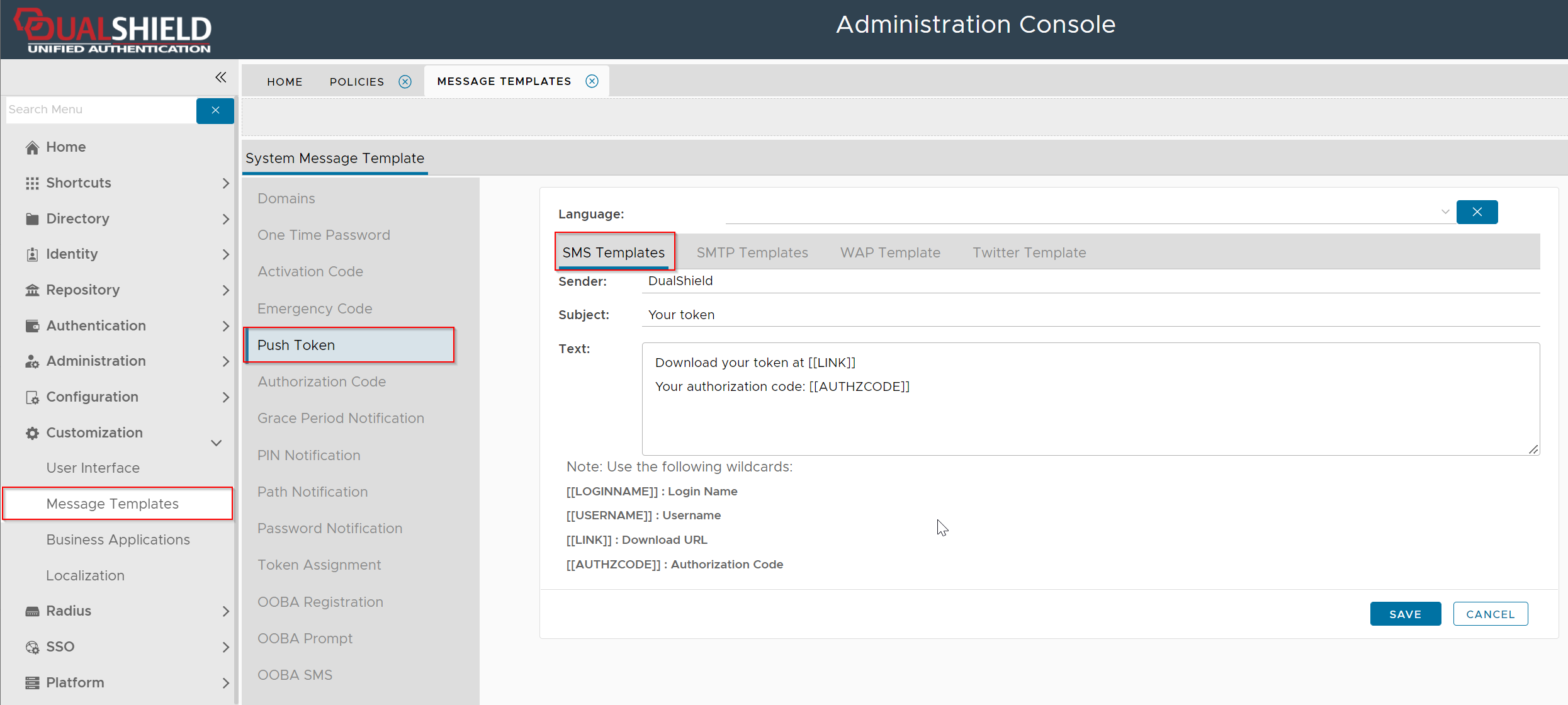
If you want the server to push OTP tokens to users by SMS message, then you need to customize the SMS Template
Navigate to Customization | Message Templates | Push Token | SMS Templates