...
- In the Edit RADIUS Server screen, click on the Edit in CLI button
- Execute the following commands:
# set timeout 60
# end
Configure a User Group
- Navigate to User & Authentication>User Groups
- If you have an existing user group, click on it to edit its settings. If you don't yet have a user group, click Create New to create one.
On the Edit User Group or New User Group page, enter the following information:
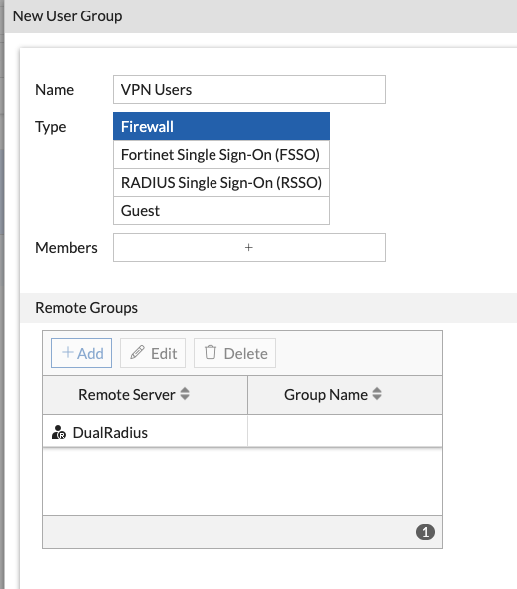
- Use a friendly name
- Type is Firewall
- You do not have to specify members.
Click the Create New button in the Remote groups section and select the DualShield RADIUS remote server. You do not have to specify a group.
- Click the OK button to save the user group settings.
...