...
Click "OK", you will see the following message box:
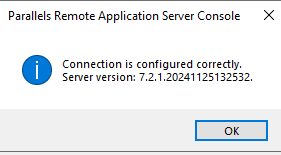
Click "OK".
Click "Next"
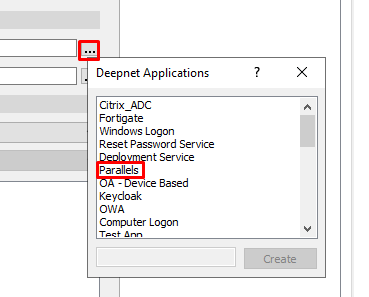
On the next screen click on the ellipses to the right of Application, then double-click the Application you created in Parallels DualShield Configuration from the list of applications
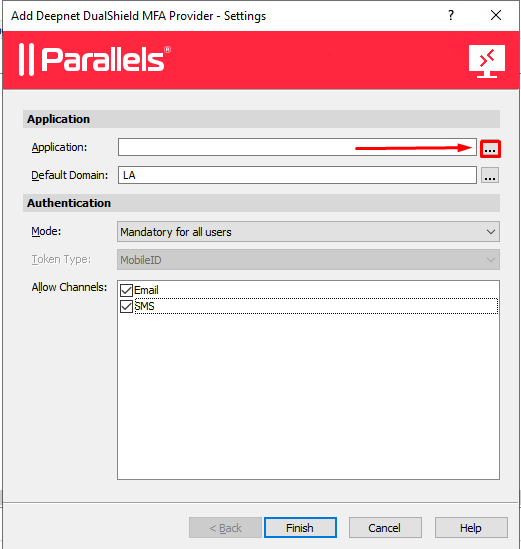
If the machine, hosting Parallels RAS is domain joined, the Default domain should auto-populate.
Next, set the Authentication Mode. There are three options to choose from the drop-down menu.
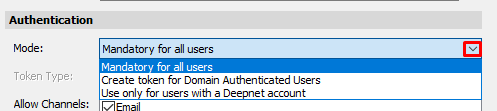
Mandatory for all users
If this option is enabled, then two-factor authentication is required for all users.
Create tokens for domain-authenticated users
If this option is enabled, then the Parallels (2X) Application Server will ask the DualShield Authentication Server to create a specified token type for user as soon as the user’s domain credential, i.e. AD password is successfully verified.
Use only for users with a Deepnet Account
(This option is deprecated and you do not need to use)
It is recommended that you keep the default Mandatory for all users (seeing as auto-provisioning of tokens can be set on the DualShield Admin Console see Provision MobileID tokens automatically to users)
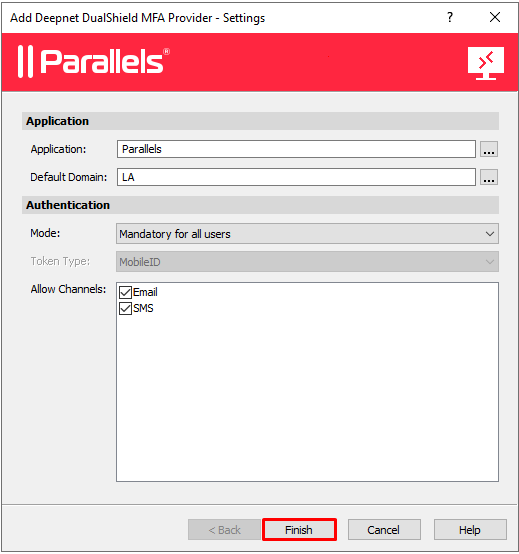
Click Finish