It is possible to use Computer Logon to protect Network drive mapping with multi-factor authentication....
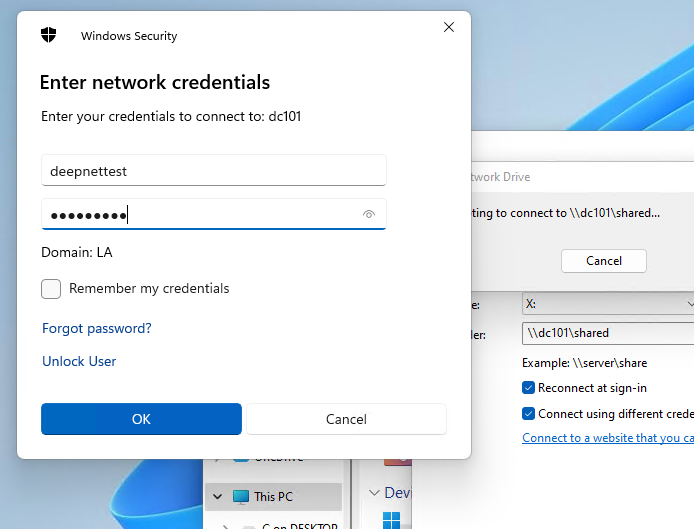
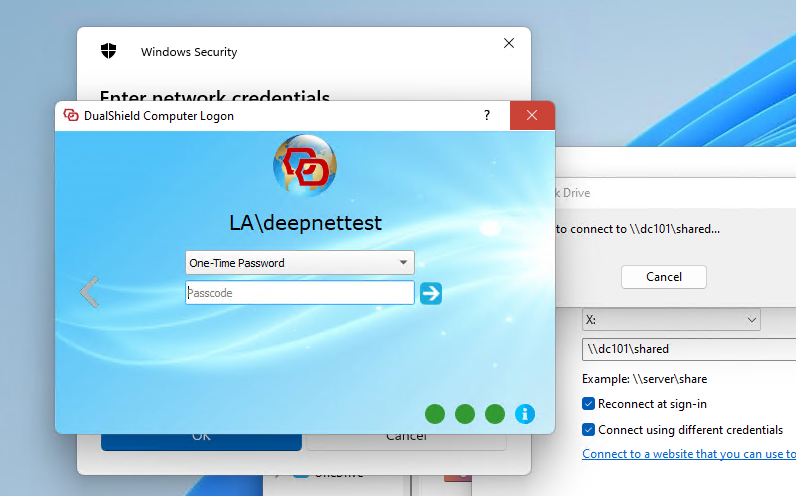
This guide assumes that logon to the end user's computer is already protected by the Computer Logon Client.
Logon to the DualShield Administration Console modify the Computer Logon Client policy:
Navigate to Shortcuts>Check Policies and search for the Compter Logon Client Policies.
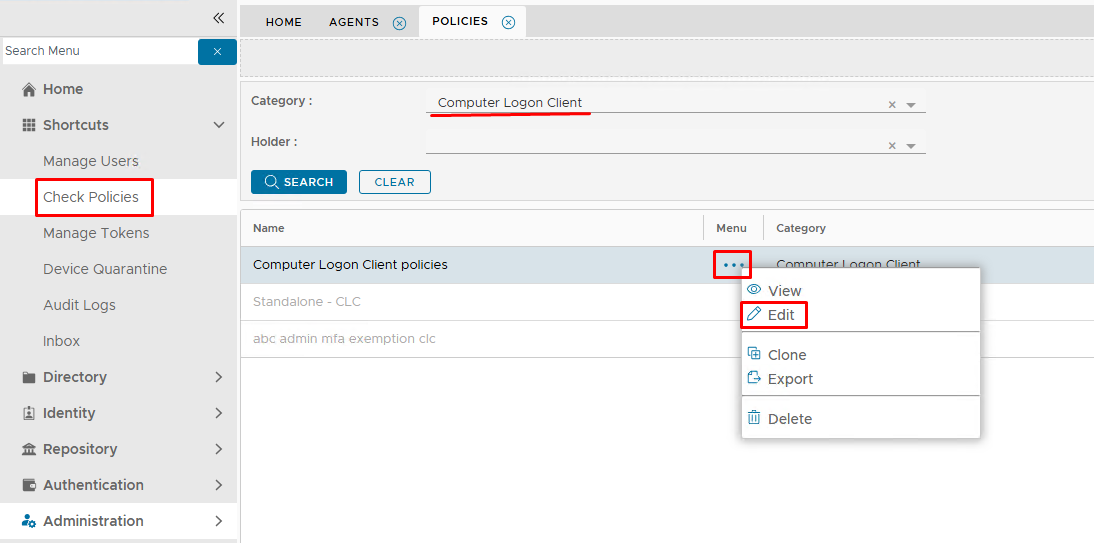
Edit the policy.
Expand the NAC tab and set Authentication to Multi-Factor Authentication..
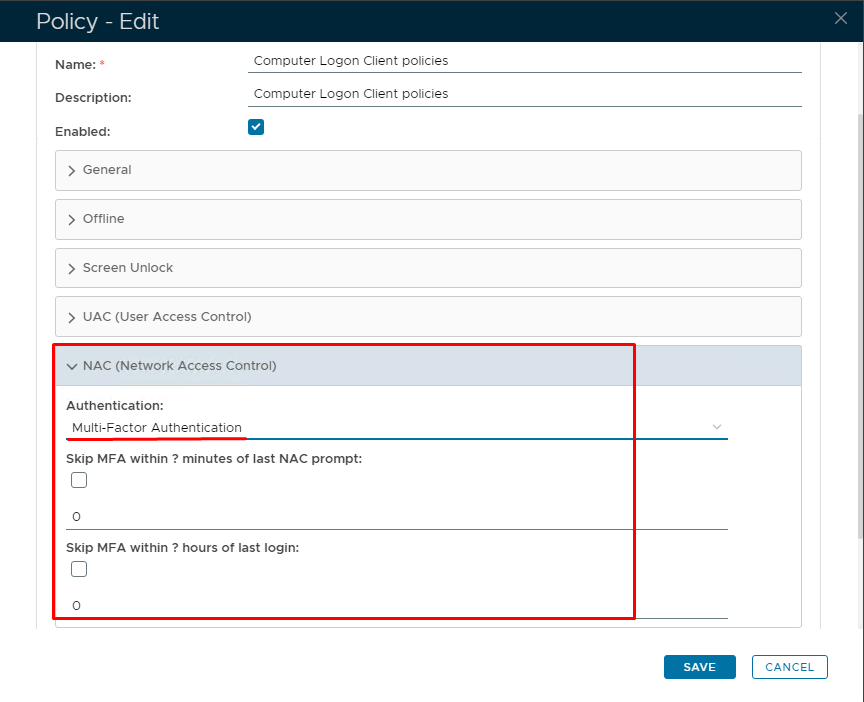
Click Save
Sign out and then sign back in to the client machine, so that the new policy is picked up.